அறிமுகம்
This manual provides essential instructions for the proper setup, operation, and maintenance of your HOBBYWING XERUN XR10 Stock SPEC G2 Sensored Brushless Electronic Speed Controller (ESC). Please read this manual thoroughly before using the product to ensure correct functionality and to prevent damage.
The XR10 Stock SPEC G2 ESC is designed for 1/10 Touring Cars and Buggies in stock class racing, as well as 1/10 Drift cars. It features a compact design, advanced thermal management, and adjustable parameters for precise control.
பாதுகாப்பு தகவல்
As described. Always exercise caution when handling electronic components and batteries. Ensure all connections are secure and correct before powering on the device. Incorrect wiring or operation can lead to damage or injury. Keep the ESC away from moisture and extreme temperatures.
தயாரிப்பு முடிந்துவிட்டதுview
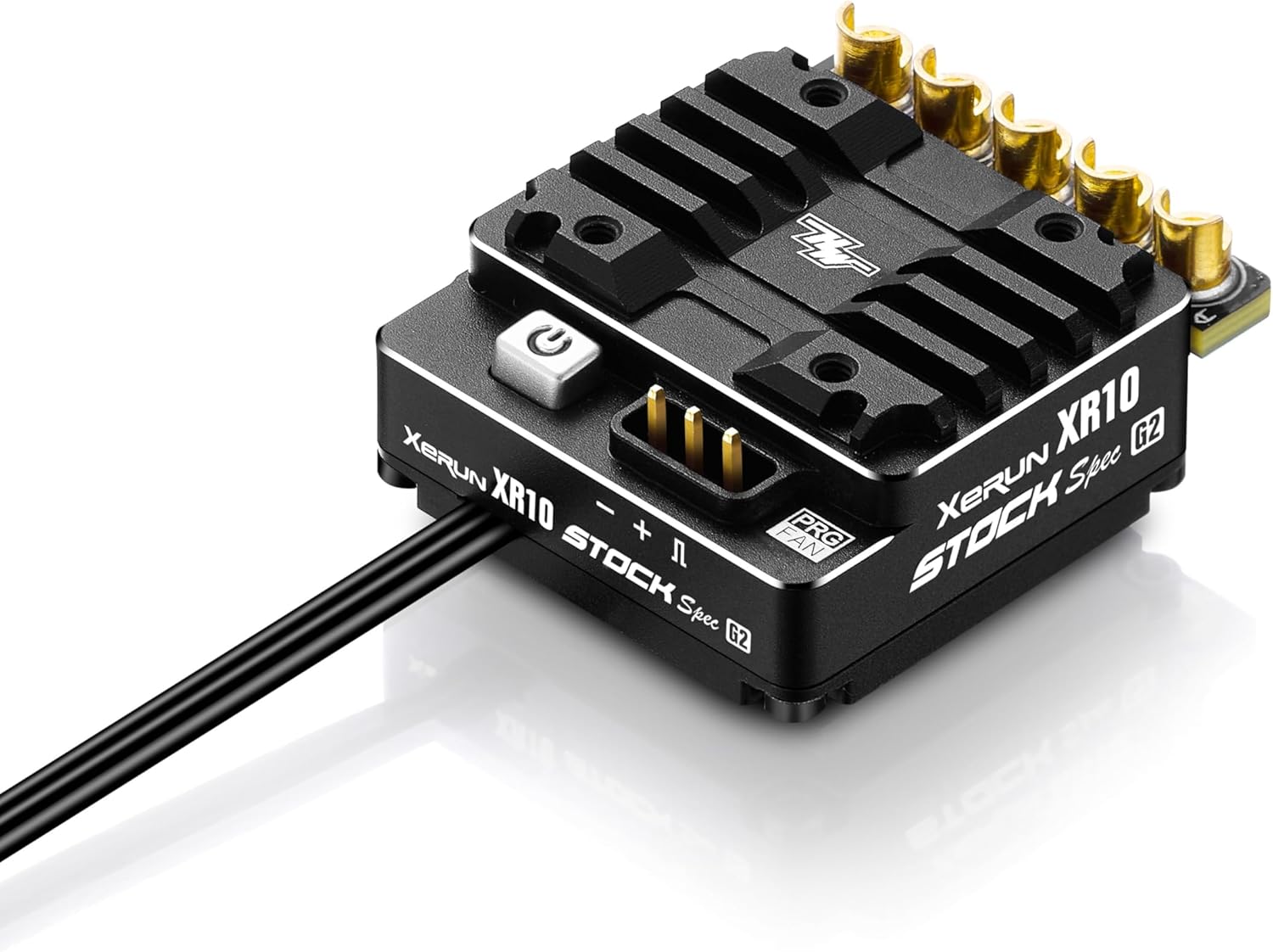
படம் 1: மேல் view of the HOBBYWING XERUN XR10 Stock SPEC G2 Sensored Brushless ESC, showing the power button, fan port, and motor output terminals.

படம் 2: பக்கம் view of the HOBBYWING XERUN XR10 Stock SPEC G2 Sensored Brushless ESC, highlighting the compact design and connection points.
The XR10 Stock SPEC G2 features increased maximum current rating, significantly lower operating temperatures, and a small footprint with a lower center of gravity. It includes independently adjustable drag brake frequency, adjustable multi-level throttle and brake curves, and dual firmware options (blinky/stock and non-blinky/boost).
Key components include the main unit, cooling fan, heat shrink tubes, zip-ties, and double-sided tape for installation.
அமைவு
1. நிறுவல்
- ESC ஐ ஏற்றுதல்: Securely mount the ESC in your vehicle using the provided double-sided tape. Ensure adequate airflow around the unit for optimal cooling.
- மோட்டார் இணைப்பு: Connect the three motor wires from the ESC to your sensored brushless motor. Ensure the phase wires (A, B, C) are connected correctly. For sensored motors, also connect the sensor cable from the motor to the ESC's sensor port.
- ரிசீவர் இணைப்பு: Plug the ESC's throttle cable into the throttle channel (usually channel 2) of your receiver.
- பேட்டரி இணைப்பு: Connect your 2S LiPo battery to the ESC's battery input wires. Ensure correct polarity to prevent damage (red to positive, black to negative). The ESC features built-in polarity protection.
- Cooling Fan Installation: Attach the cooling fan to the designated port on the ESC. The fan helps maintain optimal operating temperatures, especially during intense use.
2. ESC Calibration
Before first use, the ESC must be calibrated to your radio system's throttle range. Refer to the detailed calibration procedure in the full user manual provided with your product or available on the Hobbywing website. This typically involves holding the set button while powering on, then setting neutral, full throttle, and full brake positions on your transmitter.
இயக்க வழிமுறைகள்
1. ஆன் / ஆஃப் செய்தல்
- பவர் ஆன்: Ensure all connections are secure, then connect the battery. Press and hold the power button on the ESC until the LED illuminates.
- பவர் ஆஃப்: Press and hold the power button until the LED turns off. Always disconnect the battery after use.
2. அளவுரு சரிசெய்தல்
The XR10 Stock SPEC G2 offers various adjustable parameters for fine-tuning performance. These can typically be adjusted using a Hobbywing program box (sold separately) or via specific button press sequences on the ESC itself. Refer to the detailed programming guide for specific instructions.
- Drag Brake Frequency: Independently adjustable for precise control during braking.
- Throttle and Brake Curve: Multi-level adjustment to customize the feel of acceleration and braking.
- PWM & Brake Frequencies: Variable frequency regulation for optimized motor performance and braking characteristics.
- BEC வெளியீடு: Adjustable from 6V to 7.4V at 5A to power your receiver and servos.
- நிலைபொருள் விருப்பங்கள்: Switch between "blinky/stock" mode (for sanctioned stock class racing) and "non-blinky/boost" mode (for modified racing) to suit different competition requirements.
3. தரவு பதிவு
The ESC supports data logging, allowing you to record and review real-time data such as maximum ESC/motor temperature, motor RPM, and other parameters. This feature is valuable for analyzing performance and optimizing settings. Data can typically be accessed via a program box or dedicated software.
பராமரிப்பு
- சுத்தம்: Regularly clean the ESC and cooling fan to remove dirt, dust, and debris. Use a soft brush or compressed air. Ensure no foreign objects obstruct the fan.
- ஆய்வு: தேய்மானம், சேதம் அல்லது அரிப்புக்கான அறிகுறிகள் ஏதேனும் உள்ளதா என அனைத்து கம்பிகள் மற்றும் இணைப்பிகளையும் அவ்வப்போது ஆய்வு செய்யவும். சேதமடைந்த கூறுகளை உடனடியாக மாற்றவும்.
- சேமிப்பு: When not in use, store the ESC in a dry, cool place, away from direct sunlight and extreme temperatures. Disconnect the battery before storage.
- நிலைபொருள் புதுப்பிப்புகள்: Check the Hobbywing website periodically for firmware updates. Keeping your ESC's firmware up-to-date can improve performance and add new features.
சரிசெய்தல்
| பிரச்சனை | சாத்தியமான காரணம் | தீர்வு |
|---|---|---|
| ESC பவர் ஆன் ஆகவில்லை. | Battery not connected or discharged; incorrect battery polarity; faulty power switch. | Check battery connection and charge level; ensure correct polarity; inspect power switch. |
| Motor does not respond or runs erratically. | Incorrect throttle calibration; motor wires loose or incorrectly connected; sensor cable issue; faulty motor. | Recalibrate throttle range; check all motor and sensor cable connections; test with a different motor if possible. |
| ESC அதிக வெப்பமடைகிறது. | Insufficient cooling; motor gearing too high; ESC settings too aggressive; damaged cooling fan. | Ensure cooling fan is working and clear; adjust motor gearing; review ESC settings; replace cooling fan if necessary. |
| No signal from receiver. | Receiver not powered; ESC throttle cable loose or in wrong channel; transmitter not bound. | Check receiver power and connections; ensure ESC is plugged into correct receiver channel; re-bind transmitter and receiver. |
For more detailed troubleshooting, refer to the complete user manual or contact Hobbywing customer support.
விவரக்குறிப்புகள்
| வகை | சென்சார்டு பிரஷ்லெஸ் |
| விண்ணப்பங்கள் | 1/10 TC and Buggy Stock Class Racing, 1/10 Drift cars |
| தொடர்ச்சியான/உச்ச மின்னோட்டம் | 100A/500A |
| உள்ளீடு தொகுதிtage | 2S LiPo (Only) |
| BEC வெளியீடு | (6-7.4V) 5A Adjustable |
| மோட்டார் வரம்பு | >10.5T With 2S LiPo |
| பரிமாணங்கள் (LxWxH) | 34.8 x 30 x 13.8 மிமீ (1.37 x 1.18 x 0.54 அங்குலம்) |
| எடை | 63 கிராம் (2.22 அவுன்ஸ்) |
| ASIN | B0CVSK88X9 |
| உற்பத்தியாளர் | பொழுதுபோக்கு |
| பரிந்துரைக்கப்பட்ட வயது | 14 மாதங்கள் மற்றும் அதற்கு மேல் |
உத்தரவாதம் மற்றும் ஆதரவு
For detailed warranty information, technical support, and service inquiries, please refer to the official Hobbywing website or contact your local Hobbywing distributor. Keep your proof of purchase for warranty claims.
உற்பத்தியாளர்: பொழுதுபோக்கு
Webதளம்: www.hobbywing.com


