1. அறிமுகம்
This manual provides detailed instructions for the installation, operation, and maintenance of your Insoma 2-Zone Digital Sprinkler Timer (Model: SGW20-TT). This device is designed to automate your garden watering system, offering programmable schedules for two independent zones, rain delay functionality, and manual watering options. Please read this manual thoroughly before use to ensure proper setup and optimal performance.

Image 1.1: The Insoma 2-Zone Digital Sprinkler Timer, showcasing its dual outlets, control panel, and included hose connectors and Teflon tape.
2. தொகுப்பு உள்ளடக்கங்கள்
பிரித்தெடுத்தவுடன், கீழே பட்டியலிடப்பட்டுள்ள அனைத்து பொருட்களும் உள்ளனவா மற்றும் நல்ல நிலையில் உள்ளனவா என்பதை சரிபார்க்கவும்:
- 1 x Insoma 2-Zone Digital Sprinkler Timer (Model: SGW20-TT)
- 2 x 1/2" Threaded Hose Connectors
- 2 x Thread Seal Teflon Tapes
- 1 x பயனர் கையேடு (இந்த ஆவணம்)
குறிப்பு: 4 x AAA 1.5V Alkaline batteries are required for operation and are சேர்க்கப்படவில்லை in the package. Please purchase them separately.
3. தயாரிப்பு அம்சங்கள்
- Dual Independent Zones: Control two separate watering areas with distinct schedules.
- நிரல்படுத்தக்கூடிய அட்டவணைகள்: Up to 6 different watering programs per zone, with adjustable duration (1 min - 5h 59 min) and frequency (every 1-7 days or specific days).
- மழை தாமத செயல்பாடு: Pause watering for 1-7 days to conserve water during rainy periods.
- கைமுறை நீர்ப்பாசன முறை: Initiate immediate watering from 1 minute to 8 hours without affecting programmed schedules.
- பெரிய எல்சிடி டிஸ்ப்ளே: 2.5-inch screen for clear visibility of settings and status.
- நீடித்த கட்டுமானம்: IP55 waterproof rating, anti-UV coating, and anti-rust ABS plastic for long-lasting outdoor use.
- எளிதான நிறுவல்: Tool-free setup with standard hose connections.
4. அமைவு மற்றும் நிறுவல்
விரைவான மற்றும் எளிதான நிறுவலுக்கு இந்தப் படிகளைப் பின்பற்றவும்:
- பேட்டரிகளை நிறுவவும்: Open the battery compartment on the back of the timer. Insert 4 new AAA 1.5V Alkaline batteries, ensuring correct polarity. Close the compartment securely to maintain the waterproof seal.
- குழாயுடன் இணைக்கவும்: Screw the timer onto your outdoor 3/4" faucet. Ensure the connection is hand-tight to prevent leaks. Use the provided Teflon tape on the faucet threads if necessary for a better seal.
- குழாய்களை இணைக்கவும்: Attach your garden hoses to the two independent outlets at the bottom of the timer. If your hoses have 1/2" threads, use the provided 1/2" threaded hose connectors. Apply Teflon tape to hose threads if needed.
- சோதனை இணைப்பு: Briefly turn on the faucet to check for any leaks at the connections. Tighten if necessary.
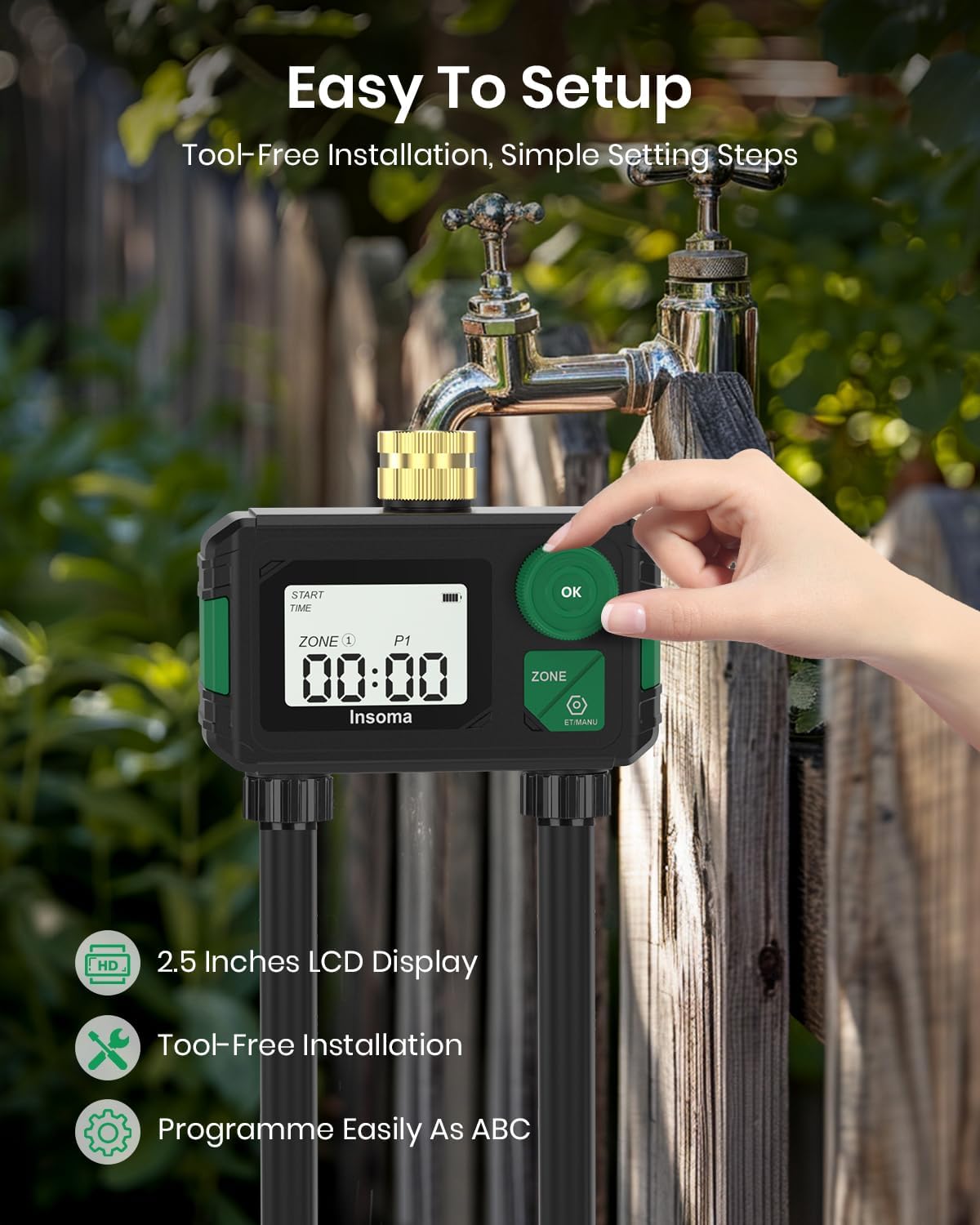
Image 4.1: The Insoma Sprinkler Timer connected to an outdoor faucet, highlighting its easy, tool-free installation and clear LCD display.
5. இயக்க வழிமுறைகள்
The timer features a central dial, an "OK" button, and a "ZONE" button for navigation and setting. The dial is used to select different modes and adjust values, while the "OK" button confirms selections and the "ZONE" button switches between watering zones or programs.
5.1. கடிகாரத்தை அமைத்தல்
- Rotate the dial to the "SET CLOCK" position.
- Use the dial to adjust the hour, then press "OK" to confirm.
- Use the dial to adjust the minute, then press "OK" to confirm.
- கடிகாரம் இப்போது அமைக்கப்பட்டுள்ளது.
5.2. Programming Watering Schedules (P1-P6)
Each of the two zones (Zone 1 and Zone 2) can have up to 6 independent watering programs (P1 to P6). Follow these steps for each program you wish to set:
- Rotate the dial to the "PROGRAM" position.
- Press the "ZONE" button to select either Zone 1 or Zone 2.
- Press "OK" to cycle through programs P1 to P6. Select the desired program (e.g., P1) by stopping on it.
- தொடக்க நேரத்தை அமைக்கவும்: With the program selected, rotate the dial to adjust the start time (hour and minute). Press "OK" after setting each.
- நீர்ப்பாசன கால அளவை அமைக்கவும்: Rotate the dial to adjust how long the watering will last (from 1 minute to 5 hours 59 minutes). Press "OK" to confirm.
- நீர்ப்பாசன அதிர்வெண்ணை அமைக்கவும்: Rotate the dial to choose how often watering occurs. Options include "Every 1 Day" to "Every 7 Days", or specific days of the week (e.g., Mon, Wed, Fri). Press "OK" to confirm.
- Repeat steps for other programs (P2-P6) and for the other zone if desired.

Image 5.1: Visual representation of setting up to 6 custom watering programs (P1-P6) for two independent zones, detailing start time, duration, and frequency.

Image 5.2: A close-up of the timer's display showing options for setting watering duration (1 min to 5h59min) and frequency (daily or specific days of the week).
5.3. மழை தாமத செயல்பாடு
To temporarily pause your watering schedule due to rain:
- Rotate the dial to the "RAIN DELAY" position.
- Use the dial to select the desired delay duration (1 to 7 days).
- Press "OK" to activate the rain delay. The timer will resume its programmed schedule automatically after the selected delay period.

Image 5.3: The timer displaying the rain delay feature, illustrating how to pause watering for a set number of days and its automatic resumption.
5.4. கைமுறை நீர்ப்பாசனம்
To water immediately without affecting your programmed schedules:
- Rotate the dial to the "MANUAL" position.
- Press the "ZONE" button to select the desired zone (Zone 1 or Zone 2).
- Use the dial to set the manual watering duration (from 1 minute to 8 hours).
- Press "OK" to start manual watering. The timer will automatically stop after the set duration.
5.5. டைமரை அணைத்தல்
To stop all watering activities and turn off the timer:
- Rotate the dial to the "OFF" position. This will disable all programmed schedules and manual watering.
6. பராமரிப்பு
- பேட்டரி மாற்று: Replace batteries annually or when the low battery indicator appears on the display. Always use new AAA 1.5V Alkaline batteries.
- சுத்தம்: Periodically wipe the timer's exterior with a soft, damp துணி. சிராய்ப்பு கிளீனர்கள் அல்லது கரைப்பான்களைப் பயன்படுத்த வேண்டாம்.
- வடிகட்டி சுத்தம்: Check the filter washer located at the inlet connection for debris. Clean it as needed to ensure proper water flow.
- குளிர்காலமயமாக்கல்: Before the first frost, disconnect the timer from the faucet and hoses. Remove batteries and store the timer indoors in a dry, frost-free location to prevent damage from freezing water.
7. சரிசெய்தல்
| பிரச்சனை | சாத்தியமான காரணம் | தீர்வு |
|---|---|---|
| Timer does not turn on / Display is blank. | செயலிழந்த அல்லது தவறாக நிறுவப்பட்ட பேட்டரிகள். | Replace with new AAA 1.5V Alkaline batteries, ensuring correct polarity. |
| கடைகளில் இருந்து தண்ணீர் வெளியேறுவதில்லை. | Faucet is off; low water pressure; clogged filter; rain delay active; timer is in "OFF" mode. | Ensure faucet is fully open. Check water pressure. Clean the inlet filter. Check if rain delay is active and wait for it to expire or cancel it. Rotate dial to "AUTO" or "MANUAL" mode. |
| இணைப்புகளிலிருந்து தண்ணீர் கசிவு. | Loose connections; worn out washers; damaged threads. | Tighten all connections by hand. Replace rubber washers if worn. Use Teflon tape on threads for a better seal. |
| Timer not watering at scheduled times. | Incorrect program settings; timer in "OFF" or "RAIN DELAY" mode; low battery. | Verify program start times, durations, and frequencies. Ensure timer is in "AUTO" mode. Check for active rain delay. Replace batteries. |
8. விவரக்குறிப்புகள்
| அம்சம் | விவரம் |
|---|---|
| மாதிரி | SGW20-TT |
| பிராண்ட் | இன்சோமா |
| மண்டலங்களின் எண்ணிக்கை | 2 |
| நீர்ப்பாசனம் காலம் | 1 நிமிடம் முதல் 5 மணி நேரம் 59 நிமிடங்கள் |
| நீர்ப்பாசன அதிர்வெண் | Every 1-7 days or specific days of the week |
| மழை தாமதம் | 1 முதல் 7 நாட்கள் வரை |
| கைமுறையாக நீர்ப்பாசனம் செய்யும் காலம் | 1 நிமிடம் முதல் 8 மணி நேரம் |
| சக்தி ஆதாரம் | 4 x AAA 1.5V Alkaline batteries (not included) |
| பொருள் | ஏபிஎஸ் பிளாஸ்டிக் |
| நீர்ப்புகா மதிப்பீடு | IP55 |
| காட்சி அளவு | 2 அங்குலங்கள் (LCD) |
| தயாரிப்பு பரிமாணங்கள் | 7.11 x 8.13 x 9.65 செ.மீ |
| பொருளின் எடை | 249.48 கிராம் |
9. உத்தரவாதத் தகவல்
Specific warranty details for the Insoma Sprinkler Timer (Model: SGW20-TT) are typically provided with the product packaging or available directly from the manufacturer. Please refer to the documentation included with your purchase or visit the official Insoma webவிரிவான உத்தரவாத விதிமுறைகள் மற்றும் நிபந்தனைகளுக்கான தளம்.


