1. அறிமுகம்
Thank you for choosing the Claiks Electric Standing Desk. This manual provides essential information for the safe and efficient assembly, operation, and maintenance of your new adjustable height desk. Please read these instructions carefully before use and retain them for future reference.
2. பாதுகாப்பு வழிமுறைகள்
- அசெம்பிள் செய்வதற்கு முன் அனைத்து கூறுகளும் இருப்பதையும் சேதமடையாமல் இருப்பதையும் உறுதிசெய்யவும்.
- அறுவை சிகிச்சையின் போது காயத்தைத் தடுக்க குழந்தைகள் மற்றும் செல்லப்பிராணிகளை மேசையிலிருந்து விலக்கி வைக்கவும்.
- Do not overload the desk. Refer to the specifications section for maximum weight capacity.
- திரவங்களை நேரடியாக கட்டுப்பாட்டுப் பலகத்தில் அல்லது மின் கூறுகளுக்கு அருகில் வைப்பதைத் தவிர்க்கவும்.
- பவர் கார்டு கிள்ளப்படவில்லை அல்லது சேதமடையவில்லை என்பதை உறுதிப்படுத்தவும்.
- If any unusual noise, smell, or malfunction occurs, immediately unplug the desk and contact customer support.
- Assembly may require two people due to the weight of some components.
3. தொகுப்பு உள்ளடக்கங்கள்
பின்வரும் அனைத்து பகுதிகளும் உங்கள் தொகுப்பில் சேர்க்கப்பட்டுள்ளதா என்பதைச் சரிபார்க்கவும்:
- Desk tabletop (black, 120cm x 60cm)
- Desk frame (black)
- Lifting columns (2 units)
- Control panel with memory presets
- பவர் அடாப்டர் மற்றும் கேபிள்
- அசெம்பிளி வன்பொருள் (திருகுகள், போல்ட்கள், ஆலன் ரெஞ்ச்)
- அறிவுறுத்தல் கையேடு
Note: A screwdriver (not included) is recommended for assembly, although pre-drilled holes may allow for use with a regular screwdriver.
4. அமைப்பு மற்றும் அசெம்பிளி
Follow these steps for assembling your Claiks Electric Standing Desk. Clear instructions are provided in the included manual.

Image: A screwdriver and the instruction manual, illustrating the assembly process.
- கூறுகளைத் திறக்கவும்: பேக்கேஜிங்கிலிருந்து அனைத்து பகுதிகளையும் கவனமாக அகற்றி, கீறல்களைத் தவிர்க்க சுத்தமான, மென்மையான மேற்பரப்பில் வைக்கவும்.
- அசெம்பிள் ஃப்ரேம்: Attach the lifting columns to the desk feet using the provided hardware.
- Attach Crossbar: Connect the crossbar between the two lifting columns.
- Mount Control Box: Secure the control box to the designated area on the frame.
- டேப்லெட்டை இணைக்கவும்: Carefully place the tabletop onto the assembled frame. Align the pre-drilled holes and secure the tabletop with the screws.
- கட்டுப்பாட்டுப் பலகத்தை இணைக்கவும்: Attach the control panel to the underside of the desk and connect its cable to the control box.
- பவர் இணைக்கவும்: Plug the power adapter into the control box and then into a wall outlet.

Image: A visual guide depicting the step-by-step assembly process of the desk frame and tabletop.
5. இயக்க வழிமுறைகள்
Your Claiks Electric Standing Desk offers smooth and quiet height adjustment with memory presets.

படம்: ஒரு நெருக்கமான படம் view of the desk's control panel, showing the digital height display and buttons for up, down, and memory presets (1, 2, 3).
5.1. உயரத்தை சரிசெய்தல்
- பயன்படுத்தவும் மேலே (▲) மற்றும் கீழே (▼) buttons on the control panel to manually adjust the desk height. The current height will be displayed on the digital screen.
- The desk can be adjusted between 72cm and 118cm.
5.2. நினைவக முன்னமைவுகள்
The desk allows you to save up to three preferred heights for quick adjustment.
- மேல்/கீழ் பொத்தான்களைப் பயன்படுத்தி மேசையை உங்கள் விருப்பமான உயரத்திற்கு சரிசெய்யவும்.
- அழுத்தவும் "எம்" button (or similar memory button) followed by one of the numbered preset buttons (1, 2, அல்லது 3). The display will confirm the height has been saved.
- To recall a saved height, simply press the corresponding numbered preset button (1, 2, அல்லது 3). The desk will automatically move to that height.

Image: A person's hand interacting with the desk's control panel, adjusting the height. The digital display shows '072'.
5.3. அமைதியான செயல்பாடு
The Claiks Electric Standing Desk is designed for quiet operation, ensuring minimal disturbance in your workspace.
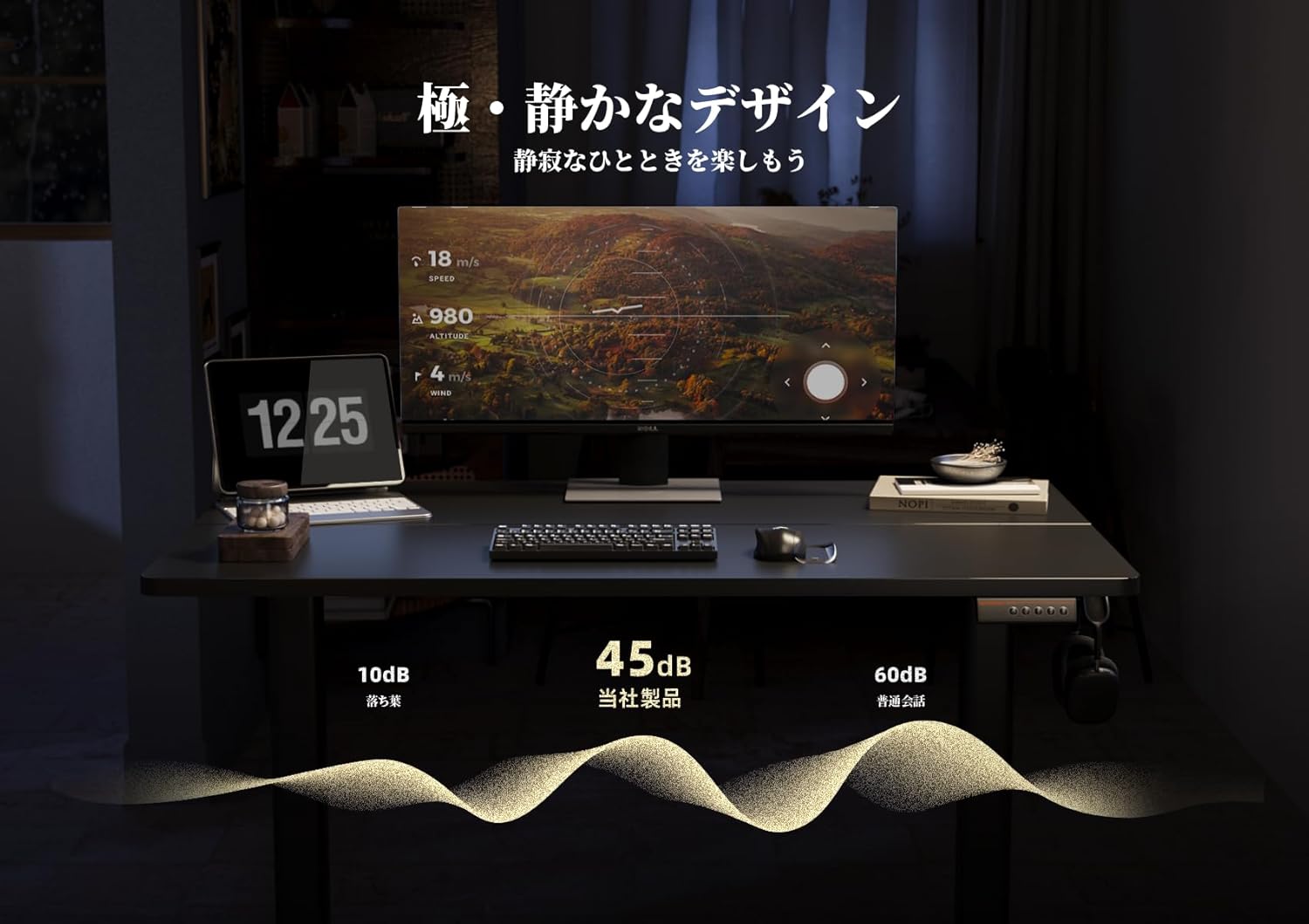
Image: A graphic representation showing the desk's noise level at approximately 45dB, significantly lower than typical office noise (60dB).
6. பராமரிப்பு
Proper maintenance ensures the longevity and optimal performance of your desk.
- டேப்லெட்டை சுத்தம் செய்தல்: The tabletop is made with melamine resin, which is resistant to water, heat, and dirt. Clean with a soft, damp துணி மற்றும் லேசான சோப்பு. சிராய்ப்பு கிளீனர்களைத் தவிர்க்கவும்.
- பிரேம் பராமரிப்பு: எல்லா திருகுகளும் போல்ட்களும் இறுக்கமாக இருப்பதை உறுதிசெய்ய அவ்வப்போது சரிபார்க்கவும். தேவைப்பட்டால் மீண்டும் இறுக்கவும்.
- மின் கூறுகள்: Keep the control panel and power adapter dry and free from dust. Do not attempt to open or repair electrical components yourself.
7. சரிசெய்தல்
If you encounter any issues with your Claiks Electric Standing Desk, please refer to the following common solutions:
- மேசை நகரவில்லை: Ensure the power cable is securely plugged into both the desk and the wall outlet. Check if the outlet is functional.
- சீரற்ற இயக்கம்: Unplug the desk for 30 seconds, then plug it back in. This may reset the system. If the issue persists, ensure the desk is on a level surface and that no objects are obstructing the lifting columns.
- காட்சிப்படுத்தலில் பிழை குறியீடு: Note down any error codes displayed and refer to the full troubleshooting guide (if available) or contact customer support.
- செயல்பாட்டின் போது சத்தம்: A slight hum is normal. If you hear loud or unusual noises, stop operation and inspect the desk for any loose parts or obstructions.
If these steps do not resolve the issue, please contact Claiks customer support for further assistance.
8. விவரக்குறிப்புகள்
| அம்சம் | விவரம் |
|---|---|
| பிராண்ட் | கிளேக்ஸ் |
| மாதிரி | மின்சாரம் நிற்கும் மேசை |
| பரிமாணங்கள் (W x D x H) | 120 செ.மீ x 60 செ.மீ x 72-118 செ.மீ |
| உயரம் சரிசெய்தல் வரம்பு | 72 செ.மீ முதல் 118 செ.மீ |
| தூக்கும் வேகம் | 20 மிமீ/வி |
| நிறம் | Black (Frame and Tabletop) |
| டேப்லெட் பொருள் | Melamine Resin |
| நினைவக முன்னமைவுகள் | 3 programmable heights |
| சட்டசபை தேவை | ஆம் |
| தொகுப்பு பரிமாணங்கள் | 125 x 33 x 16 செ.மீ |
| தொகுப்பு எடை | 20 கிலோ |

Image: A diagram illustrating the dimensions of the Claiks Electric Standing Desk, including its width (120cm), depth (60.9cm), and adjustable height range (72cm to 118cm).
9. உத்தரவாதம் மற்றும் ஆதரவு
Claiks is committed to providing high-quality products and excellent customer service.
- உற்பத்தியாளரின் உத்தரவாதம்: All Claiks products come with a 1 வருட உற்பத்தியாளரின் உத்தரவாதம். During this period, free repair or replacement services are provided for any manufacturing defects.
- வாடிக்கையாளர் ஆதரவு: Our customer support team is available to assist you with any questions or issues. We offer support in multiple languages, including English and Japanese. Please feel free to contact us at any time.
For warranty claims or support inquiries, please refer to the contact information provided on your purchase receipt or the official Claiks webதளம்.


