1. அறிமுகம்
Thank you for choosing the itel Rhythm Pro True Wireless Earbuds. This manual provides essential information for setting up, operating, and maintaining your earbuds to ensure optimal performance and longevity. Please read this manual thoroughly before use.

Image 1.1: itel Rhythm Pro True Wireless Earbuds in their charging case.
2. தொகுப்பு உள்ளடக்கங்கள்
உங்கள் தொகுப்பில் அனைத்து பொருட்களும் இருப்பதை உறுதிசெய்து கொள்ளுங்கள்:
- itel Rhythm Pro True Wireless Earbuds (Left and Right)
- சார்ஜிங் கேஸ்
- C-type Charging Cable
- பயனர் கையேடு (இந்த ஆவணம்)
- Additional Eartips (various sizes, typically pre-installed medium)
3. தயாரிப்பு முடிந்துவிட்டதுview
The itel Rhythm Pro earbuds feature a compact design with advanced audio technology. Each earbud is equipped with a 10mm dynamic driver for clear sound and a microphone for calls. The charging case provides extended battery life and protects the earbuds.
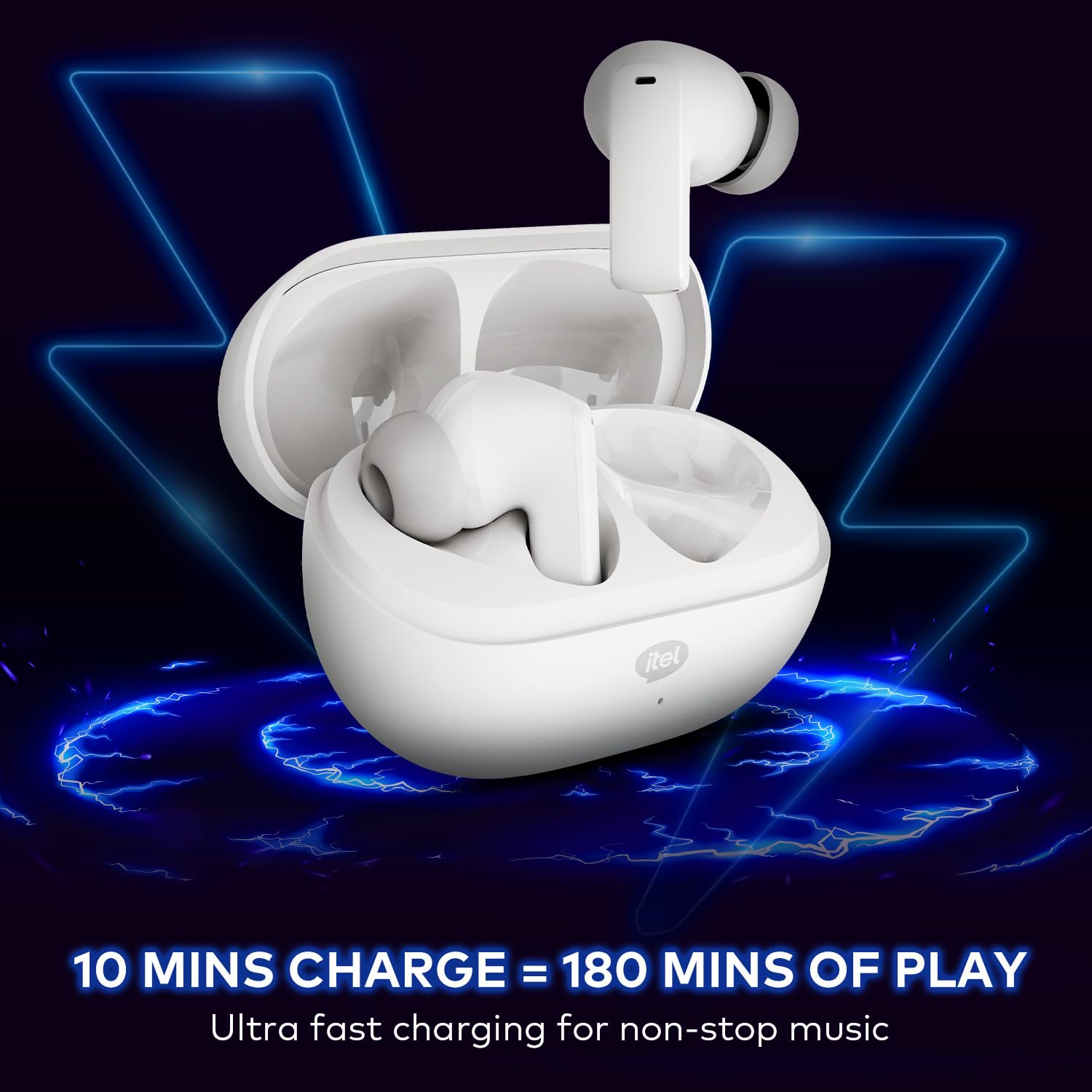
Image 3.1: itel Rhythm Pro True Wireless Earbuds removed from their charging case, showing individual earbud design.
இயர்பட் கூறுகள்:
- தொடு கட்டுப்பாட்டு பகுதி: பிளேபேக், அழைப்புகள் மற்றும் குரல் உதவியாளரை நிர்வகிப்பதற்கு.
- ஒலிவாங்கி: For calls and AI Environmental Noise Cancellation (ENC).
- சார்ஜிங் தொடர்புகள்: சார்ஜிங் கேஸுடன் இணைகிறது.
- ஈர்டிப்: பாதுகாப்பான மற்றும் வசதியான பொருத்தத்தை வழங்குகிறது.
சார்ஜிங் கேஸ் கூறுகள்:
- இயர்பட் சார்ஜிங் ஸ்லாட்டுகள்: இயர்பட்களை பிடித்து சார்ஜ் செய்கிறது.
- சார்ஜிங் போர்ட் (USB டைப்-சி): சார்ஜிங் கேபிளை இணைப்பதற்கு.
- LED காட்டி: சார்ஜிங் நிலை மற்றும் பேட்டரி அளவைக் காட்டுகிறது.
4 அமைவு
4.1 இயர்பட்ஸ் மற்றும் கேஸை சார்ஜ் செய்தல்
முதல் பயன்பாட்டிற்கு முன், இயர்பட்கள் மற்றும் சார்ஜிங் கேஸை முழுமையாக சார்ஜ் செய்யவும்.
- இயர்பட்களை சார்ஜிங் கேஸில் வைக்கவும். அவை அந்தந்த ஸ்லாட்டுகளில் சரியாக அமர்ந்திருப்பதை உறுதிசெய்யவும்.
- Connect the provided C-type charging cable to the charging port on the case and to a USB power source (e.g., wall adapter, computer USB port).
- The LED indicator on the charging case will show the charging status. Refer to the LED indicator guide for details (usually solid or blinking light indicates charging, solid light indicates full charge).
- A 10-minute charge provides approximately 180 minutes of playback. A full charge provides up to 100 hours of total playtime with the charging case.

Image 4.1: Earbuds placed in the charging case, indicating charging process.
4.2 புளூடூத் சாதனத்துடன் இணைத்தல்
The earbuds use Bluetooth V5.3 for stable and efficient connectivity.
- Open the charging case. The earbuds will automatically enter pairing mode (or power on if already charged). The LED indicator on the earbuds may flash to indicate pairing mode.
- உங்கள் சாதனத்தில் (ஸ்மார்ட்போன், டேப்லெட், மடிக்கணினி), புளூடூத்தை இயக்கவும்.
- தேடுங்கள் available Bluetooth devices. Select "itel Rhythm Pro" from the list.
- இணைக்கப்பட்டதும், இயர்பட்கள் வெற்றிகரமான இணைத்தல் என்பதைக் குறிக்கும் (எ.கா., குரல் அறிவிப்பு அல்லது LED மாற்றம்).
- சாதனத்தில் புளூடூத் இயக்கப்பட்டிருந்தால், பெட்டியிலிருந்து அகற்றப்படும்போது இயர்பட்கள் கடைசியாக இணைக்கப்பட்ட சாதனத்துடன் தானாகவே மீண்டும் இணைக்கப்படும்.

Image 4.2: Detail of an earbud highlighting Bluetooth V5.3 for connectivity.
5. இயக்க வழிமுறைகள்
The itel Rhythm Pro earbuds feature intuitive touch controls. The exact functions may vary slightly based on your device and application.
5.1 இசை பின்னணி
- விளையாடு/இடைநிறுத்தம்: இயர்பட் மீது ஒரு முறை தட்டவும்.
- அடுத்த ட்ராக்: வலதுபுற இயர்பட்டை இருமுறை தட்டவும்.
- முந்தைய ட்ராக்: இடதுபுற இயர்பட்டை இருமுறை தட்டவும்.
- ஒலியை பெருக்கு: வலதுபுற இயர்பட்டை மூன்று முறை தட்டவும்.
- ஒலியை குறை: இடதுபுற இயர்பட்டை மூன்று முறை தட்டவும்.
5.2 அழைப்பு மேலாண்மை
- பதில்/முடிவு அழைப்பு: இயர்பட் மீது ஒரு முறை தட்டவும்.
- அழைப்பை நிராகரி: இயர்பட்டை 2 வினாடிகள் அழுத்திப் பிடிக்கவும்.
5.3 குரல் உதவியாளர்
- Activate Voice Assistant (Google Assistant): (அழைப்பில் இல்லாதபோது) ஏதேனும் ஒரு இயர்பட்டை 2 வினாடிகள் அழுத்திப் பிடிக்கவும்.
5.4 பவர் ஆன்/ஆஃப்
- பவர் ஆன்: Open the charging case, or press and hold the touch area on both earbuds for 3 seconds.
- பவர் ஆஃப்: Place the earbuds back into the charging case and close the lid, or press and hold the touch area on both earbuds for 5 seconds.
6. பராமரிப்பு
6.1 சுத்தம் செய்தல்
- மென்மையான, உலர்ந்த, பஞ்சு இல்லாத துணியால் இயர்பட்கள் மற்றும் சார்ஜிங் கேஸை தவறாமல் சுத்தம் செய்யவும்.
- காது முனைகளை அகற்றி, லேசான சோப்பு மற்றும் தண்ணீரில் சுத்தம் செய்து, மீண்டும் இணைப்பதற்கு முன் நன்கு உலர வைக்கவும்.
- சரியான சார்ஜிங்கைப் பராமரிக்க, இயர்பட்கள் மற்றும் கேஸ் இரண்டிலும் உள்ள சார்ஜிங் காண்டாக்ட்கள் சுத்தமாகவும் குப்பைகள் இல்லாமல் இருப்பதையும் உறுதிசெய்யவும்.
6.2 சேமிப்பு
- பயன்பாட்டில் இல்லாதபோது, இயர்பட்களைப் பாதுகாக்கவும், அவற்றை சார்ஜ் செய்யாமல் வைத்திருக்கவும் அவற்றை அவற்றின் சார்ஜிங் கேஸில் சேமிக்கவும்.
- தீவிர வெப்பநிலை மற்றும் நேரடி சூரிய ஒளி படாத குளிர்ந்த, உலர்ந்த இடத்தில் சேமிக்கவும்.
6.3 நீர் எதிர்ப்பு (IPX5)
The itel Rhythm Pro earbuds are IPX5 water-resistant, meaning they are protected against low-pressure water jets from any direction. This makes them suitable for workouts and light rain. They are not designed for submersion in water or exposure to heavy rain.
- வேண்டுமென்றே இயர்பட்களை தண்ணீரில் மூழ்கடிக்காதீர்கள்.
- Avoid using them in saunas or steam rooms.
- If the earbuds get wet, wipe them dry thoroughly before placing them back in the charging case to prevent damage to the charging contacts.

Image 6.1: The IPX5 water resistance rating ensures protection against splashes.
7. சரிசெய்தல்
உங்கள் இயர்பட்களில் சிக்கல்கள் ஏற்பட்டால், பின்வரும் தீர்வுகளை முயற்சிக்கவும்:
- இயர்பட்ஸ் இணைக்கப்படவில்லை:
- இரண்டு இயர்பட்களும் சார்ஜ் செய்யப்படுவதை உறுதிசெய்யவும்.
- உங்கள் சாதனத்தில் புளூடூத்தை அணைத்துவிட்டு மீண்டும் இயக்கவும்.
- Forget "itel Rhythm Pro" from your device's Bluetooth list and try pairing again.
- இயர்பட்களை மீண்டும் கேஸில் வைத்து, மூடியை மூடி, சில வினாடிகள் காத்திருந்து, பின்னர் இணைத்தல் பயன்முறையை மீண்டும் உள்ளிட திறக்கவும்.
- ஒரே ஒரு இயர்பட் மட்டுமே வேலை செய்கிறது:
- இரண்டு இயர்பட்களும் சார்ஜ் செய்யப்படுவதை உறுதிசெய்யவும்.
- Try placing both earbuds back in the charging case, close the lid, then take them out again.
- Perform a factory reset (refer to specific instructions if available, otherwise try forgetting the device and re-pairing).
- ஒலி இல்லை அல்லது குறைந்த அளவு:
- உங்கள் சாதனம் மற்றும் இயர்பட்கள் இரண்டிலும் ஒலி அளவைச் சரிபார்க்கவும்.
- இயர்பட்கள் உங்கள் சாதனத்துடன் சரியாக இணைக்கப்பட்டுள்ளதா என்பதை உறுதிப்படுத்தவும்.
- இயர்பட் ஸ்பீக்கர் வலையிலிருந்து ஏதேனும் குப்பைகளை சுத்தம் செய்யவும்.
- சார்ஜிங் சிக்கல்கள்:
- சார்ஜிங் கேபிள் கேஸ் மற்றும் பவர் சோர்ஸ் இரண்டிலும் பாதுகாப்பாக இணைக்கப்பட்டுள்ளதா என்பதை உறுதிப்படுத்தவும்.
- வேறு சார்ஜிங் கேபிள் அல்லது பவர் அடாப்டரை முயற்சிக்கவும்.
- இயர்பட்களிலும் கேஸின் உள்ளேயும் உள்ள சார்ஜிங் காண்டாக்ட்களை சுத்தம் செய்யவும்.
8. விவரக்குறிப்புகள்
Below are the technical specifications for the itel Rhythm Pro True Wireless Earbuds:
| அம்சம் | விவரக்குறிப்பு |
|---|---|
| மாதிரி பெயர் | Rhythm Pro (BudsNeo 3) |
| இணைப்பு தொழில்நுட்பம் | புளூடூத் V5.3 |
| ஆடியோ டிரைவர் அளவு | 10மிமீ டைனமிக் டிரைவர் |
| சத்தம் கட்டுப்பாடு | AI Environmental Noise Cancellation (ENC) |
| Playtime (Total with Case) | 100 மணிநேரம் வரை |
| வேகமாக சார்ஜிங் | 10 minutes charge = 180 minutes playback |
| நீர் எதிர்ப்பு நிலை | IPX5 |
| கட்டுப்பாட்டு வகை | Touch, Voice (Google Assistant) |
| பொருள் | பாலிகார்பனேட் (பிசி) |
| பொருளின் எடை | 46 கிராம் |
| தயாரிப்பு பரிமாணங்கள் | 6.8 x 2.7 x 4.9 செ.மீ |
| பேட்டரி வகை | Lithium Ion / Lithium Polymer |
| புளூடூத் வரம்பு | 10 மீட்டர் |
| ஆடியோ மறைநிலை | 45 மில்லி விநாடிகள் |
| மின்மறுப்பு | 32 ஓம்ஸ் |
9. உத்தரவாதம் மற்றும் ஆதரவு
Your itel Rhythm Pro True Wireless Earbuds are covered by a standard manufacturer's warranty. Please refer to the warranty card included in your package for specific terms and conditions, including warranty period and coverage details.
For technical support, troubleshooting assistance, or warranty claims, please contact itel customer service through their official website or the contact information provided with your product documentation. Keep your purchase receipt as proof of purchase for warranty services.


