அறிமுகம்
Welcome to the JLab Go Lux ANC Wireless Headphones instruction manual. These premium on-ear Bluetooth headphones are designed to provide an immersive audio experience with advanced features for comfort and connectivity.
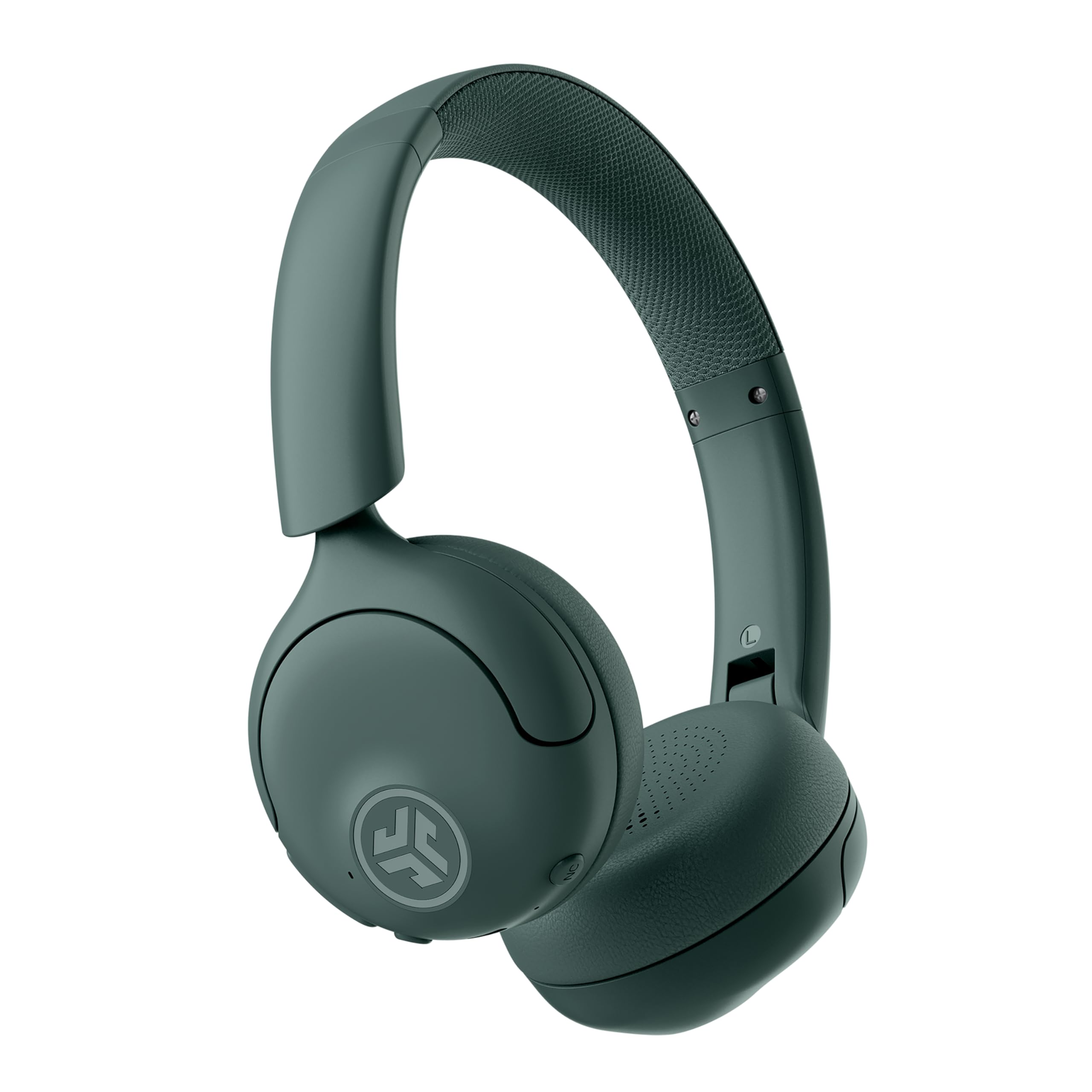
Image: JLab Go Lux ANC Wireless Headphones, showcasing ஒட்டுமொத்த வடிவமைப்பு.
முக்கிய அம்சங்கள்
- Hybrid Active Noise Cancelling (ANC) & Be Aware Mode: Eliminate distractions up to 30 dB or stay connected to your surroundings.
- Cloud Foam Comfort: Ergonomically shaped Form-Fit Earcups and adjustable hinges for ultimate comfort.
- Customizable Sound via JLab App: Personalize ANC/Be Aware settings, touch controls, and sound preferences.
- கிரிஸ்டல் கிளியர் அழைப்புகள்: Noise-canceling microphones ensure clear communication.
- எளிதான இணைப்புகள்: Bluetooth Multipoint for simultaneous connection to two devices, Wireless Share Mode, Google Fast Pair, and Microsoft Swift Pair.
- Google Find My Device: Locate your headphones easily.
அமைவு வழிகாட்டி
1. ஆரம்ப கட்டணம் வசூலித்தல்
Before first use, fully charge your JLab Go Lux ANC headphones using the provided USB-C charging cable. The charging port is located on one of the earcups.

Image: JLab Go Lux ANC headphones folded, showing the USB-C charging cable.
2. புளூடூத் இணைத்தல்
உங்கள் ஹெட்ஃபோன்களை ஒரு சாதனத்துடன் இணைக்க:
- ஹெட்ஃபோன்கள் அணைக்கப்பட்டுள்ளன என்பதை உறுதிப்படுத்தவும்.
- இணைத்தல் பயன்முறையைக் குறிக்கும் வகையில், LED காட்டி நீலம் மற்றும் சிவப்பு நிறத்தில் ஒளிரும் வரை பவர் பட்டனை அழுத்திப் பிடிக்கவும்.
- On your device (smartphone, tablet, computer), go to Bluetooth settings and select "JLab Go Lux ANC" from the list of available devices.
- இணைக்கப்பட்டதும், LED காட்டி திட நீல நிறமாக மாறும்.
3. பலமுனை இணைப்பு
The headphones support Bluetooth Multipoint, allowing connection to two devices simultaneously:
- Pair with the first device as described above.
- முதல் சாதனத்தில் புளூடூத்தை முடக்கவும். ஹெட்ஃபோன்கள் மீண்டும் இணைத்தல் பயன்முறையில் நுழையும்.
- இரண்டாவது சாதனத்துடன் இணைக்கவும்.
- முதல் சாதனத்தில் புளூடூத்தை மீண்டும் இயக்கவும். ஹெட்ஃபோன்கள் இரண்டு சாதனங்களுடனும் தானாகவே இணைக்கப்படும்.
4. JLab App Installation
Download the JLab App from the App Store or Google Play Store to customize settings and access additional features.

Image: JLab App interface on a smartphone, demonstrating sound customization options.
இயக்க வழிமுறைகள்
1. பவர் ஆன்/ஆஃப்
- பவர் ஆன்: பவர் பட்டனை 3 வினாடிகள் அழுத்திப் பிடிக்கவும்.
- பவர் ஆஃப்: பவர் பட்டனை 5 வினாடிகள் அழுத்திப் பிடிக்கவும்.
2. Hybrid ANC & Be Aware Mode
Toggle between Hybrid Active Noise Cancelling and Be Aware Mode using the dedicated NC button on the earcup.
- கலப்பின ANC: வெளிப்புற இரைச்சலைக் குறைத்து, ஆழ்ந்த கேட்கும் அனுபவத்தை அளிக்கிறது.
- விழிப்புடன் இருங்கள் பயன்முறை: சுற்றுப்புற ஒலிகளைக் கடந்து செல்ல அனுமதித்து, உங்கள் சுற்றுப்புறத்தைப் பற்றி உங்களுக்குத் தெரியப்படுத்துகிறது.

Image: A person wearing JLab headphones, illustrating the Hybrid ANC and Be Aware Mode features.
3. அடிப்படைக் கட்டுப்பாடுகள்
The headphones feature intuitive touch controls on the earcups:
- வால்யூம் அதிக/கீழ்: பிரத்யேக ஒலியளவு பொத்தான்களைப் பயன்படுத்தவும்.
- விளையாடு/இடைநிறுத்தம்: பல செயல்பாட்டு பொத்தானை ஒருமுறை தட்டவும்.
- அடுத்த ட்ராக்: பல செயல்பாட்டு பொத்தானை இருமுறை தட்டவும்.
- முந்தைய ட்ராக்: பல செயல்பாட்டு பொத்தானை மூன்று முறை தட்டவும்.
- பதில்/முடிவு அழைப்பு: Single tap the multi-function button during a call.
- அழைப்பை நிராகரி: உள்வரும் அழைப்பின் போது பல செயல்பாட்டு பொத்தானை அழுத்திப் பிடிக்கவும்.
4. Wireless Share Mode
இரண்டு JLab Lux ஹெட்ஃபோன்களுக்கு இடையில் வயர்லெஸ் முறையில் ஆடியோவைப் பகிரவும். JLab ஆப் அல்லது JLab-ஐப் பார்க்கவும். website for detailed instructions on activating and using Wireless Share Mode.
5. Google Find My Device
Utilize Google Find My Device to locate your headphones if misplaced. Ensure your headphones are connected to a compatible Android device.
பராமரிப்பு
1. சார்ஜ்
Charge the headphones using the provided USB-C cable. A full charge provides up to 70+ hours of playtime (40+ hours with ANC on).
2. சுத்தம் செய்தல்
Wipe the headphones with a soft, dry cloth. Avoid using harsh chemicals or abrasive materials. Ensure the charging port is dry before charging.
3. சேமிப்பு
பயன்பாட்டில் இல்லாதபோது, ஹெட்ஃபோன்களை குளிர்ந்த, உலர்ந்த இடத்தில் சேமிக்கவும். மடிக்கக்கூடிய வடிவமைப்பு சிறிய சேமிப்பை அனுமதிக்கிறது.

Image: JLab Go Lux ANC headphones folded for compact storage, alongside the charging cable.
சரிசெய்தல்
- சக்தி இல்லை: Ensure headphones are fully charged.
- இணைக்க முடியாது: Make sure Bluetooth is enabled on your device and the headphones are in pairing mode. Try forgetting the device on your phone and re-pairing.
- ஒலி சிக்கல்கள்: Check volume levels on both headphones and connected device. Ensure headphones are within Bluetooth range.
- ANC வேலை செய்யவில்லை: Verify ANC mode is activated.
For further assistance, refer to the JLab App or contact JLab customer support.
விவரக்குறிப்புகள்
| மாதிரி பெயர் | Go Lux ANC |
| இணைப்பு தொழில்நுட்பம் | வயர்லெஸ் (புளூடூத் 5.0) |
| காது வைப்பு | காதில் |
| சத்தம் கட்டுப்பாடு | Hybrid Active Noise Cancelling, Be Aware Mode |
| ஆடியோ டிரைவர் வகை | Hybrid Driver (40mm) |
| பேட்டரி ஆயுள் | Up to 70+ Hours (40+ Hours with ANC) |
| கட்டுப்பாட்டு முறை | தொடுதல், ஒலியளவு கட்டுப்பாடு |
| இணக்கமான சாதனங்கள் | Android devices, Windows PCs |
| பொருள் | Plastic, Metal, Faux Leather |
| பொருளின் எடை | 0.704 அவுன்ஸ் (0.02 கிலோகிராம்) |
| தயாரிப்பு பரிமாணங்கள் | 2.95 x 6.1 x 7.48 அங்குலம் |
உத்தரவாதம் & ஆதரவு
உங்கள் JLab Go Lux ANC வயர்லெஸ் ஹெட்ஃபோன்கள் ஒரு உடன் வருகின்றன JLab 2 வருட உத்தரவாதம்.
For warranty claims, technical support, or additional product information, please visit the official ஜேலேப் ஸ்டோர் or contact JLab customer service.


