2 அமைவு
2.1. அன்பாக்சிங் மற்றும் ஆரம்ப பவர்-ஆன்
Upon receiving your LAUNCH X431 CRP919 EV, carefully unbox the device and its accessories. The package includes the main unit, main cable, charging cable, US/EU/UK adapters, user manual, and quick start guide, all housed in a durable carrying case.
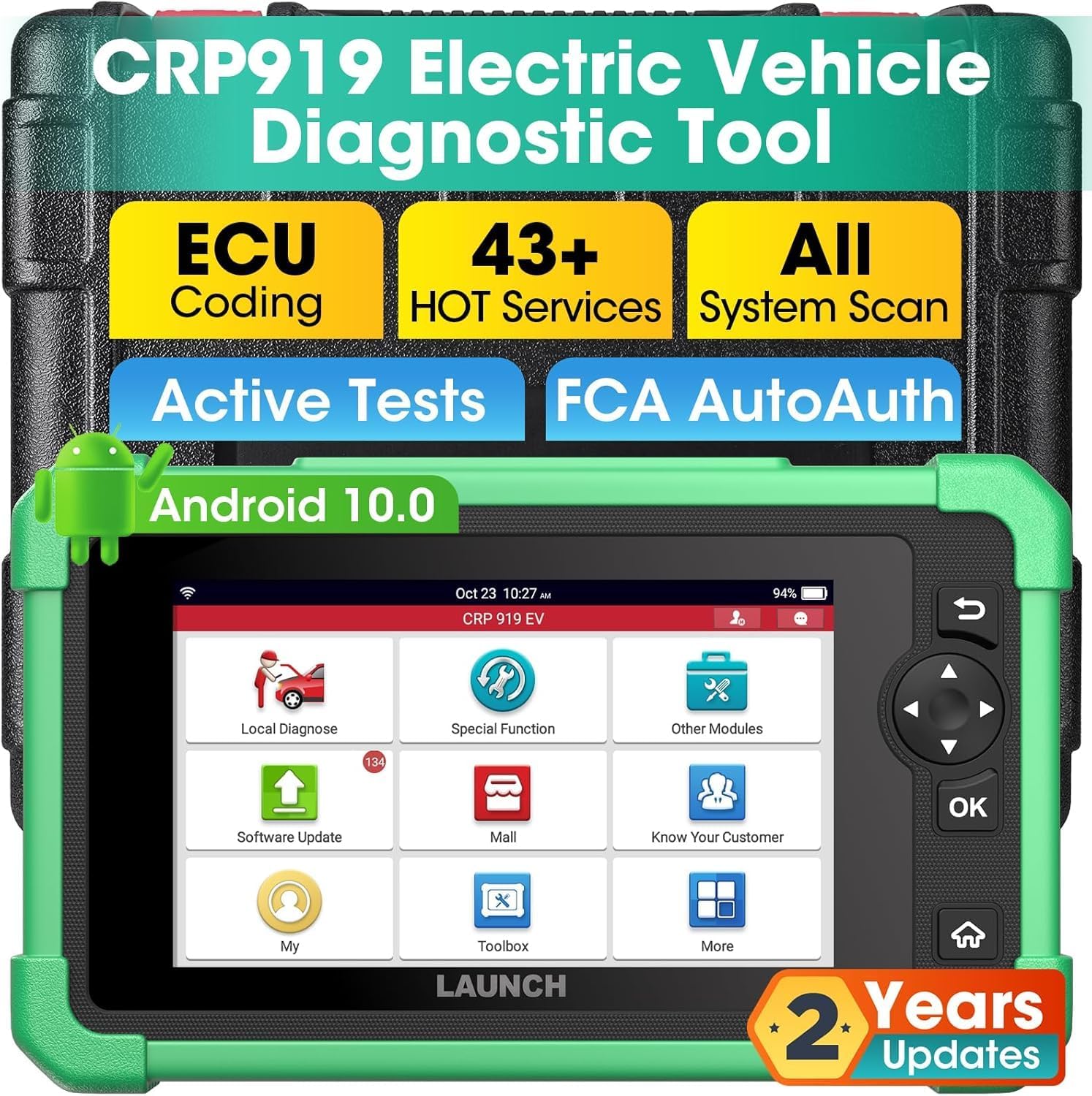
Figure 2.1: LAUNCH X431 CRP919 EV main unit and carrying case.
To power on the device, press and hold the power button located on the top. The device comes pre-charged, allowing for immediate use. The initial boot-up will display the LAUNCH logo and proceed to the main interface.
2.2. வன்பொருள் ஓவர்view
The CRP919 EV features a 7-inch 1024x600 display, Android 10.0 operating system, 2.0GHz CPU, 4GB RAM, and 64GB ROM. It includes an OBD II/Type-C port for vehicle connection and charging.

Figure 2.2: Key hardware specifications of the CRP919 EV.
2.3. Software Setup and Updates
Connect the device to a Wi-Fi network to ensure access to the latest software updates. Navigate to the 'Upgrade' icon on the main screen to download and install available updates. Regular updates ensure compatibility with new vehicle models and enhanced diagnostic functions.
3. இயக்க வழிமுறைகள்
3.1. பயனர் இடைமுக வழிசெலுத்தல்
The CRP919 EV features an intuitive touchscreen interface. You can navigate through menus by tapping icons or using the physical navigation buttons (up, down, left, right, OK) on the right side of the device. The main screen provides quick access to key functions such as Local Diagnose, Service Function, Upgrade, and More.

Figure 3.1: User interface displaying active tests and navigation options.
3.2. OE-Level All System Diagnostics
Select 'Local Diagnose' to perform a full system scan. This function allows you to read and clear Diagnostic Trouble Codes (DTCs), monitor real-time data streams (PIDs), and record/playback data for in-depth analysis across all vehicle systems, including ABS, SRS, Engine, AT, PCM, ECM, EPS, PDM, TPM, BCM, and EV-specific systems like BMS, ECS, CS, ERS, PCS, DCS, TMS, VCS, and HVES.

படம் 3.2: மேல்view of OE All System Diagnostics for electric vehicles.
3.3. Advanced ECU Coding
The ECU Coding function allows for customization of vehicle settings, refreshing ECUs, uncovering hidden functions, and performing component matching. This includes tasks like flashing headlights for alarms, changing dashboard brightness, and pairing new ECUs.

Figure 3.3: Advanced ECU Coding capabilities for vehicle customization.
3.4. Bi-directional Control and Active Tests
Perform over 3000 active tests to send commands directly to vehicle actuators. This allows for quick identification of faulty components by testing functions such as fans, lights, horn, pumps, windows, mirrors, throttle, and clutch.
3.5. 43+ Hot Services
Access a wide range of maintenance and reset functions, including Oil Reset, Throttle Adaptation, SAS Reset, EPB Reset, TPMS Reset, ABS Bleeding, BMS Reset, Injector Coding, Coolant Change (EV), and HV Disconnection (EV). These services cover a majority of vehicle models.

படம் 3.4: மேல்view of 43+ Special Functions for quick and effective repairs.
3.6. Connectivity and Compatibility
The CRP919 EV supports CANFD and DoIP protocols for modern vehicles (with optional adapter). It also provides diagnostic access to 2018+ FCA SGW-equipped vehicles via registered AutoAuth service. The device features dual Bluetooth and USB connectivity for stable data transfer and supports Wi-Fi for seamless software updates and online functions.


