அறிமுகம்
This manual provides comprehensive instructions for the safe and efficient use of your Lava Hero Shakti 2025 Dual Sim Keypad Mobile Phone. Please read this manual carefully before operating your device to ensure optimal performance and longevity.
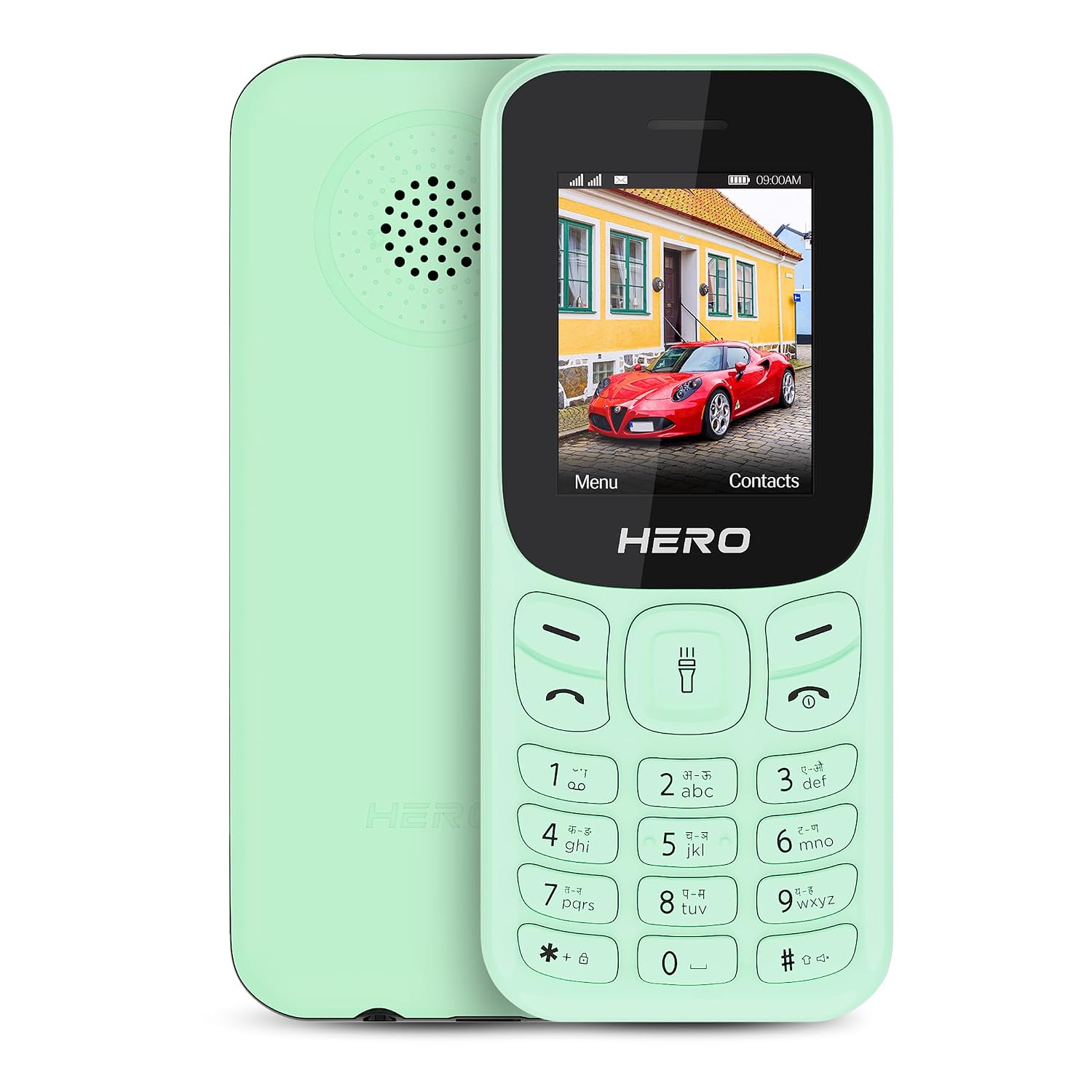
படம்: முன் மற்றும் பின் view of the Lava Hero Shakti 2025 mobile phone in Mint Green.
அமைவு வழிகாட்டி
1. தொகுப்பு உள்ளடக்கங்கள்
பெட்டியில் அனைத்து பொருட்களும் இருப்பதை உறுதிசெய்து கொள்ளுங்கள்:
- Lava Hero Shakti 2025 Mobile Phone
- பவர் அடாப்டர்
- பேட்டரி (முன்பே நிறுவப்பட்டது அல்லது தனித்தனியாக)
2. Inserting SIM Card(s) and Battery
- Power off the phone if it is on.
- தொலைபேசியின் பின் அட்டையை கவனமாக அகற்றவும்.
- Insert the SIM card(s) into the designated slot(s) with the gold contacts facing down. This phone supports Dual SIM functionality.
- If the battery is separate, insert it into the battery compartment, ensuring the contacts align.
- பின் அட்டையை பாதுகாப்பாக மாற்றவும்.

படம்: முன்பக்கம் view of the Lava Hero Shakti 2025, showing the display and keypad.
3. பேட்டரியை சார்ஜ் செய்தல்
- Connect the power adapter to the charging port on the phone.
- பவர் அடாப்டரை ஒரு சுவர் கடையில் செருகவும்.
- Allow the phone to charge completely before first use. A full charge typically takes a few hours.
- காட்சியில் உள்ள பேட்டரி ஐகான் சார்ஜிங் நிலையைக் குறிக்கும்.

Image: Illustration highlighting the long-lasting battery of the Lava Hero Shakti 2025.
4. ஆன் / ஆஃப் செய்தல்
- To power on: Press and hold the Power/End Call button (red button) until the screen lights up.
- To power off: Press and hold the Power/End Call button until the power off options appear, then select "Power off".
இயக்க வழிமுறைகள்
1 விசைப்பலகை செயல்பாடுகள்
The phone features a standard alphanumeric keypad for navigation and input.
- வழிசெலுத்தல் விசைகள்: Use the directional pad (up, down, left, right) to navigate menus.
- OK/Select Key: The center key of the directional pad confirms selections.
- அழைப்பு விசை (பச்சை): அழைப்புகளைத் தொடங்கி உள்வரும் அழைப்புகளுக்கு பதிலளிக்கிறது.
- அழைப்பை முடிக்க/பவர் விசை (சிவப்பு): Ends calls, returns to the home screen, or powers the phone on/off.
- மென்மையான விசைகள்: The two keys directly below the display perform functions indicated on the screen (e.g., Menu, Contacts).
2. அழைப்புகளைச் செய்தல் மற்றும் பெறுதல்
- அழைப்பைச் செய்தல்:
- விசைப்பலகையைப் பயன்படுத்தி தொலைபேசி எண்ணை உள்ளிடவும்.
- Press the Green Call key to dial.
- அழைப்புக்கு பதிலளித்தல்:
- When the phone rings, press the Green Call key to answer.
- அழைப்பை முடித்தல்:
- Press the Red End Call key.
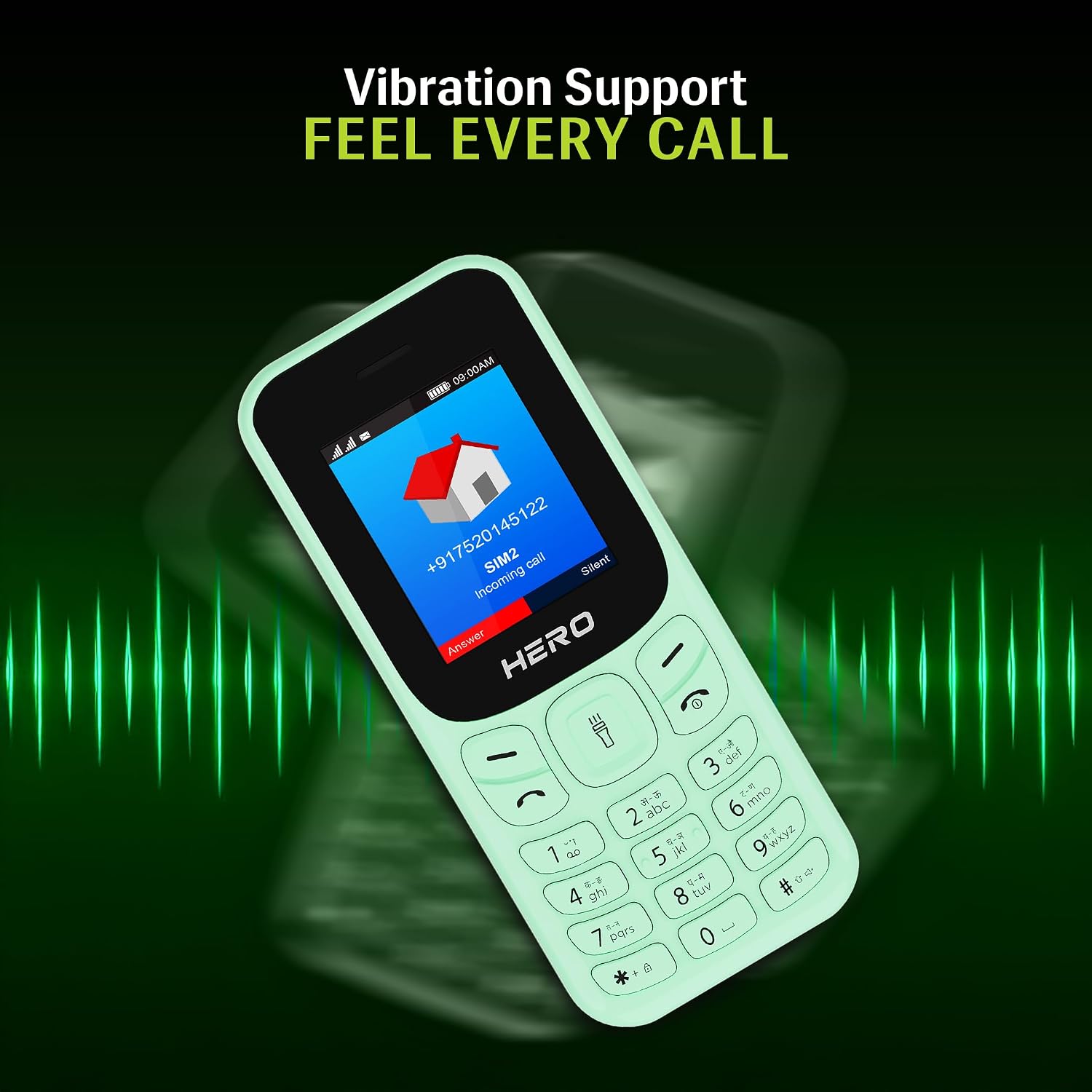
Image: The phone screen showing an incoming call, illustrating the vibration alert feature.
3. Messaging (SMS)
- From the main menu, navigate to "Messages".
- Select "Write message" or "New SMS".
- விசைப்பலகையைப் பயன்படுத்தி உங்கள் செய்தியை உள்ளிடவும்.
- பெறுநரின் தொலைபேசி எண்ணை உள்ளிடவும் அல்லது தொடர்புகளிலிருந்து தேர்ந்தெடுக்கவும்.
- "அனுப்பு" என்பதைத் தேர்ந்தெடுக்கவும்.
4. தொடர்புகள்
- From the main menu, select "Contacts".
- You can "Add New Contact", "View Contacts", or "Search".
- To add a contact, enter the name and phone number, then save.
5. சிறப்பு அம்சங்கள்
- 1.8" காட்சி: The phone features a clear 1.8-inch display for easy viewing of text and icons.

Image: Close-up of the 1.8-inch display, demonstrating its clarity.
- அதிர்வு எச்சரிக்கை: The phone provides discreet vibration alerts for incoming calls and messages.
- Super Saving Battery Mode: Optimize battery usage for extended standby time. This phone offers up to 7 days of battery standby.
- Wireless FM with Recording: Access and record your favorite FM radio stations without needing a headset.

Image: Illustration of the phone's powerful speaker, suitable for FM radio playback.
- Number Talker: This feature announces incoming calls and messages aloud, enhancing accessibility.

Image: Visual representation of the Number Talker feature, where the phone speaks numbers.
- பல மொழி ஆதரவு: The device supports 22 languages, including English, Hindi, Tamil, Telugu, Kannada, Punjabi, Gujarati, Bengali, Marathi, and Urdu.

Image: Graphic illustrating the phone's support for multiple Indian languages.
- ஜோதி: An instant torch feature is available for convenience.
- விரிவாக்கக்கூடிய சேமிப்பு: The phone offers 32GB expandable storage.
பராமரிப்பு மற்றும் பராமரிப்பு
- சுத்தம்: தொலைபேசியின் மேற்பரப்பை சுத்தம் செய்ய மென்மையான, உலர்ந்த துணியைப் பயன்படுத்தவும். திரவ கிளீனர்களைத் தவிர்க்கவும்.
- பேட்டரி பராமரிப்பு:
- பேட்டரியை தீவிர வெப்பநிலைக்கு வெளிப்படுத்த வேண்டாம்.
- அடிக்கடி அதிகமாக சார்ஜ் செய்வதையோ அல்லது பேட்டரியை முழுவதுமாக வெளியேற்றுவதையோ தவிர்க்கவும்.
- தொலைபேசியை நீண்ட நேரம் பயன்படுத்த முடியாவிட்டால், சேமிப்பதற்கு முன் அதை சுமார் 50% சார்ஜ் செய்யவும்.
- சேமிப்பு: நேரடி சூரிய ஒளி மற்றும் ஈரப்பதத்திலிருந்து விலகி, குளிர்ந்த, உலர்ந்த இடத்தில் தொலைபேசியை சேமிக்கவும்.
- பாதிப்பைத் தவிர்க்க: Protect the phone from drops and impacts to prevent damage.
சரிசெய்தல்
| பிரச்சனை | சாத்தியமான தீர்வு |
|---|---|
| தொலைபேசி இயக்கப்படவில்லை. | Ensure the battery is correctly inserted and charged. Connect to the charger and try again. |
| அழைப்புகளைச் செய்யவோ பெறவோ முடியாது. | Check if the SIM card is properly inserted and activated. Verify network signal strength. |
| பேட்டரி விரைவாக தீர்ந்துவிடும். | Reduce screen brightness, close unused applications, or activate Super Saving Battery Mode. Ensure the battery is not old or damaged. |
| விசைப்பலகை பதிலளிக்கவில்லை. | Restart the phone. If the issue persists, contact customer support. |
விவரக்குறிப்புகள்
| அம்சம் | விவரம் |
|---|---|
| மாதிரி | Lava Hero Shakti 2025 |
| காட்சி | 1.8 அங்குலம் (4.57 செமீ) |
| இயக்க முறைமை | RTOS |
| சிம் ஆதரவு | இரட்டை சிம் |
| இணைப்பு | புளூடூத், யு.எஸ்.பி |
| சிறப்பு அம்சங்கள் | Vibration Alert, Expandable Memory (32GB), Wireless FM, Number Talker, Torch |
| பேட்டரி | Lithium Ion (included), up to 7 days standby |
| பரிமாணங்கள் (LxWxH) | 11.05 x 4.76 x 1.5 செ.மீ |
| எடை | 110 கிராம் |
| பெட்டியில் | பவர் அடாப்டர் |
உத்தரவாதம் மற்றும் ஆதரவு
உத்தரவாத தகவல்
For detailed warranty terms and conditions, please refer to the warranty card included with your product or visit the official Lava webவாங்கியதற்கான சான்றாக உங்கள் கொள்முதல் ரசீதை வைத்திருங்கள்.
வாடிக்கையாளர் ஆதரவு
If you encounter any issues not covered in this manual or require further assistance, please contact Lava customer support.
- Lava Official Webதளம்: www.lavamobiles.com
- வாடிக்கையாளர் சேவை தொடர்பு: உங்கள் தயாரிப்பு பேக்கேஜிங் அல்லது அதிகாரப்பூர்வ webசமீபத்திய தொடர்புத் தகவலுக்கான தளம்.


