அறிமுகம்
Thank you for choosing the hOmeLabs 25 Pint Wi-Fi Dehumidifier. This manual provides essential information for the safe operation, maintenance, and troubleshooting of your new appliance. Designed for efficient moisture removal in spaces up to 3,500 sq ft, this dehumidifier features Wi-Fi smart control, quiet operation, and flexible drainage options to enhance your indoor environment.
முக்கியமான பாதுகாப்பு வழிமுறைகள்
Please read all instructions carefully before using the dehumidifier. Failure to follow these instructions may result in electric shock, fire, or serious injury.
- எப்போதும் ஈரப்பதமூட்டியை தரையிறக்கப்பட்ட மின் நிலையத்தில் செருகவும்.
- மின் கம்பி அல்லது பிளக் சேதமடைந்தால் யூனிட்டை இயக்க வேண்டாம்.
- சாய்வதைத் தடுக்க அலகு ஒரு நிலை, நிலையான மேற்பரப்பில் வைக்கப்பட்டுள்ளதா என்பதை உறுதிப்படுத்தவும்.
- காற்று நுழைவாயில்கள் அல்லது வெளியேற்றங்களைத் தடுக்க வேண்டாம். யூனிட்டைச் சுற்றி குறைந்தது 8 அங்குல இடைவெளியைப் பராமரிக்கவும்.
- சுத்தம் செய்வதற்கு முன், நகர்த்துவதற்கு முன் அல்லது பராமரிப்பைச் செய்வதற்கு முன் ஈரப்பதமூட்டியை அவிழ்த்து விடுங்கள்.
- Do not use the unit in areas where flammable liquids or gases are stored.
- இந்த சாதனம் குடியிருப்பு பயன்பாட்டிற்கு மட்டுமே.
- செயல்பாட்டின் போது குழந்தைகள் மற்றும் செல்லப்பிராணிகளை அலகுக்கு அருகில் இருந்து விலக்கி வைக்கவும்.
தயாரிப்பு முடிந்துவிட்டதுview
Familiarize yourself with the components of your hOmeLabs dehumidifier.

The hOmeLabs 25 Pint Wi-Fi Dehumidifier shown alongside its blue and white product packaging, highlighting its compact design and brand.

An illustration showing the dimensions of the dehumidifier: 19.6 inches high, 12.2 inches wide, and 8.2 inches deep, emphasizing its compact form factor.

A close-up of the dehumidifier's control panel, displaying buttons for Wi-Fi, fan speed, timer, comfort mode, and indicators for tank full and filter status.

The dehumidifier positioned in a gym setting next to a yoga mat, illustrating its compact design and emphasizing its ultra-quiet operation at 47 dB.
முக்கிய கூறுகள்:
- கண்ட்ரோல் பேனல்: டிஜிட்டல் காட்சி மற்றும் அமைப்புகளுக்கான பொத்தான்கள்.
- ஏர் இன்லெட்/அவுட்லெட்: Where air enters and exits the unit.
- தண்ணீர் தொட்டி: Removable bucket for collected moisture.
- தொடர்ச்சியான வடிகால் வெளியீடு: Port for connecting a drain hose for continuous operation.
- Caster Wheels & Handle: எளிதான பெயர்வுத்திறனுக்காக.
- துவைக்கக்கூடிய வடிகட்டி: Located at the back for air purification.
அமைவு வழிமுறைகள்
- பேக்கிங்: ஈரப்பதமூட்டியை அதன் பேக்கேஜிங்கிலிருந்து கவனமாக அகற்றவும். எதிர்கால சேமிப்பு அல்லது போக்குவரத்துக்காக பேக்கேஜிங் பொருட்களை வைத்திருங்கள்.
- இடம்: Place the unit upright on a firm, level surface in the area where dehumidification is desired. Ensure there is at least 8 inches (20 cm) of space around all sides of the unit for proper airflow. Avoid placing it near heat sources or in direct sunlight.
- மின் இணைப்பு: Plug the power cord into a grounded 110-120V/60Hz electrical outlet. The unit will beep once, and the display will light up.
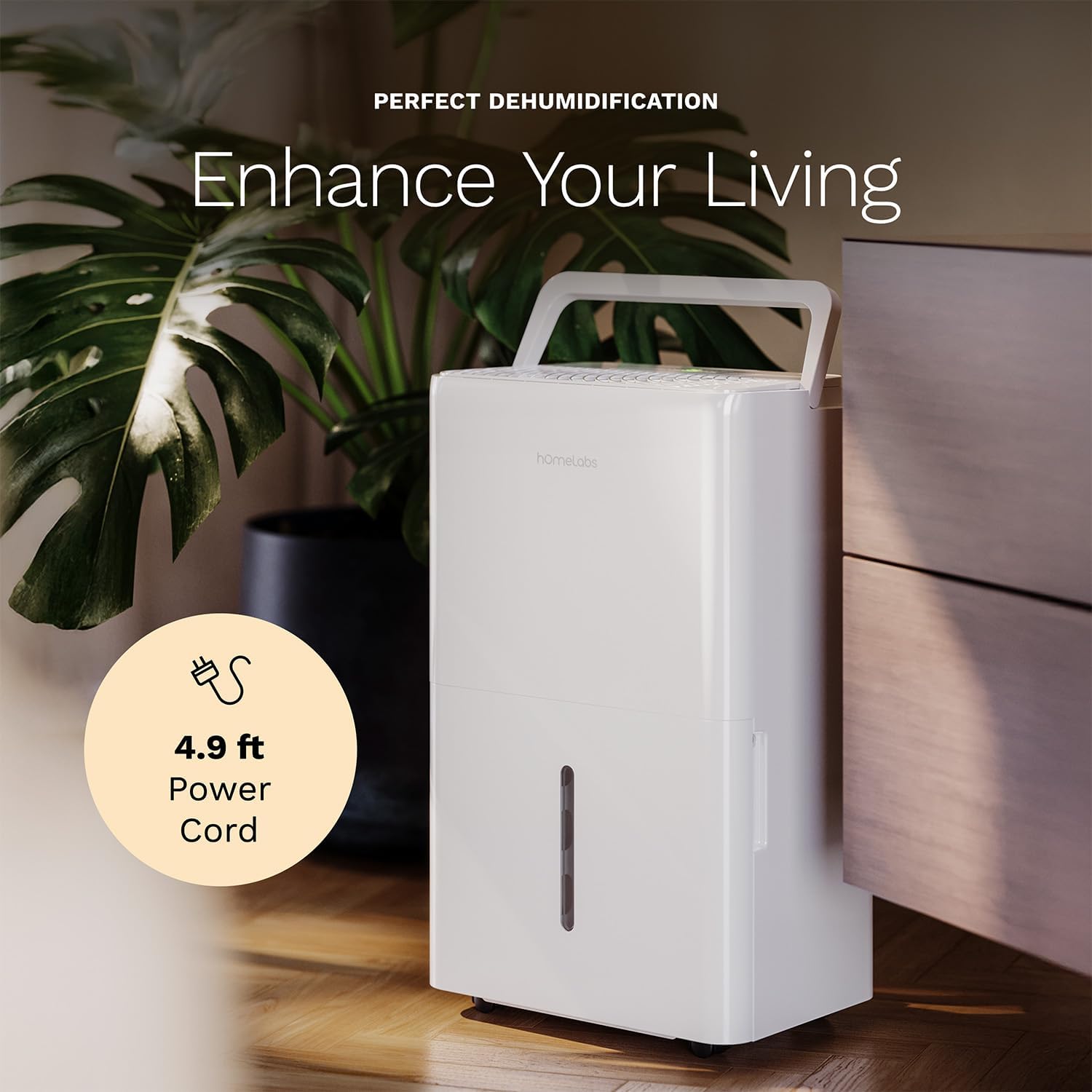
The dehumidifier positioned in a room, highlighting its 4.9 ft power cord for flexible placement.
- Drainage Option (Optional):

An image illustrating the two drainage options: using the built-in tank (manual emptying) or connecting a gravity drain hose for continuous drainage.
- கையேடு வடிகால்: The unit will collect water in the internal tank. When the tank is full, the unit will automatically shut off and indicate "Tank Full". Empty the tank as described in the Maintenance section.
- தொடர் வடிகால்: For continuous operation without emptying the tank, attach the included drain hose to the continuous drain outlet. Ensure the hose is sloped downwards to a suitable drain (e.g., floor drain, large bucket) to allow gravity drainage.
இயக்க வழிமுறைகள்
கண்ட்ரோல் பேனல் செயல்பாடுகள்:
- பவர் பட்டன்: யூனிட்டை ஆன் அல்லது ஆஃப் செய்ய அழுத்தவும்.
- ஈரப்பதம் அமைக்கும் பொத்தான்கள் (+/-): Adjust the desired humidity level from 35% to 85% relative humidity (RH) in 5% increments.
- மின்விசிறி வேக பொத்தான்: Cycle through High, Medium, and Low fan speeds.
- டைமர் பட்டன்: Set a timer for automatic ON/OFF operation (1-24 hours).
- ஆறுதல் பயன்முறை பொத்தான்: Activates a preset humidity level for optimal comfort.
- வைஃபை பட்டன்: Activates Wi-Fi pairing mode.
Wi-Fi Smart Control:
Your dehumidifier can be controlled remotely via Wi-Fi using a smartphone app, Google Assistant, or Alexa.

The dehumidifier shown with icons indicating compatibility with Google Home and Alexa, along with a smartphone icon representing app control for remote operation.
- பயன்பாட்டைப் பதிவிறக்குக: Download the hOmeLabs app from your smartphone's app store (iOS or Android).
- இணைத்தல்: Follow the in-app instructions to pair your dehumidifier with your home Wi-Fi network. This typically involves pressing and holding the Wi-Fi button on the control panel until the indicator light flashes.
- ரிமோட் கண்ட்ரோல்: Once paired, you can adjust settings, monitor humidity levels, and set schedules from anywhere using your smartphone.
பராமரிப்பு
வழக்கமான பராமரிப்பு உகந்த செயல்திறனை உறுதிசெய்து உங்கள் ஈரப்பதமூட்டியின் ஆயுளை நீட்டிக்கிறது.
தண்ணீர் தொட்டியை காலி செய்தல்:
- When the water tank is full, the "Tank Full" indicator will illuminate, and the unit will stop operating.
- அலகின் முன்பக்கத்திலிருந்து தண்ணீர் தொட்டியை கவனமாக வெளியே இழுக்கவும்.
- சேகரிக்கப்பட்ட தண்ணீரை ஒரு தொட்டி அல்லது வடிகாலில் ஊற்றவும்.
- காலியான தொட்டியை அது சரியான இடத்தில் கிளிக் செய்யும் வரை மீண்டும் யூனிட்டிற்குள் சறுக்கி வைக்கவும். யூனிட் மீண்டும் செயல்படத் தொடங்கும்.
காற்று வடிகட்டியை சுத்தம் செய்தல்:
The "Filter" indicator light will illuminate after 250 hours of operation, reminding you to clean the filter. Clean the filter every two weeks or more frequently depending on usage and air quality.
- ஈரப்பதமூட்டியை அணைத்து, மின் இணைப்பிலிருந்து அதைத் துண்டிக்கவும்.
- அலகு பின்புறத்திலிருந்து காற்று வடிகட்டியை அகற்றவும்.
- வடிகட்டியை வெதுவெதுப்பான, சோப்பு நீரில் கழுவவும். நன்கு துவைக்கவும்.
- Allow the filter to air dry completely before reinstalling. Do not use a dryer or direct heat.
- Once the filter is reinstalled, press and hold the "Filter" button for 3 seconds to reset the filter timer.
பொது சுத்தம்:
- அலகின் வெளிப்புறத்தை மென்மையான, d துணியால் துடைக்கவும்.amp துணி.
- கடுமையான இரசாயனங்கள், சிராய்ப்புகள் அல்லது கரைப்பான்களைப் பயன்படுத்த வேண்டாம்.
- பூஞ்சை மற்றும் பூஞ்சை காளான் வளர்ச்சியைத் தடுக்க தண்ணீர் தொட்டியை தவறாமல் சுத்தம் செய்யவும்.
சரிசெய்தல்
பொதுவான பிரச்சினைகள் மற்றும் அவற்றின் தீர்வுகளுக்கு இந்தப் பகுதியைப் பார்க்கவும்.
| பிரச்சனை | சாத்தியமான காரணம் | தீர்வு |
|---|---|---|
| ஈரப்பதமூட்டி இயக்கப்படவில்லை. | No power; Power cord not plugged in; Tank full. | Check power supply; Plug in power cord securely; Empty water tank. |
| அலகு இயங்குகிறது ஆனால் தண்ணீரை சேகரிக்கவில்லை. | ஈரப்பதம் மிக அதிகமாக உள்ளது; அறை வெப்பநிலை மிகக் குறைவு; காற்று வடிகட்டி அடைபட்டுள்ளது. | Lower desired humidity setting; Ensure room temperature is above 41°F (5°C); Clean air filter. |
| அலகு சத்தமாக உள்ளது. | அலகு சமமாக இல்லை; காற்று வடிகட்டி அடைக்கப்பட்டுள்ளது; மின்விசிறி அடைப்பு. | Place on a level surface; Clean air filter; Check for obstructions in fan area. |
| வைஃபை இணைப்புச் சிக்கல்கள். | தவறான வைஃபை கடவுச்சொல்; ரூட்டர் மிக தொலைவில் உள்ளது; ஆப்ஸ் சிக்கல்கள். | Verify Wi-Fi password; Move unit closer to router; Restart app/unit. |
விவரக்குறிப்புகள்
| அம்சம் | விவரம் |
|---|---|
| பிராண்ட் | ஹோம் லேப்ஸ் |
| மாதிரி பெயர் | hOmelabs - Dehumidifier - 25 Pint - WIFI (HME0088) |
| டிஹைமிடிஃபிகேஷன் திறன் | 25 Pints per Day (at 80°F, 60%RH) / MAX 64 Pints (at 95°F, 90%RH) |
| கவரேஜ் பகுதி | 3,500 சதுர அடி வரை |
| தொட்டியின் அளவு | 1 கேலன் |
| தயாரிப்பு பரிமாணங்கள் (அளவு x அளவு x அளவு) | 8.2"டி x 12.2"அடி x 19.6"ஹெட் |
| பொருளின் எடை | 27.1 பவுண்டுகள் |
| செயல்பாட்டு முறை | தானியங்கி |
| சிறப்பு அம்சங்கள் | Adjustable Humidity Control, Automatic Defrost, Automatic Moisture Removal, Automatic Shutoff, Bucket Storage, Digital Display, Portable, Quiet Operation, Removable Tank, Timer, Washable Filter, Wi-Fi Enabled |
| ஆற்றல் திறன் | Energy Star Most Efficient 2024 Certified |
உத்தரவாதம் மற்றும் ஆதரவு
Your hOmeLabs 25 Pint Wi-Fi Dehumidifier comes with a standard manufacturer's warranty. For detailed warranty information, please refer to the official warranty document provided with your purchase or visit the hOmeLabs webதளம்.
உத்தரவாத ஆவணம்: உத்தரவாதத்தைப் பதிவிறக்கவும் (PDF)
For technical support, troubleshooting assistance, or to inquire about replacement parts, please contact hOmeLabs customer service. Contact information can typically be found on the hOmeLabs webதளத்தில் அல்லது உங்கள் தயாரிப்பு பேக்கேஜிங்கில்.


