1. அறிமுகம்
This manual provides detailed instructions for the proper use, setup, and maintenance of your WIWU OWS O300 Wireless Earbuds. Please read this manual thoroughly before using the product to ensure optimal performance and longevity.
2. தொகுப்பு உள்ளடக்கங்கள்
கீழே பட்டியலிடப்பட்டுள்ள அனைத்து பொருட்களும் உங்கள் தயாரிப்பு தொகுப்பில் உள்ளதா என்பதைச் சரிபார்க்கவும்:
- WIWU OWS O300 Wireless Earbuds (Left and Right)
- சார்ஜிங் கேஸ்
- USB-C சார்ஜிங் கேபிள்
- பயனர் கையேடு
3. தயாரிப்பு முடிந்துவிட்டதுview
The WIWU OWS O300 earbuds feature an open-ear design for comfort and situational awareness, paired with a compact charging case.

Figure 3.1: WIWU OWS O300 Wireless Earbuds and Charging Case

Figure 3.2: WIWU OWS O300 Charging Case open with earbuds inside
இயர்பட் கூறுகள்
- காது கொக்கி: காதுக்கு மேல் பாதுகாப்பான பொருத்தத்தை வழங்குகிறது.
- பேச்சாளர் அலகு: Delivers audio.
- தொடு கட்டுப்பாட்டு பகுதி: பிளேபேக், அழைப்புகள் மற்றும் பிற செயல்பாடுகளை நிர்வகிக்க.
- ஒலிவாங்கி: குரல் அழைப்புகளுக்கு.
- சார்ஜிங் தொடர்புகள்: சார்ஜிங் கேஸுடன் இணைகிறது.
Charging Case Components
- இயர்பட் ஸ்லாட்டுகள்: இயர்பட்களை பிடித்து சார்ஜ் செய்கிறது.
- USB-C சார்ஜிங் போர்ட்: வழக்கு போட்டதற்காக.
- LED காட்டி: சார்ஜிங் நிலை மற்றும் பேட்டரி அளவைக் காட்டுகிறது.
4 அமைவு
4.1 இயர்பட்ஸ் மற்றும் கேஸை சார்ஜ் செய்தல்
முதல் பயன்பாட்டிற்கு முன், இயர்பட்கள் மற்றும் சார்ஜிங் கேஸ் இரண்டையும் முழுமையாக சார்ஜ் செய்யவும்.
- Place the earbuds into the charging case, ensuring the charging contacts align.
- USB-C சார்ஜிங் கேபிளை கேஸில் உள்ள சார்ஜிங் போர்ட்டுடனும், மறுமுனையை ஒரு பவர் சோர்ஸுடனும் இணைக்கவும் (எ.கா. USB சுவர் அடாப்டர், கணினி USB போர்ட்).
- The LED indicator on the case will show the charging status. A full charge typically takes approximately 1.5 hours.
- முழுமையாக சார்ஜ் ஆனதும், சார்ஜிங் கேபிளைத் துண்டிக்கவும்.
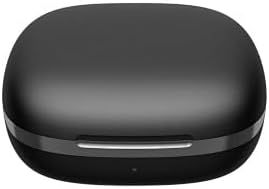
Figure 4.1: WIWU OWS O300 Charging Case in closed state
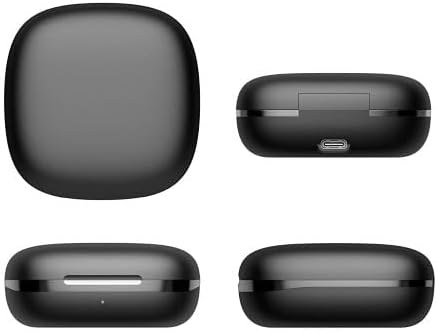
படம் 4.2: பல்வேறு views of the WIWU OWS O300 charging case, highlighting its design and USB-C charging port
4.2 சாதனத்துடன் இணைத்தல்
- Ensure the earbuds are charged. Open the charging case; the earbuds will automatically enter pairing mode. The LED indicator on the earbuds may flash to indicate pairing readiness.
- உங்கள் சாதனத்தில் (ஸ்மார்ட்போன், டேப்லெட், முதலியன), புளூடூத்தை இயக்கவும்.
- தேடுங்கள் available Bluetooth devices and select "WIWU OWS O300" from the list.
- Once connected, a voice prompt will confirm successful pairing, and the earbud LED indicators will turn off or show a steady light.
- இணைத்தல் தோல்வியுற்றால், இயர்பட்களை மீண்டும் கேஸில் வைத்து, அதை மூடி, படிகளை மீண்டும் செய்யவும்.
5. இயக்க வழிமுறைகள்
5.1 பவர் ஆன்/ஆஃப்
- பவர் ஆன்: சார்ஜிங் கேஸைத் திறக்கவும், இயர்பட்கள் தானாகவே இயங்கும்.
- பவர் ஆஃப்: இயர்பட்களை மீண்டும் சார்ஜிங் கேஸில் வைத்து மூடியை மூடவும். அவை தானாகவே அணைந்து சார்ஜ் ஆகத் தொடங்கும்.
5.2 இசை பின்னணி
- விளையாடு/இடைநிறுத்தம்: இரண்டு இயர்பட்டிலும் உள்ள தொடு கட்டுப்பாட்டுப் பகுதியை ஒரு முறை தட்டவும்.
- அடுத்த ட்ராக்: வலதுபுற இயர்பட்டில் உள்ள தொடு கட்டுப்பாட்டுப் பகுதியை இருமுறை தட்டவும்.
- முந்தைய ட்ராக்: இடதுபுற இயர்பட்டில் உள்ள தொடு கட்டுப்பாட்டுப் பகுதியை இருமுறை தட்டவும்.
- ஒலியை பெருக்கு: வலதுபுற இயர்பட்டில் உள்ள தொடு கட்டுப்பாட்டுப் பகுதியை மூன்று முறை தட்டவும்.
- ஒலியை குறை: இடதுபுற இயர்பட்டில் உள்ள தொடு கட்டுப்பாட்டுப் பகுதியை மூன்று முறை தட்டவும்.
5.3 அழைப்பு மேலாண்மை
- பதில்/முடிவு அழைப்பு: இரண்டு இயர்பட்டிலும் உள்ள தொடு கட்டுப்பாட்டுப் பகுதியை ஒரு முறை தட்டவும்.
- அழைப்பை நிராகரி: இரண்டு இயர்பட்டிலும் உள்ள தொடு கட்டுப்பாட்டுப் பகுதியை 2 வினாடிகள் அழுத்திப் பிடிக்கவும்.
5.4 குரல் உதவியாளர்
- குரல் உதவியாளரைச் செயலாக்கு: Press and hold the touch control area on either earbud for 3 seconds (when not on a call).

Figure 5.1: The open-ear design of the WIWU OWS O300 earbuds allows for situational awareness while listening.

Figure 5.2: Ergonomic design of the WIWU OWS O300 earbuds for a secure and comfortable fit.

Figure 5.3: The WIWU OWS O300 earbuds are suitable for various activities and environments, including outdoor use, office work, leisure, and sports.
6. பராமரிப்பு
சரியான பராமரிப்பு உங்கள் இயர்பட்களின் நீண்ட ஆயுளையும் செயல்திறனையும் உறுதி செய்கிறது.
- சுத்தம்: இயர்பட்கள் மற்றும் சார்ஜிங் கேஸை சுத்தம் செய்ய மென்மையான, உலர்ந்த, பஞ்சு இல்லாத துணியைப் பயன்படுத்தவும். கடுமையான இரசாயனங்கள் அல்லது சிராய்ப்புப் பொருட்களைப் பயன்படுத்த வேண்டாம்.
- சார்ஜிங் தொடர்புகள்: Periodically clean the charging contacts on both the earbuds and the case with a dry cotton swab to ensure a good connection.
- சேமிப்பு: பயன்பாட்டில் இல்லாதபோது, தூசி மற்றும் சேதத்திலிருந்து பாதுகாக்க, இயர்பட்களை அவற்றின் சார்ஜிங் கேஸில் சேமிக்கவும். தீவிர வெப்பநிலையிலிருந்து விலகி, குளிர்ந்த, உலர்ந்த இடத்தில் சேமிக்கவும்.
- நீர் வெளிப்பாடு: Avoid exposing the earbuds or case to water or excessive moisture.
7. சரிசெய்தல்
If you encounter issues with your WIWU OWS O300 earbuds, refer to the following table for common problems and solutions.
| பிரச்சனை | தீர்வு |
|---|---|
| இயர்பட்கள் இயங்கவில்லை. | Ensure the earbuds and charging case are fully charged. Place earbuds in the case and close the lid, then open again. |
| இயர்பட்கள் சாதனத்துடன் இணைக்கப்படவில்லை. | Make sure Bluetooth is enabled on your device. Place earbuds back in the case, close, then open to re-enter pairing mode. Forget "WIWU OWS O300" from your device's Bluetooth list and try pairing again. |
| ஒலி இல்லை அல்லது குறைந்த அளவு. | Check the volume level on both your device and the earbuds. Ensure earbuds are properly connected. Try playing different audio. |
| சார்ஜிங் கேஸ் சார்ஜ் ஆகவில்லை. | Verify the USB-C cable is securely connected to both the case and the power source. Try a different cable or power adapter. |
| One earbud has no sound. | Ensure both earbuds are charged. Try placing both earbuds back into the case, closing it, and then taking them out again to re-establish connection. |
8. விவரக்குறிப்புகள்
Technical specifications for the WIWU OWS O300 Wireless Earbuds:
| அம்சம் | விவரம் |
|---|---|
| மாதிரி | O300 |
| புளூடூத் பதிப்பு | V5.3 |
| புளூடூத் சிப்செட் | Airohia AB1562M |
| இயர்பட் பேட்டரி திறன் | 50mAh (ஒரு இயர்பட் ஒன்றுக்கு) |
| சார்ஜிங் கேஸ் பேட்டரி திறன் | 400mAh |
| சார்ஜிங் போர்ட் | USB-C |
| சார்ஜிங் நேரம் | தோராயமாக 1.5 மணி நேரம் |
| அழைப்பு நேரம் | 5 மணி நேரம் வரை |
| இசை பின்னணி நேரம் | 8 மணி நேரம் வரை |
| காத்திருப்பு நேரம் | 12 மாதங்கள் வரை |
| இயர்பட் நிகர எடை | 7.5g ± 0.2g (per earbud) |
| சார்ஜிங் கேஸின் நிகர எடை | 52.6 கிராம் |
| இயர்பட் பரிமாணங்கள் | 16.10 மிமீ x 41.51 மிமீ x 49.60 மிமீ |
| சார்ஜிங் கேஸ் பரிமாணங்கள் | 66.71 மிமீ x 66.28 மிமீ x 28.97 மிமீ |
| இணைப்பு தொழில்நுட்பம் | வயர்லெஸ் |
| காது வைப்பு | In Ear (Open-Ear Design) |
| வண்ண விருப்பங்கள் | கருப்பு, வெள்ளை |

Figure 8.1: The WIWU OWS O300 earbuds offer extended battery life for music playback, with additional charge provided by the charging case.
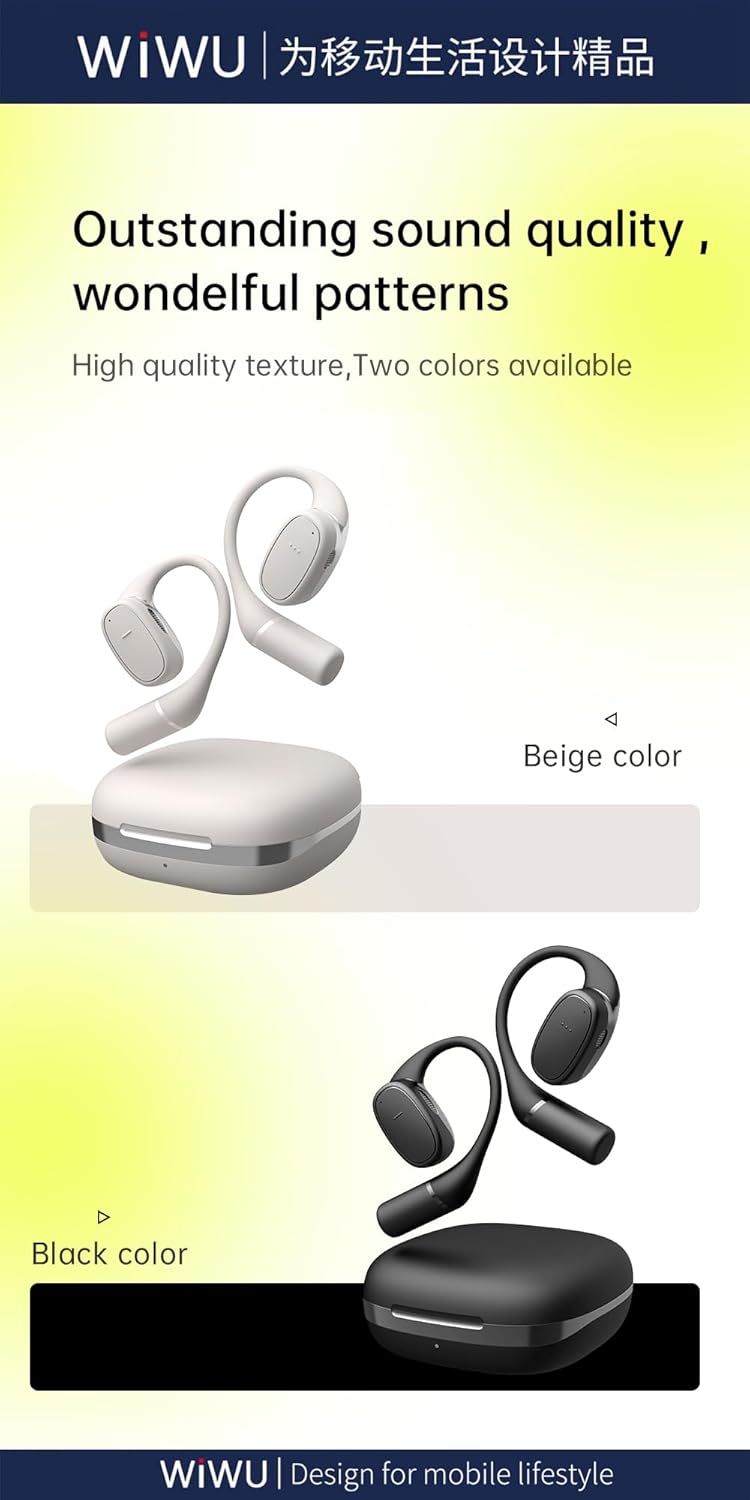
Figure 8.2: Available color options for the WIWU OWS O300 earbuds, including Black and White.
9. உத்தரவாதத் தகவல்
WIWU products are covered by a limited warranty from the date of purchase. Please refer to the warranty card included in your package or visit the official WIWU website for detailed warranty terms and conditions. This warranty typically covers manufacturing defects but does not cover damage caused by misuse, accidents, or unauthorized modifications.
10. ஆதரவு
For further assistance, technical support, or inquiries regarding your WIWU OWS O300 Wireless Earbuds, please contact WIWU customer service through their official webதளம் அல்லது உங்கள் தயாரிப்பு பேக்கேஜிங்கில் வழங்கப்பட்ட தொடர்புத் தகவல்.


