1. அறிமுகம்
This manual provides essential information for the safe and efficient use of your Lenovo Tab 10.1 Inch Wi-Fi Tablet. Please read this guide thoroughly before operating your device to ensure optimal performance and longevity. Keep this manual for future reference.
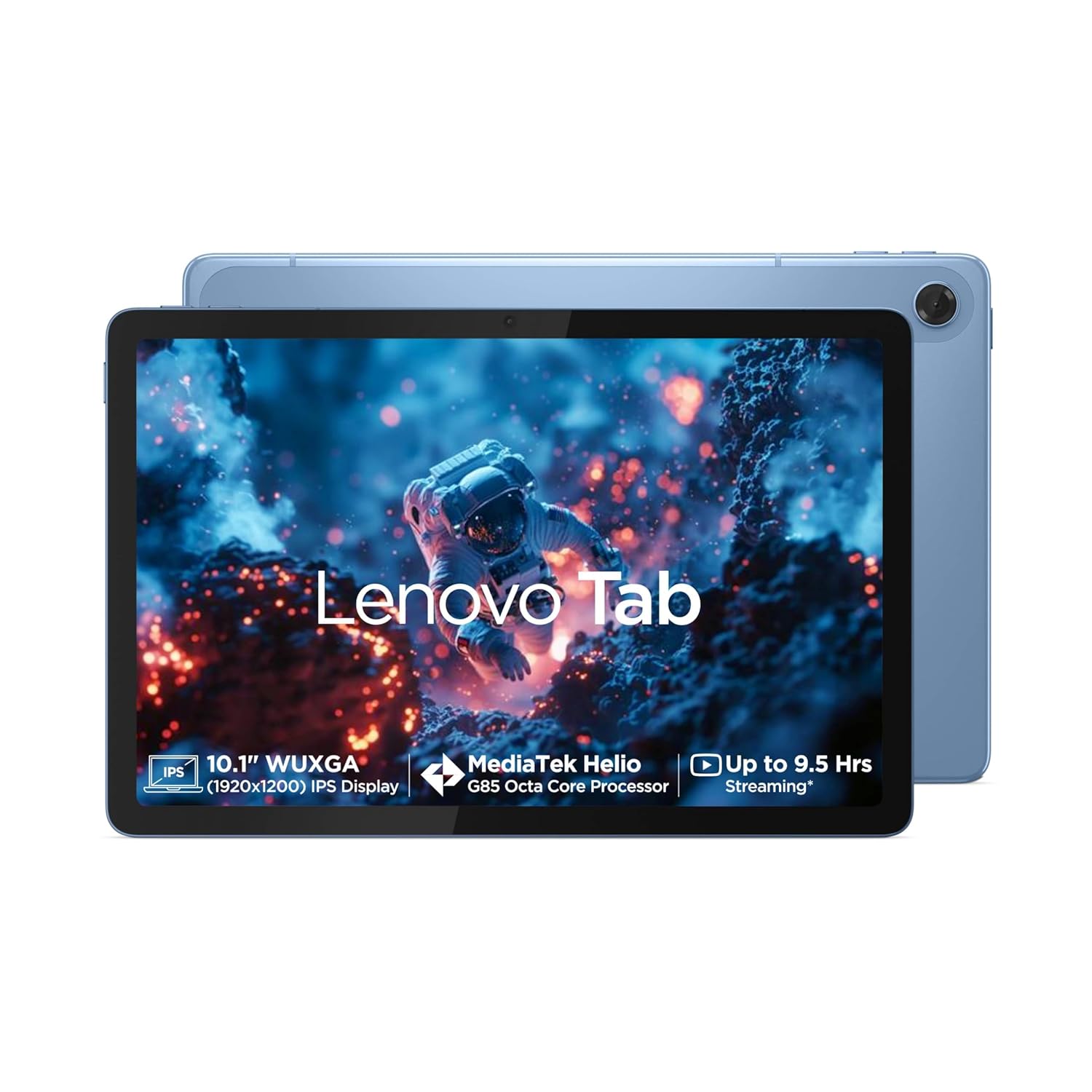
படம் 1.1: முன் view of the Lenovo Tab 10.1 Inch Wi-Fi Tablet.
2. முக்கியமான பாதுகாப்பு தகவல்
- பேட்டரி பாதுகாப்பு: Do not attempt to replace the internal battery yourself. Use only approved chargers and cables. Avoid exposing the tablet to extreme temperatures.
- சார்ஜ்: Ensure the charging adapter and cable are in good condition. Do not charge the device in damp நிபந்தனைகள்.
- பயன்பாட்டு சூழல்: Avoid using the tablet in dusty, humid, or excessively hot/cold environments. Keep away from direct sunlight for prolonged periods.
- சுத்தம்: Disconnect the tablet from power before cleaning. Use a soft, dry cloth. Avoid liquid cleaners.
- அகற்றல்: Dispose of the device and its battery responsibly according to local regulations. Do not incinerate.
3. தொகுப்பு உள்ளடக்கங்கள்
உங்கள் தயாரிப்பு தொகுப்பில் அனைத்து பொருட்களும் உள்ளதா என சரிபார்க்கவும்:
- Lenovo Tab
- USB டைப்-C 2.0 சார்ஜிங் கேபிள்
- MicroSD/SIM Tray Pin
- 20W இன்-பாக்ஸ் சார்ஜிங் அடாப்டர்
- விரைவு தொடக்க வழிகாட்டி & பாதுகாப்பு, உத்தரவாதம்
4. சாதனம் முடிந்ததுview
Familiarize yourself with the physical components and ports of your Lenovo Tab.

படம் 4.1: முடிந்ததுview of ports and buttons on the Lenovo Tab.
- ஆற்றல் விசை: பக்கவாட்டில் அமைந்துள்ளது, டேப்லெட்டை இயக்க/முடக்க அல்லது திரையை எழுப்ப/தூக்க வைக்கப் பயன்படுகிறது.
- தொகுதி விசைகள்: ஆடியோ ஒலியளவை சரிசெய்யவும்.
- USB டைப்-C 2.0 போர்ட்: சார்ஜிங் மற்றும் டேட்டா பரிமாற்றத்திற்கு.
- 3.5மிமீ ஆடியோ ஜாக்: Connect headphones or external audio devices.
- மைக்ரோ எஸ்டி கார்டு ஸ்லாட்: Expand storage capacity up to 1TB.
- இரட்டை பேச்சாளர்கள்: Optimized with Dolby Atmos for enhanced audio experience.
- ஒலிவாங்கி: குரல் உள்ளீட்டிற்கு.
5. ஆரம்ப அமைப்பு
5.1. டேப்லெட்டை சார்ஜ் செய்தல்
- Connect the USB Type-C cable to the tablet's charging port.
- Connect the other end of the cable to the 20W in-box charging adapter.
- அடாப்டரை பவர் அவுட்லெட்டில் செருகவும்.
- Allow the tablet to charge fully before first use. The battery indicator on the screen will show charging status.
5.2. ஆன் / ஆஃப் செய்தல்
- பவர் ஆன் செய்ய: Press and hold the Power Key until the Lenovo logo appears on the screen.
- பவர் ஆஃப் செய்ய: Press and hold the Power Key, then select 'Power off' from the options that appear.
- மறுதொடக்கம் செய்ய: Press and hold the Power Key, then select 'Restart' from the options.
5.3. Wi-Fi உடன் இணைக்கிறது
- முகப்புத் திரையில் இருந்து, விரைவு அமைப்புகள் பேனலைத் திறக்க மேலிருந்து கீழே ஸ்வைப் செய்யவும்.
- வைஃபை அமைப்புகளைத் திறக்க வைஃபை ஐகானைத் தட்டிப் பிடிக்கவும்.
- Toggle Wi-Fi 'On' if it is off.
- பட்டியலிலிருந்து உங்களுக்கு விருப்பமான வைஃபை நெட்வொர்க்கைத் தேர்ந்தெடுக்கவும்.
- Enter the network password if prompted, then tap 'Connect'.
6. Operating Your Lenovo Tab
6.1. காட்சி மற்றும் வழிசெலுத்தல்
Your Lenovo Tab features a 10.1-inch WUXGA LCD IPS screen with a resolution of 1920 x 1200 pixels, 400 nits brightness, and a 60Hz refresh rate. It also includes Eyesafe and TUV Rheinland certification for low blue light, enhancing viewஆறுதல்.

Image 6.1: Display features and certifications.
6.2. ஆடியோ அம்சங்கள்
Experience immersive audio with the tablet's dual side speakers, optimized with Dolby Atmos technology. This provides a rich and clear sound experience for media consumption.
6.3. கேமரா பயன்பாடு
The tablet is equipped with a 5.0MP front camera for video calls and selfies, and an 8.0MP rear camera for capturing photos and videos.
6.4. சேமிப்பு மேலாண்மை
The device comes with 64GB eMMC 5.1 internal storage. You can expand this storage up to 1TB using a microSD card (sold separately) inserted into the dedicated slot.

Image 6.2: Core specifications for performance and storage.
7. பராமரிப்பு மற்றும் பராமரிப்பு
- மென்பொருள் புதுப்பிப்புகள்: Regularly check for and install system updates to ensure your tablet has the latest features and security patches. (Settings > System > System update).
- பேட்டரி பராமரிப்பு: To prolong battery life, avoid fully discharging the battery frequently. The tablet supports an 80% charging limit function for increasing battery health.
- திரையை சுத்தம் செய்தல்: Use a microfiber cloth to gently wipe the screen. For stubborn smudges, slightly dampta தண்ணீருடன் கூடிய துணி அல்லது மின்னணு சாதனங்களுக்காக வடிவமைக்கப்பட்ட திரை துப்புரவாளர்.
- சேமிப்பக உகப்பாக்கம்: தேவையற்றவற்றை அவ்வப்போது அழிக்கவும் files and uninstall unused apps to maintain optimal performance.
8. பொதுவான சிக்கல்களைச் சரிசெய்தல்
| பிரச்சனை | தீர்வு |
|---|---|
| டேப்லெட் ஆன் ஆகாது | Ensure the tablet is charged. Connect to the charger and wait a few minutes before attempting to power on again. If unresponsive, perform a force restart by holding the Power Key for 10-15 seconds. |
| வைஃபை இணைப்புச் சிக்கல்கள் | அமைப்புகளில் வைஃபை இயக்கப்பட்டுள்ளதா எனச் சரிபார்க்கவும். உங்கள் வைஃபை ரூட்டரை மறுதொடக்கம் செய்யவும். நெட்வொர்க்கை மறந்துவிட்டு மீண்டும் இணைக்கவும். வைஃபை சிக்னலின் வரம்பிற்குள் இருப்பதை உறுதிசெய்யவும். |
| பயன்பாடுகள் மெதுவாகவோ அல்லது செயலிழக்கவோ செய்கின்றன | Close background applications. Clear app cache (Settings > Apps > [App Name] > Storage > Clear cache). Restart the tablet. Ensure sufficient free storage space. |
| பேட்டரி விரைவாக வடிகிறது | Reduce screen brightness. Close unused apps running in the background. Disable Wi-Fi/Bluetooth when not in use. Check for apps consuming excessive power in battery settings. |
| திரை பதிலளிக்கவில்லை | டேப்லெட்டை மறுதொடக்கம் செய்யுங்கள். சிக்கல் தொடர்ந்தால், திரை சுத்தமாகவும் குப்பைகள் இல்லாமல் இருப்பதையும் உறுதிசெய்யவும். |
9. தொழில்நுட்ப விவரக்குறிப்புகள்
Detailed specifications for your Lenovo Tab:
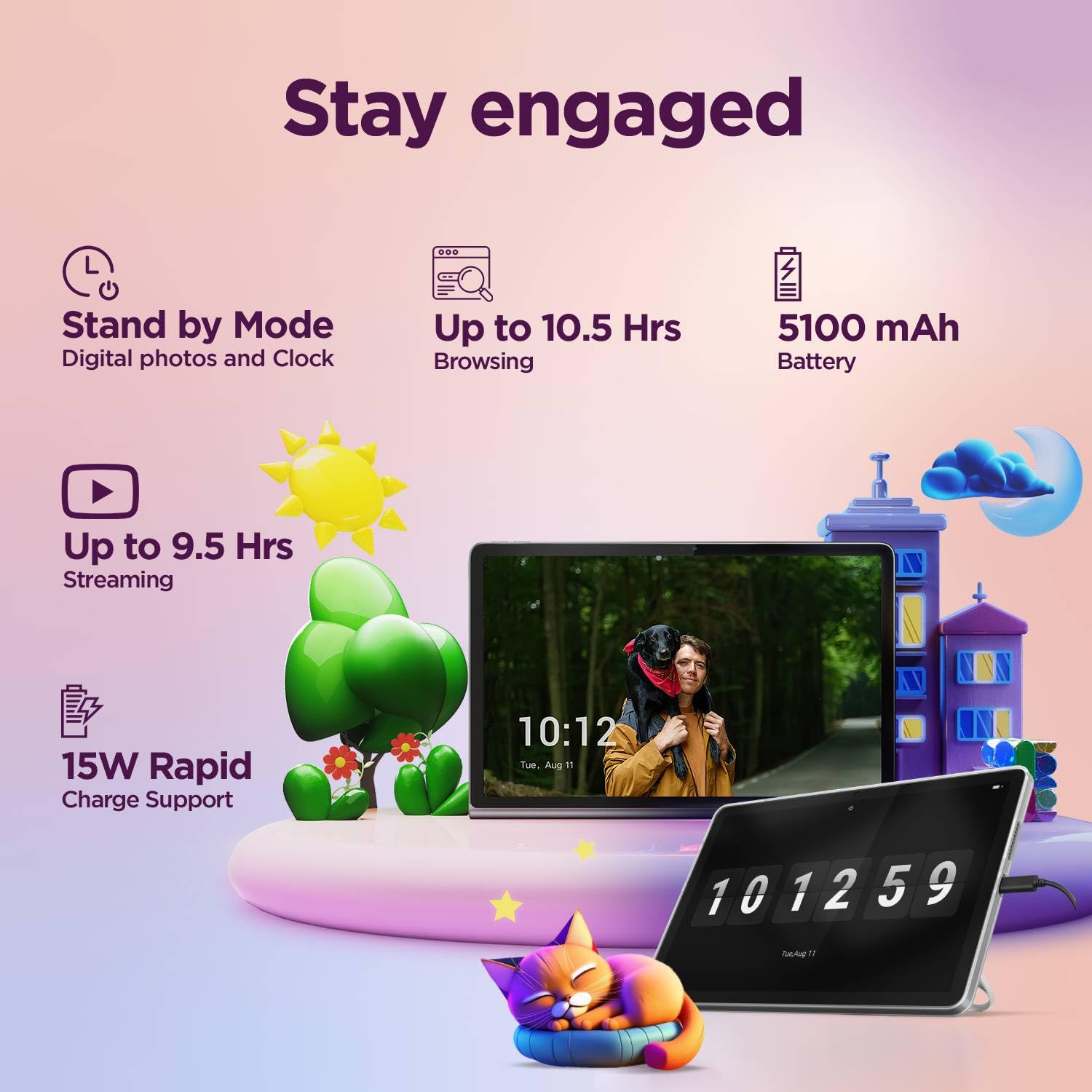
Image 9.1: Key technical specifications.
| அம்சம் | விவரக்குறிப்பு |
|---|---|
| மாதிரி எண் | ZAEH0019IN |
| காட்சி | 10.1" WUXGA LCD IPS (1920 x 1200 pixels) |
| பிரகாசம் | 400 நிட்கள் |
| புதுப்பிப்பு விகிதம் | 60 ஹெர்ட்ஸ் |
| செயலி | MediaTek Helio G85 (8C, 2x A75 @2.0GHz + 6x A55 @1.8GHz) |
| ரேம் | 4ஜிபி சாலிடர் LPDDR4x |
| உள் சேமிப்பு | 64GB eMMC 5.1 |
| விரிவாக்கக்கூடிய சேமிப்பு | MicroSD card, supports up to 1TB |
| இயக்க முறைமை | Android 14 (Upgradable to Android 15 & 16 on release) |
| முன் கேமரா | 5.0 எம்.பி |
| பின்புற கேமரா | 8.0 எம்.பி |
| ஆடியோ | 2 side speakers, optimized with Dolby Atmos |
| இணைப்பு | Wi-Fi 5 (802.11ac 1x1), Bluetooth 5.3 |
| பேட்டரி | ஒருங்கிணைந்த 5100mAh (வகை.) |
| Battery Life (Video Streaming) | Up to 9.5 hours (YouTube streaming) |
| பேட்டரி ஆயுள் (Web Browsing) | Up to 10.5 hours (Chrome browsing) |
| சார்ஜ் செய்கிறது | 15W Rapid Charge Support (20W In-Box Adapter) |
| பரிமாணங்கள் | 25.5 x 17.3 x 6.4 செ.மீ |
| எடை | 425 கிராம் |
10. உத்தரவாதம் மற்றும் ஆதரவு
Your Lenovo Tab comes with a 1 Year Carry-in warranty. For detailed warranty information, please visit the official Lenovo support webதளம்.

Image 10.1: Warranty information and registration details.
- Warranty Lookup: Check warranty details at pcsupport.lenovo.com/in/en/warranty-lookup#/
- உத்தரவாதப் பதிவு: To activate your warranty from the date of Amazon invoice, visit pcsupport.lenovo.com/in/en/servicerequest?ProblemType=/warranty/. You will need your invoice copy, P-slip copy with serial number, and a serial number snapshot from the tablet.
- வாடிக்கையாளர் ஆதரவு: For further assistance, please refer to the official Lenovo support channels available on their webதளம்.


