அறிமுகம்
Thank you for choosing the Euker 105 Pints High-Capacity Dehumidifier. This manual provides essential information for the safe operation, installation, maintenance, and troubleshooting of your new appliance. Please read it thoroughly before use and retain it for future reference.
This dehumidifier is designed for efficient moisture removal in large spaces up to 8000 sq. ft., such as basements, warehouses, and commercial environments. Its robust design includes a built-in pump for continuous drainage and a portable 4-wheel design for easy relocation.
முக்கியமான பாதுகாப்பு வழிமுறைகள்
To reduce the risk of fire, electric shock, or injury when using your dehumidifier, follow these basic precautions:
- சாதனத்தைப் பயன்படுத்துவதற்கு முன் அனைத்து வழிமுறைகளையும் படிக்கவும்.
- மின்சாரம் யூனிட்டில் உள்ள மதிப்பீட்டு லேபிளுடன் பொருந்துகிறதா என்பதை உறுதிப்படுத்தவும்.
- சேதமடைந்த தண்டு அல்லது பிளக் மூலம் யூனிட்டை இயக்க வேண்டாம்.
- Always unplug the dehumidifier before cleaning or servicing.
- காற்று நுழைவாயில்கள் அல்லது கடைகளைத் தடுக்க வேண்டாம்.
- Keep the unit on a level surface to prevent water leakage.
- இந்த சாதனம் அவர்களின் பாதுகாப்பிற்குப் பொறுப்பான ஒருவரால் உபகரணத்தைப் பயன்படுத்துவது தொடர்பான மேற்பார்வை அல்லது அறிவுறுத்தல் வழங்கப்படாவிட்டால், குறைந்த உடல், உணர்ச்சி அல்லது மன திறன்கள் அல்லது அனுபவம் மற்றும் அறிவு இல்லாமை கொண்ட நபர்கள் (குழந்தைகள் உட்பட) பயன்படுத்துவதை நோக்கமாகக் கொண்டிருக்கவில்லை.
அமைவு
1 பேக்கிங்
Carefully remove the dehumidifier from its packaging. Inspect the unit for any shipping damage. Retain the packaging for future storage or transport.
2. வேலை வாய்ப்பு
Place the dehumidifier on a firm, level surface in the area where moisture removal is desired. Ensure there is at least 12 inches (30 cm) of space around the unit for proper airflow. The 4-wheel design allows for easy movement; lock the wheels once positioned.
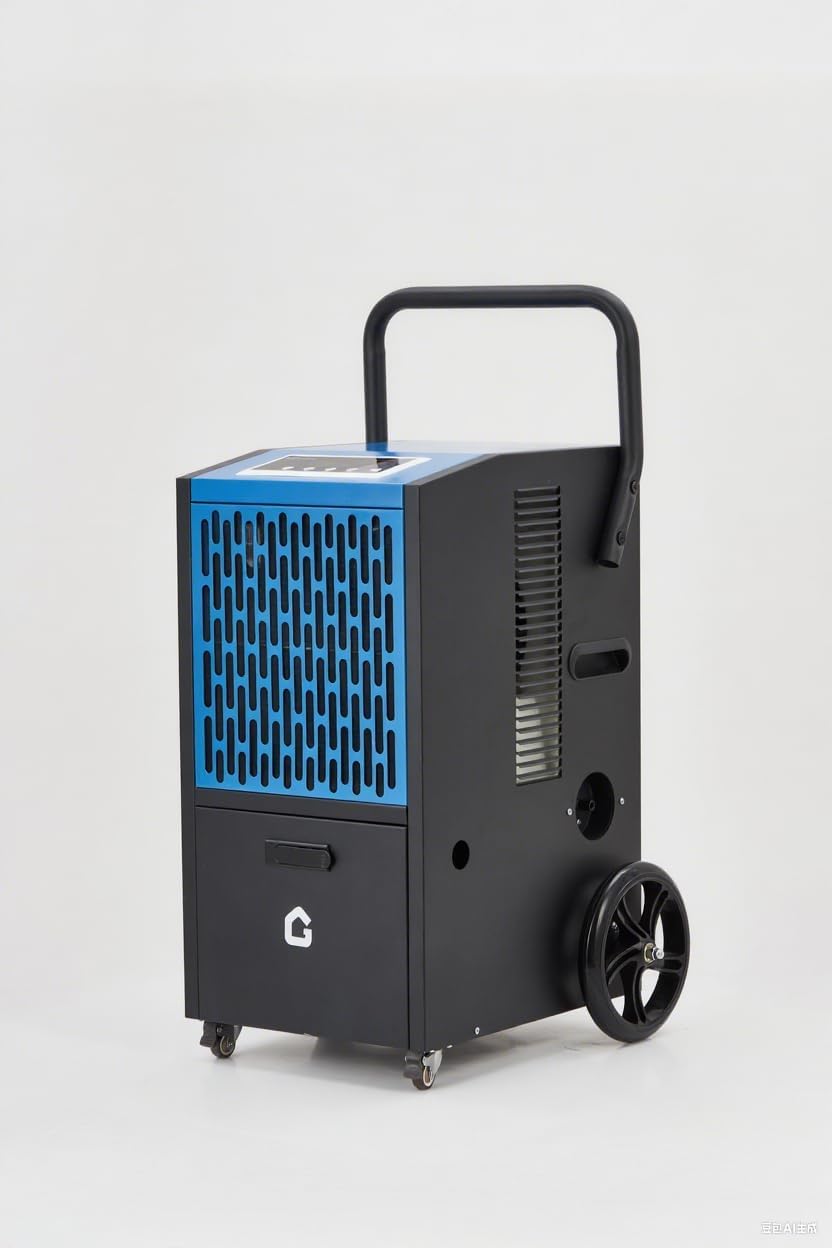
Image: The Euker 105 Pints High-Capacity Dehumidifier, showcasing its robust design with wheels and handle for portability.
3. வடிகால் விருப்பங்கள்
This dehumidifier offers two primary drainage methods:
- Built-in Pump Drainage: The unit features a powerful 520W built-in pump capable of lifting water up to 2 meters (6.5 feet). Connect the provided 16.4 ft drainage pipe to the pump outlet and direct the other end to a suitable drain or sink. This allows for continuous operation without manual bucket emptying.
- Continuous Gravity Drainage: For situations where a lower drain is available, the unit can also be set up for continuous gravity drainage. Connect a standard garden hose (not included) to the gravity drain port and direct it to a floor drain.
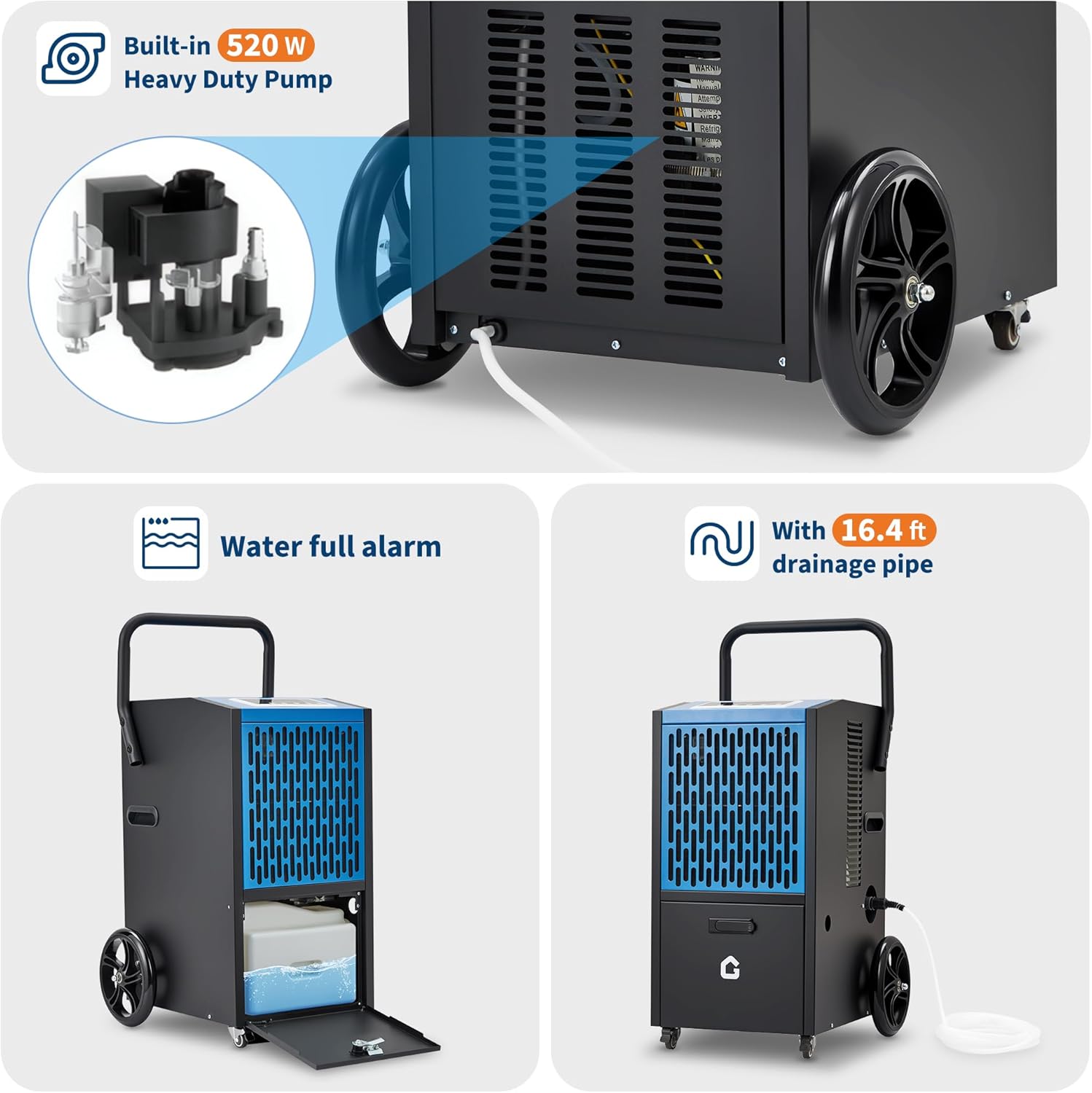
Image: Illustration of the built-in 520W heavy-duty pump and the 16.4 ft drainage pipe connection. Also shows the water full alarm feature and the internal water collection area.
இயக்க வழிமுறைகள்
The Euker dehumidifier features an intuitive LED control panel for easy operation.

Image: Close-up of the dehumidifier's LED control panel, highlighting buttons for fan speed, humidity adjustment (Up/Down), Timer, and Stand-by. Adjacent icons illustrate key functions like dehumidification capacity, 24H timer, auto-defrost, humidity setting range (20%-90%), and memory function.
1. பவர் ஆன்/ஆஃப்
அழுத்தவும் ஸ்டாண்ட்-பை யூனிட்டை ஆன் அல்லது ஆஃப் செய்ய பொத்தான்.
2. விரும்பிய ஈரப்பதத்தை அமைத்தல்
பயன்படுத்தவும் UP மற்றும் கீழே buttons to adjust the desired humidity level. The range is typically 20% to 90% Relative Humidity (RH). The unit will operate until the set humidity is reached, then cycle off, restarting when humidity rises.
3. டைமர் செயல்பாடு
அழுத்தவும் டைமர் button to set a delayed start or stop time (up to 24 hours). This allows for scheduled operation.
4. விசிறி வேகம்
இதைப் பயன்படுத்தி விசிறி வேகத்தை சரிசெய்யவும் விசிறியின் வேகம் button. Higher fan speed results in faster dehumidification but may produce more noise. The unit operates at <54 dB in DOE mode.
5. Auto-Defrost
The dehumidifier is equipped with an automatic defrost function. If frost builds up on the evaporator coils, the unit will temporarily stop dehumidifying and run the fan to melt the frost. This ensures efficient operation in cooler environments.
6. நினைவக செயல்பாடு
The unit features a memory function (ON/OFF) that retains your last settings in case of a power interruption.
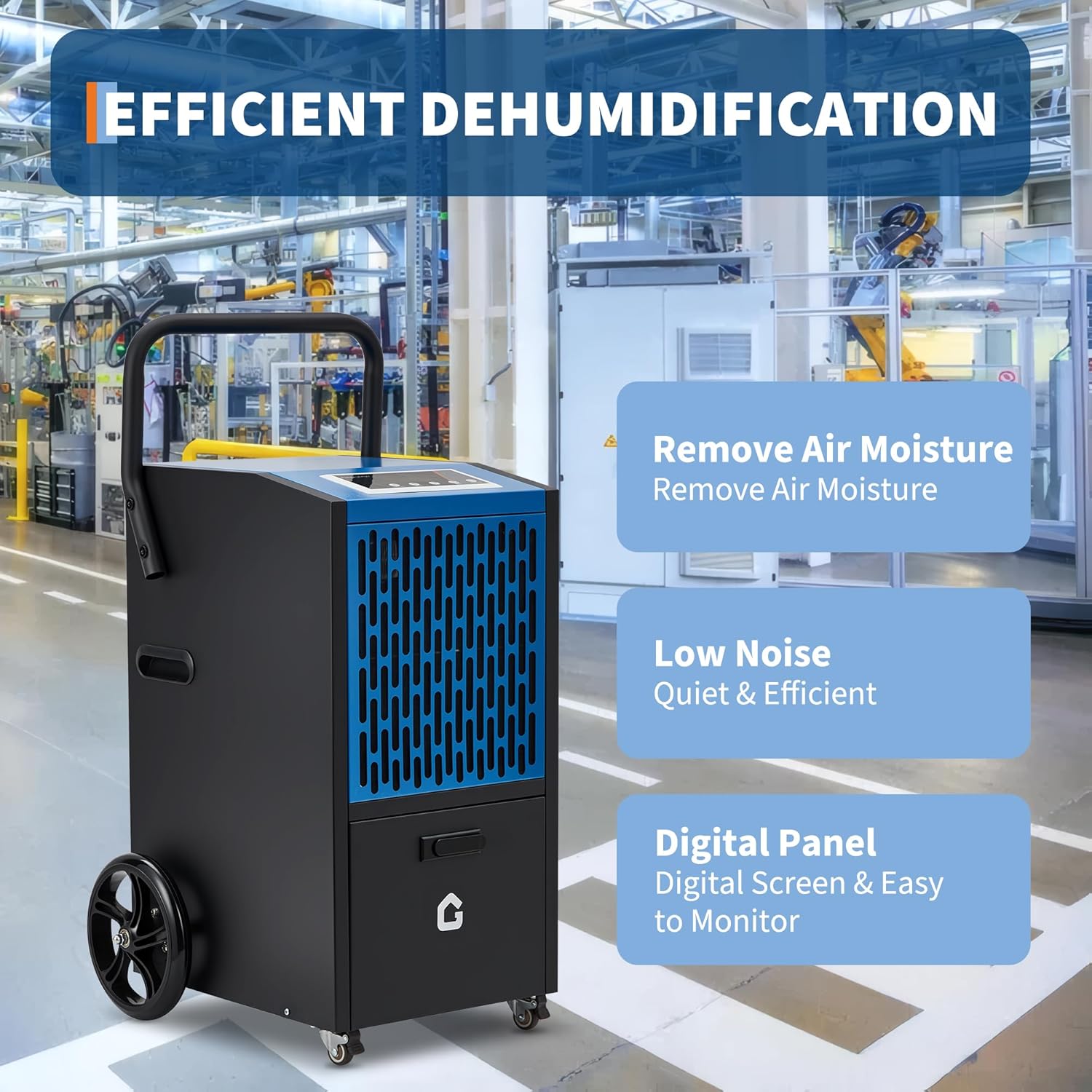
Image: Visual representation of the dehumidifier's core benefits: effective air moisture removal, quiet operation (low noise), and a user-friendly digital control panel for easy monitoring.
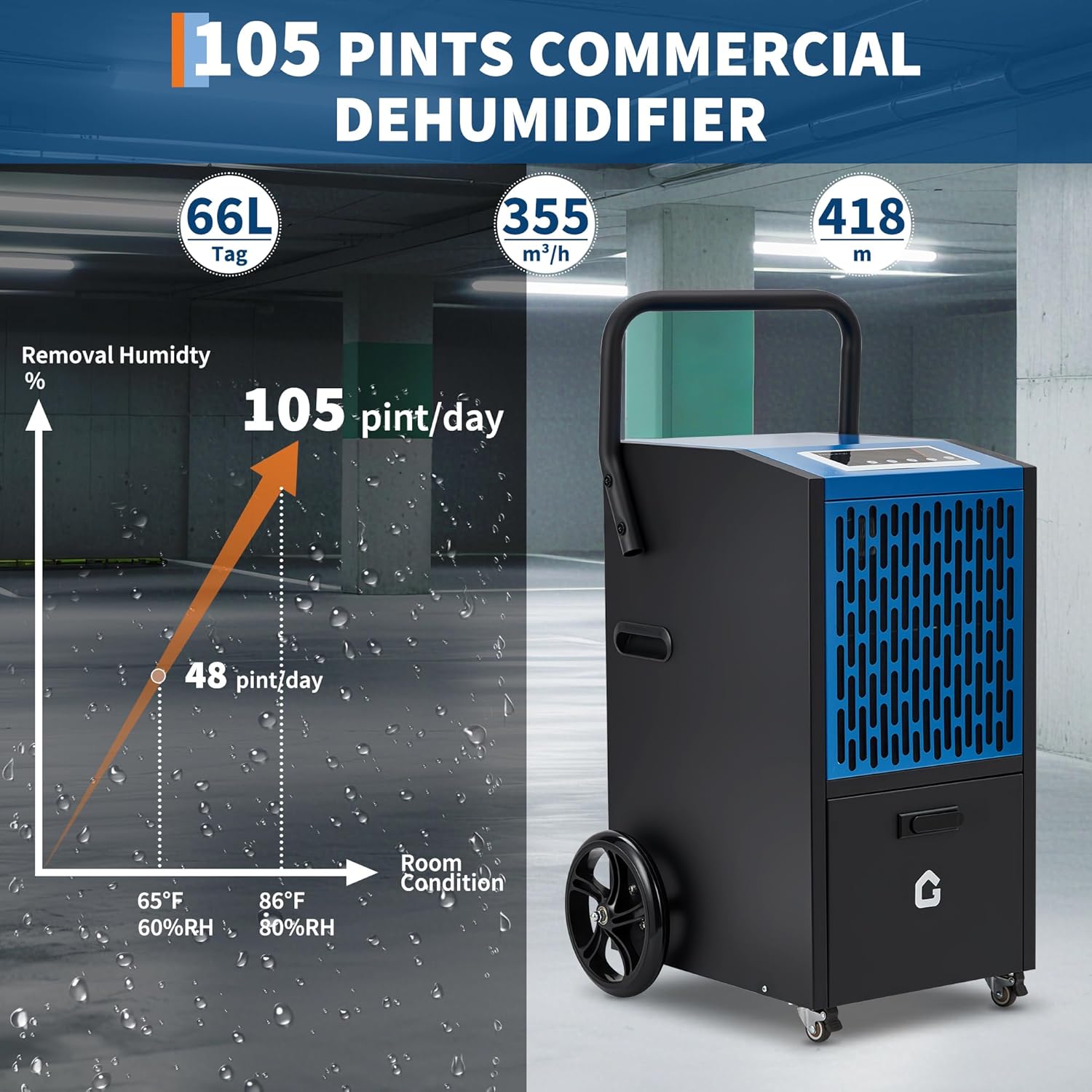
Image: A graph illustrating the dehumidification capacity, showing 48 pints/day at 65°F/60%RH and 105 pints/day at 86°F/80%RH, demonstrating the unit's high performance under varying conditions.
பராமரிப்பு
வழக்கமான பராமரிப்பு உகந்த செயல்திறனை உறுதிசெய்து உங்கள் ஈரப்பதமூட்டியின் ஆயுளை நீட்டிக்கிறது.
1. காற்று வடிகட்டியை சுத்தம் செய்தல்
The air filter should be cleaned every two weeks or more frequently depending on usage and air quality. A dirty filter restricts airflow and reduces efficiency.
- யூனிட்டை அணைத்துவிட்டு, மின் இணைப்பிலிருந்து அதைத் துண்டிக்கவும்.
- Locate and remove the air filter (refer to the diagram in the product manual for exact location).
- வடிகட்டியை வெதுவெதுப்பான, சோப்பு நீரில் கழுவவும். நன்கு துவைத்து, மீண்டும் நிறுவுவதற்கு முன் காற்றில் முழுமையாக உலர விடவும். பாத்திரங்கழுவி இயந்திரத்தைப் பயன்படுத்த வேண்டாம்.
- உலர் வடிகட்டியை மீண்டும் அலகில் செருகவும்.
2. அலகு வெளிப்புறத்தை சுத்தம் செய்தல்
டிஹைமிடிஃபையரின் வெளிப்புறத்தை மென்மையான, டி மூலம் துடைக்கவும்amp துணி. கடுமையான இரசாயனங்கள், சிராய்ப்புகள் அல்லது கரைப்பான்களைப் பயன்படுத்த வேண்டாம், ஏனெனில் இவை மேற்பரப்பை சேதப்படுத்தும்.
3. சேமிப்பு
If storing the unit for an extended period, ensure it is clean and dry. Drain all water from the internal pump and reservoir. Coil the power cord neatly and store the unit in a cool, dry place, preferably in its original packaging.
சரிசெய்தல்
வாடிக்கையாளர் சேவையைத் தொடர்புகொள்வதற்கு முன், பொதுவான சிக்கல்களுக்கு பின்வரும் சரிசெய்தல் வழிகாட்டியைப் பார்க்கவும்:
| பிரச்சனை | சாத்தியமான காரணம் | தீர்வு |
|---|---|---|
| அலகு இயக்கப்படவில்லை. | No power; power cord loose; fuse blown; water tank full. | Check power connection; plug in firmly; replace fuse; empty water tank (if applicable). |
| ஈரப்பதமூட்டி தண்ணீரை சேகரிக்கவில்லை. | Humidity setting too high; room temperature too low; air filter clogged; unit too small for space. | Lower humidity setting; ensure room temp is above 41°F (5°C); clean air filter; consider unit capacity. |
| அலகு சத்தமாக உள்ளது. | Unit not on level surface; air filter clogged; internal component loose. | Place on level surface; clean air filter; contact customer support if noise persists. |
| தண்ணீர் கசிவு. | Drain hose not properly connected; unit not level; internal blockage. | Ensure drain hose is secure; place unit on level surface; check for blockages in drain line. |
விவரக்குறிப்புகள்
| அம்சம் | விவரம் |
|---|---|
| பிராண்ட் | Euker |
| மாதிரி பெயர் | ADEW20LY |
| டிஹைமிடிஃபிகேஷன் திறன் | 105 Pints/Day (DOE) |
| கவரேஜ் பகுதி | 8000 சதுர அடி வரை |
| தயாரிப்பு பரிமாணங்கள் | 18"டி x 19"அடி x 26"ஹெட் |
| பொருளின் எடை | 80.5 பவுண்டுகள் |
| சிறப்பு அம்சம் | Automatic Defrost, Built-in Pump, Timer, Child Lock |
| வடிகால் | Built-in 520W Pump (2m lift), Continuous Gravity Drain |
| இரைச்சல் நிலை | <54 dB (DOE mode) |
| ஈரப்பதம் அமைக்கும் வரம்பு | 20% - 90% ஈரப்பதம் |
| உள்ளிட்ட கூறுகள் | குழாய் வடிகட்டவும் |
| UPC | 199641017512 |

Image: A collage of images demonstrating the Euker dehumidifier's versatility, showing its use in basements, gymnasiums, warehouses, building construction sites, garages, and greenhouses.
உத்தரவாதம் மற்றும் ஆதரவு
Euker products are manufactured to high-quality standards. For specific warranty details, please refer to the warranty card included with your product or visit the official Euker webவாங்கியதற்கான சான்றாக உங்கள் கொள்முதல் ரசீதை வைத்திருங்கள்.
For technical assistance, troubleshooting beyond this manual, or to inquire about replacement parts, please contact Euker Customer Support. Contact information can typically be found on the product packaging or the official brand webதளம்.
கூடுதல் ஆதரவு ஆதாரங்களையும் நீங்கள் பார்வையிடலாம் Euker Store on Amazon.


