1. அறிமுகம் மற்றும் முடிந்துவிட்டதுview
Experience ultimate audio freedom with the TCL Z100 Wireless Speaker—designed for anywhere placement and effortless setup. Featuring smart calibration, it automatically adjusts sound to perfectly suit your room, while Bluetooth streaming lets you enjoy your favorite music with ease. Packed with four individual speaker drivers, the Z100 delivers rich, detailed sound, and when paired with the optional wireless subwoofer (sold separately), it brings deep, powerful bass to every beat. Plus, connect up to four speakers wirelessly to create a fully immersive, customized home theater system that fits your space and lifestyle. This feature is only available on TCL QM6K, QM7K, QM8K, and QM9K TVs when also combined with the Z100 Wireless Speaker.

படம் 1.1: முன் view of the TCL Z100 Wireless Home Theater Speaker.
2. பெட்டியில் என்ன இருக்கிறது
பெட்டியை வெளியே எடுக்கும்போது அனைத்து கூறுகளும் இருப்பதை உறுதிசெய்யவும்:
- TCL Z100 Wireless Home Theater Speaker
- பவர் கேபிள்
- விரைவு தொடக்க வழிகாட்டி
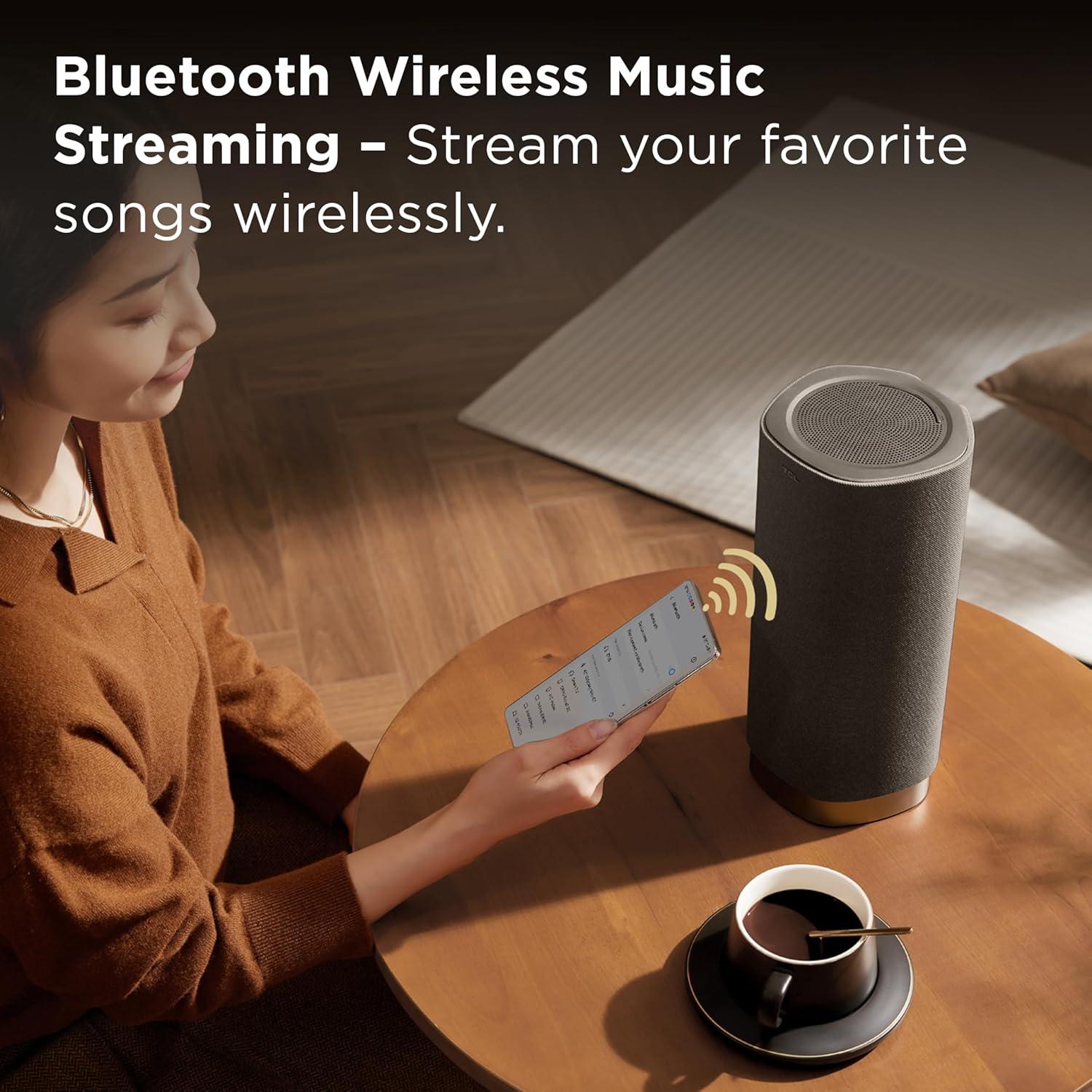
Image 2.1: The TCL Z100 speaker along with its power cable and quick start guide.
3. தயாரிப்பு அம்சங்கள்
- வயர்லெஸ் ஸ்பீக்கர்: Place the speaker anywhere; just plug it into power, and let the system automatically deliver optimized, immersive sound with no physical TV connection needed.* *This feature is only available on TCL QM6K, QM7K, and QM8K TVs.
- Dolby Atmos FlexConnect: The wireless speaker(s) integrate perfectly with select TCL TVs to deliver a simple yet immersive audio experience.
- Smart Calibration & Effortless Setup: Your TV detects speaker placement and fine-tunes the sound to match your room.
- 170W வெளியீட்டு சக்தி: Enjoy clear, dynamic, and room-filling sound with 170W of power, ideal for music, movies, and beyond.
- 4 Individual Speakers: Each Z100 contains an up-firing speaker, a Neodymium tweeter, a midrange, and a woofer, combining to deliver a powerful, immersive sound experience.
4 அமைவு
4.1 பேச்சாளர் இடம்
The TCL Z100 speakers are designed for flexible placement due to their wireless connectivity. For optimal Dolby Atmos FlexConnect performance, position the speakers in your desired locations within the room. Ensure they are plugged into a power outlet.
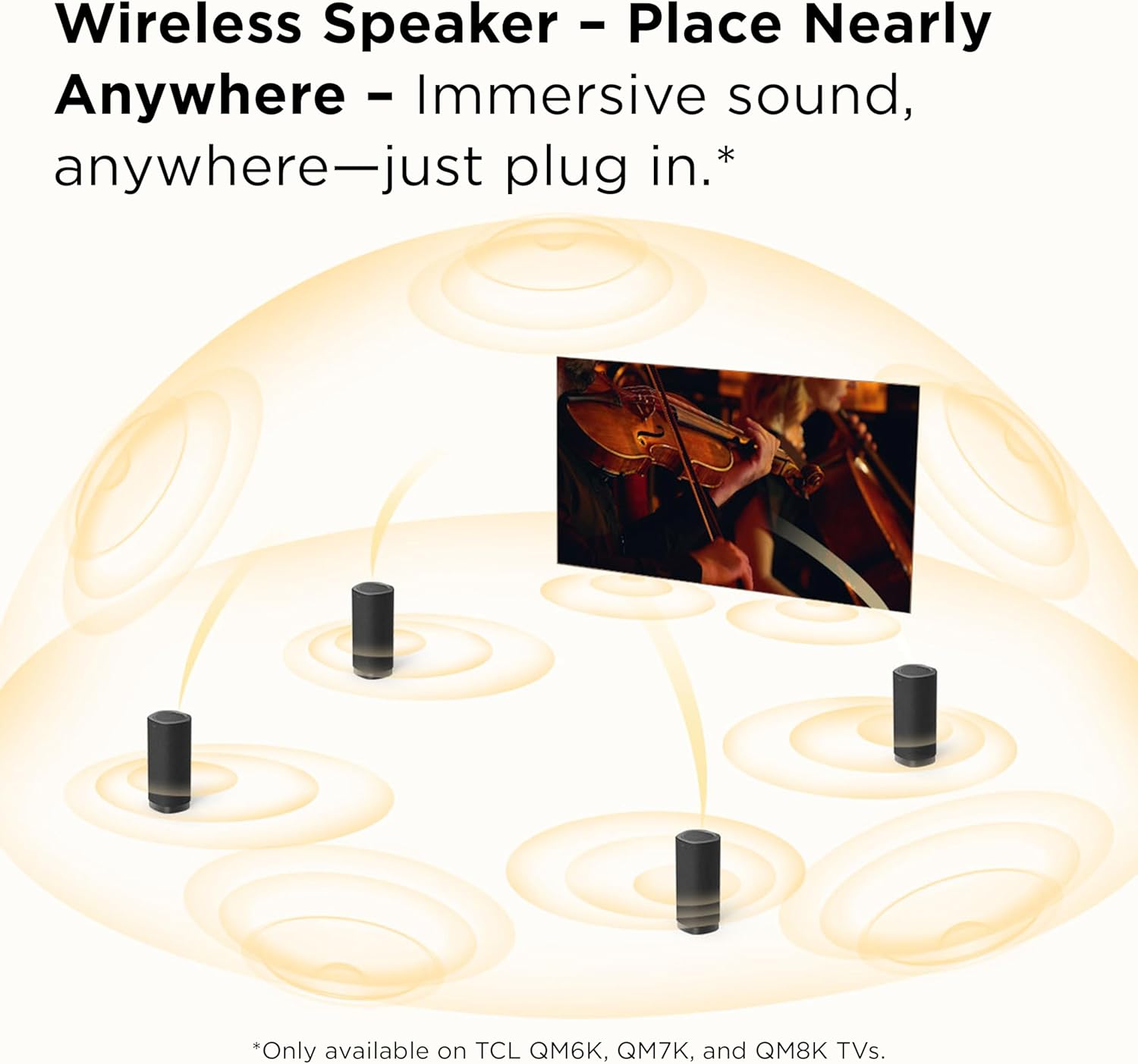
படம் 4.1: எ.கா.ample of multiple TCL Z100 speakers strategically placed in a room for a surround sound experience.
4.2 Connecting to a Compatible TCL TV (Dolby Atmos FlexConnect)
The Z100 speakers are designed to integrate seamlessly with select TCL QM6K, QM7K, QM8K, and QM9K TVs. No physical TV connection is needed for audio transmission.
- Ensure your compatible TCL TV is powered on.
- Plug in your Z100 speaker(s) to a power outlet.
- Your TCL TV will automatically detect the Z100 speaker(s). Follow the on-screen prompts on your TV to complete the pairing process.

Image 4.2: TCL Z100 speakers set up with a compatible TCL TV, demonstrating Dolby Atmos FlexConnect.
4.3 ஸ்மார்ட் அளவுத்திருத்தம்
Once connected to a compatible TCL TV, the system utilizes smart calibration to optimize sound for your room's acoustics.
- Access the sound settings on your compatible TCL TV.
- Initiate the Smart Calibration process. The TV will emit test tones and use its internal microphones (or a connected smartphone app, if applicable) to analyze the room and speaker placement.
- The system will automatically adjust sound parameters for the best audio experience.
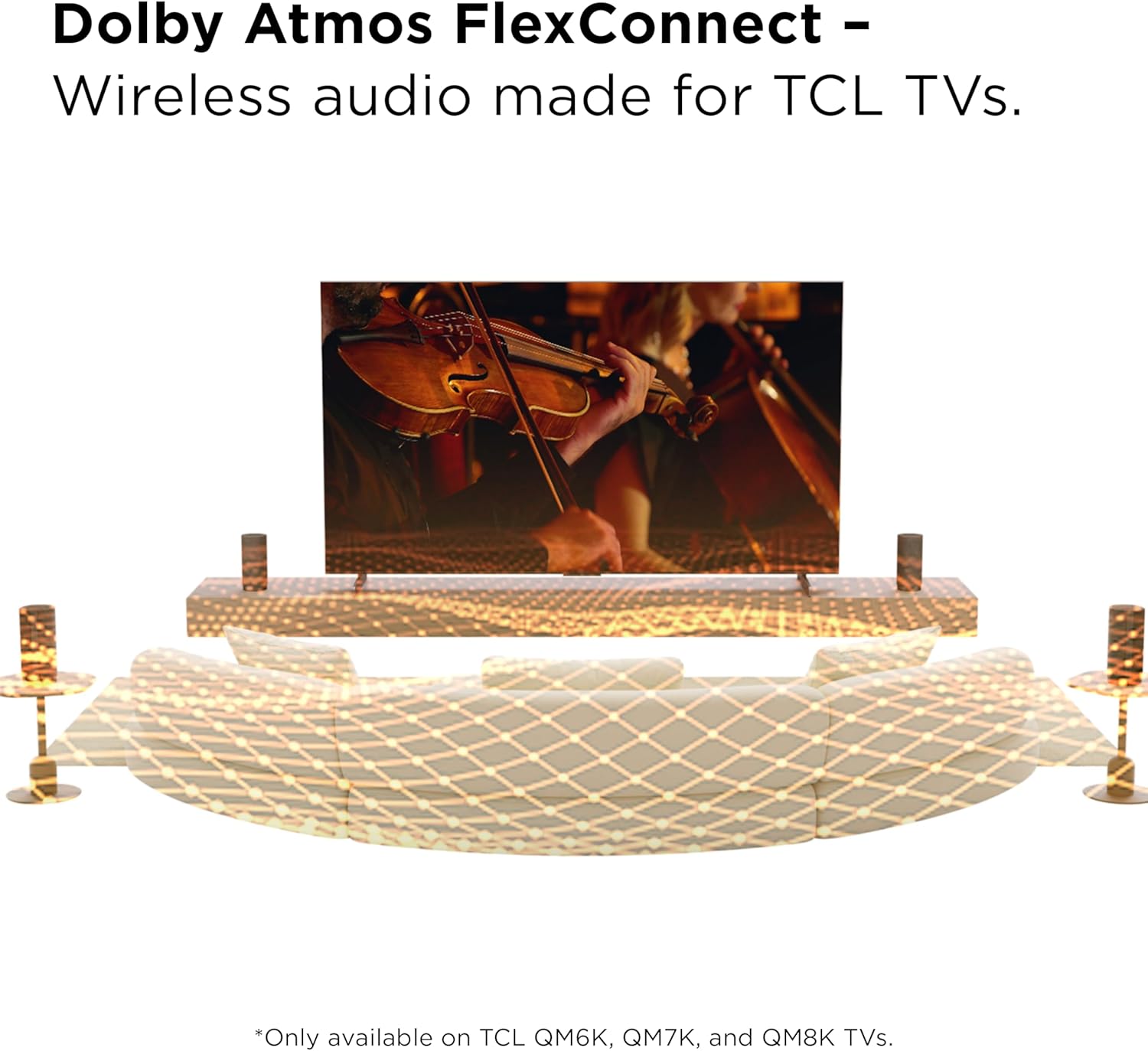
Image 4.3: Visual representation of the smart calibration process, where the TV adjusts sound based on speaker placement.
4.4 Bluetooth Music Streaming Setup
The Z100 speaker supports Bluetooth for streaming audio from your mobile devices.
- Press the Bluetooth button on the speaker's top panel or the remote control to enter pairing mode. The indicator light will flash.
- உங்கள் மொபைல் சாதனத்தில், புளூடூத்தை இயக்கி, கிடைக்கும் சாதனங்களைத் தேடவும்.
- Select "TCL Z100" from the list to pair. Once connected, the indicator light will be solid.
- You can now stream audio from your device to the Z100 speaker.

Image 4.4: A user streaming music wirelessly from a smartphone to the TCL Z100 speaker.
4.5 Official Setup Videos
Video 4.5.1: A brief first look at the TCL Z100 Wireless Home Theatre System, demonstrating its components and initial setup.
காணொளி 4.5.2: ஒரு ஓவர்view of the TCL Z100 FlexConnect, highlighting its immersive sound capabilities and wireless integration.
5. இயக்க வழிமுறைகள்
5.1 பவர் ஆன்/ஆஃப்
Press the power button on the top panel of the speaker or on the remote control to turn the speaker on or off.
5.2 உள்ளீடு தேர்வு
Use the 'Source' or 'Input' button on the remote control to switch between available audio sources (e.g., HDMI eARC, Bluetooth).
5.3 தொகுதி கட்டுப்பாடு
Adjust the volume using the '+' and '-' buttons on the speaker's top panel or the remote control.
5.4 ஒலி முறைகள்
The Z100 offers various sound modes to optimize audio for different content types. Use the 'Sound Mode' button on the remote control to cycle through:
- திரைப்படம்: Enhanced bass for the best movie experience.
- இசை: Emphasized high and low pitches.
- குரல்: Crisp and clear dialogue.
- விளையாட்டு: Virtual surround sound effect to enhance game experience.
- விளையாட்டு: Virtual surround sound effect and emphasized human voice.
- தரநிலை: General purpose audio setting.
5.5 Bass and Treble Adjustment
Fine-tune the audio output by adjusting bass and treble levels using the dedicated 'Bass' and 'Treble' buttons on the remote control.
5.6 ரிமோட் கண்ட்ரோல் செயல்பாடுகள்
The included remote control provides full command over your Z100 speaker:

Image 5.1: The remote control for the TCL Z100 speaker, showing buttons for power, input, volume, sound modes, and audio adjustments.
- பவர் பட்டன்: ஸ்பீக்கரை ஆன்/ஆஃப் செய்கிறது.
- முடக்கு பொத்தான்: Mutes/unmutes the audio.
- புளூடூத் பட்டன்: புளூடூத் இணைத்தல் பயன்முறையைத் தொடங்குகிறது.
- ஒளி பொத்தான்: Controls the display light on the speaker.
- உள்ளீடு தேர்வு: Cycles through available audio inputs.
- தொகுதி +/-: முதன்மை அளவை சரிசெய்கிறது.
- தடக் கட்டுப்பாடு: (Play/Pause, Skip Forward/Backward) for Bluetooth streaming.
- ஒலி முறை பொத்தான்கள்: Selects preset sound profiles (Movie, Music, Voice, Game, Sport, Standard).
- Bass/Treble +/-: பாஸ் மற்றும் ட்ரெபிள் நிலைகளை சரிசெய்கிறது.
- AI Sonic: Activates or deactivates the AI Sonic feature for sound optimization.
6. பராமரிப்பு
To ensure the longevity and optimal performance of your TCL Z100 Wireless Home Theater Speaker, follow these maintenance guidelines:
- சுத்தம்: Use a soft, dry cloth to wipe the speaker's surfaces. Avoid using liquid cleaners, aerosols, or abrasive materials, as they may damage the finish or internal components.
- இடம்: Place the speaker on a stable, flat surface. Avoid placing it in direct sunlight, near heat sources, or in areas with high humidity.
- காற்றோட்டம்: Ensure adequate airflow around the speaker to prevent overheating. Do not block any ventilation openings.
- மின் கம்பி: Regularly inspect the power cord for any damage. If damaged, discontinue use and contact customer support for a replacement.
7. சரிசெய்தல்
If you encounter any issues with your TCL Z100 speaker, refer to the following common troubleshooting steps:
- சக்தி இல்லை: Ensure the power cable is securely plugged into both the speaker and a working power outlet. Try a different outlet.
- No Sound (when connected to TV):
- Verify that your TCL TV is a compatible model (QM6K, QM7K, QM8K, QM9K).
- Check that the speaker is powered on and successfully paired with the TV.
- Ensure the TV's audio output is set to the Z100 speaker system in its sound settings.
- Confirm the TV's volume is not muted or set too low.
- புளூடூத் இணைப்புச் சிக்கல்கள்:
- Make sure the speaker is in Bluetooth pairing mode (flashing indicator light).
- Ensure your mobile device's Bluetooth is enabled and within range.
- சாதனத்தை இணைப்பை நீக்கி மீண்டும் இணைக்க முயற்சிக்கவும்.
- ஒலி சிதைவு:
- ஸ்பீக்கர் மற்றும் இணைக்கப்பட்ட சாதனம் இரண்டிலும் ஒலியளவைக் குறைக்கவும்.
- Check for any obstructions around the speaker.
- If using Smart Calibration, try re-running the calibration process.
இந்தப் படிகளை முயற்சித்த பிறகும் சிக்கல் தொடர்ந்தால், மேலும் உதவிக்கு உத்தரவாதம் மற்றும் ஆதரவுப் பிரிவைப் பார்க்கவும்.
8. விவரக்குறிப்புகள்
| அம்சம் | விவரம் |
|---|---|
| மாதிரி பெயர் | Z100 |
| பேச்சாளர் வகை | சரவுண்ட் சவுண்ட் |
| சிறப்பு அம்சம் | Dolby Enabled, Multi Room Audio, Portable, Stereo Pairing |
| பரிந்துரைக்கப்பட்ட பயன்பாடுகள் | மியூசிக் பிளேயர்களுக்கு, சரவுண்ட் சவுண்ட் சிஸ்டங்களுக்கு, தொலைக்காட்சிகளுக்கு |
| வெளியீட்டு சக்தி | 170 வாட்ஸ் |
| இணைப்பு தொழில்நுட்பம் | புளூடூத் |
| உள்ளீடு தொகுதிtage | 120 வோல்ட் |
| மவுண்டிங் வகை | மாடி நிற்கும் |
| நிறம் | துப்பாக்கி உலோகம் |
| பொருள் | பிளாஸ்டிக், மரம் |
| தயாரிப்பு பரிமாணங்கள் | 5.22"டி x 5.42"அடி x 11.87"ஹெட் |
| பொருளின் எடை | 5.6 பவுண்டுகள் |
| UPC | 846042043953 |
9. உத்தரவாதம் மற்றும் ஆதரவு
The TCL Z100 Wireless Home Theater Speaker comes with a Limited Warranty. For specific warranty terms and conditions, please refer to the warranty card included in your product packaging or visit the official TCL support webதளம்.
For technical support, troubleshooting assistance, or warranty claims, please contact TCL Customer Service. Keep your product's model number (Z100) and UPC (846042043953) readily available when contacting support.


