1. அறிமுகம்
This manual provides detailed instructions for the safe and effective use of your SJCAM C400 Vlogging Camera. Please read this manual thoroughly before operating the device and retain it for future reference.
The SJCAM C400 is a versatile 4K action camera designed for vlogging, travel, and outdoor activities. It features 6-axis stabilization, a rotatable touchscreen, and extended battery life with its accompanying grip.
2. பெட்டியில் என்ன இருக்கிறது
Your SJCAM C400 package includes the following items:
- SJCAM C400 Camera Unit
- Handheld Controller/Battery Grip
- Waterproof Housing (up to 30 meters)
- மினி முக்காலி
- காந்த லேன்யார்டு
- பைக் மவுண்ட்
- ஹெல்மெட் அடிப்படை
- Various Mounting Bases (curved and flat)
- 3M Adhesive Stickers
- யூ.எஸ்.பி-சி கேபிள்
- துப்புரவு துணி
- மணிக்கட்டு லேன்யார்ட்
- MicroSD Card (64GB, Sandisk)

Image: All accessories included with the SJCAM C400 camera, including the camera unit, handheld controller, waterproof housing, various mounts, and a 64GB microSD card.
3. கேமரா ஓவர்view
3.1 கூறுகள்
- கேமரா பிரிவு: Main recording device with lens and small display.
- கையடக்கக் கட்டுப்படுத்தி: Features a larger 2.29-inch rotatable touchscreen, control buttons, and an integrated battery.
- யூ.எஸ்.பி-சி போர்ட்: For charging and data transfer (located on both camera and controller).
- மைக்ரோ எஸ்டி கார்டு ஸ்லாட்: For storage (located on the camera unit).

Image: The SJCAM C400 camera unit attached to its handheld controller, mounted on a mini tripod, alongside other accessories like the carrying case and waterproof housing.
4 அமைவு
4.1 பேட்டரியை சார்ஜ் செய்தல்
Before first use, fully charge the camera and handheld controller. Connect the provided USB-C cable to the camera and/or controller and a USB power adapter (not included). The charging time for the camera alone is approximately 2 hours and 4 minutes. Charging the grip alone or the camera with the grip takes approximately 2 hours and 45 minutes.
4.2 மைக்ரோ எஸ்டி கார்டைச் செருகுதல்
Locate the microSD card slot on the camera unit. Insert the provided 64GB microSD card with the contacts facing down until it clicks into place. Ensure the camera is powered off before inserting or removing the card.
4.3 Assembling the Camera and Grip
The camera unit can be used independently or attached to the handheld controller. To attach, align the camera unit with the connector on the controller and slide it into place until it securely locks. To detach, press the release button (if present) and slide the camera unit off.
4.4 துணைக்கருவிகளை இணைத்தல்
The SJCAM C400 comes with a variety of mounts. Attach the desired mount (e.g., bike mount, helmet base, magnetic lanyard) to the camera unit or controller as needed for your activity. Ensure all connections are secure before use.

Image: A user demonstrating how to attach the SJCAM C400 camera unit to the magnetic lanyard for hands-free recording.
5. ஆபரேஷன்
5.1 பவர் ஆன்/ஆஃப்
To power on the camera, rotate the touchscreen display on the handheld controller. To power off, rotate the screen back to its closed position or long-press the power button.
5.2 தொடுதிரையைப் பயன்படுத்துதல்
The 2.29-inch rotatable touchscreen allows for intuitive control. Swipe and tap to navigate menus, change settings, and switch between shooting modes. Rotating the screen also allows instant switching between horizontal (16:9) and vertical (9:16) shooting orientations.

Image: The SJCAM C400's advanced rotating screen, demonstrating how it can be adjusted for both 16:9 horizontal and 9:16 vertical video capture.
5.3 படப்பிடிப்பு முறைகள்
The C400 offers various shooting modes:
- வீடியோ: Record high-definition video up to 4K resolution at 30fps.
- புகைப்படம்: Capture still images up to 16MP.
- கால அவகாசம்: Create time-lapse videos.
- ஸ்லோ மோஷன்: Record slow-motion footage.
- டாஷ்கேம்: Function as a car dashboard camera.
- நேரடி ஸ்ட்ரீமிங்: Share your adventures in real-time via Wi-Fi.
5.4 நிலைப்படுத்தல்
The camera features 6-axis electronic image stabilization (EIS) and horizon correction to ensure smooth and stable footage, even during dynamic activities. This technology compensates for vibrations and movements, resulting in clear and level videos.
5.5 Waterproof Usage
When enclosed in the included waterproof housing, the SJCAM C400 is submersible up to 30 meters (98 feet). This allows for capturing underwater activities such as snorkeling, diving, and watersports. Ensure the housing is properly sealed before entering water.

Image: The SJCAM C400 camera, protected by its waterproof housing, being used underwater to capture marine life.
5.6 Connecting to the App (Wireless Control)
The camera supports Dual-Band Wi-Fi (2.4G/5G) for fast data transfer and Bluetooth for remote control. Download the official SJCAM app to your smartphone to control the camera remotely, view வாழ்க footage, மற்றும் பரிமாற்றம் files.

Image: A child using the SJCAM C400 handheld controller wirelessly to capture footage, demonstrating the camera's remote control capabilities.
5.7 பேட்டரி ஆயுள் மேலாண்மை
The C400 offers extended battery life. The camera alone can record up to 172 minutes in 4K/30fps. When combined with the battery grip, the total autonomy extends to approximately 437 minutes (over 7 hours), allowing for prolonged recording sessions.
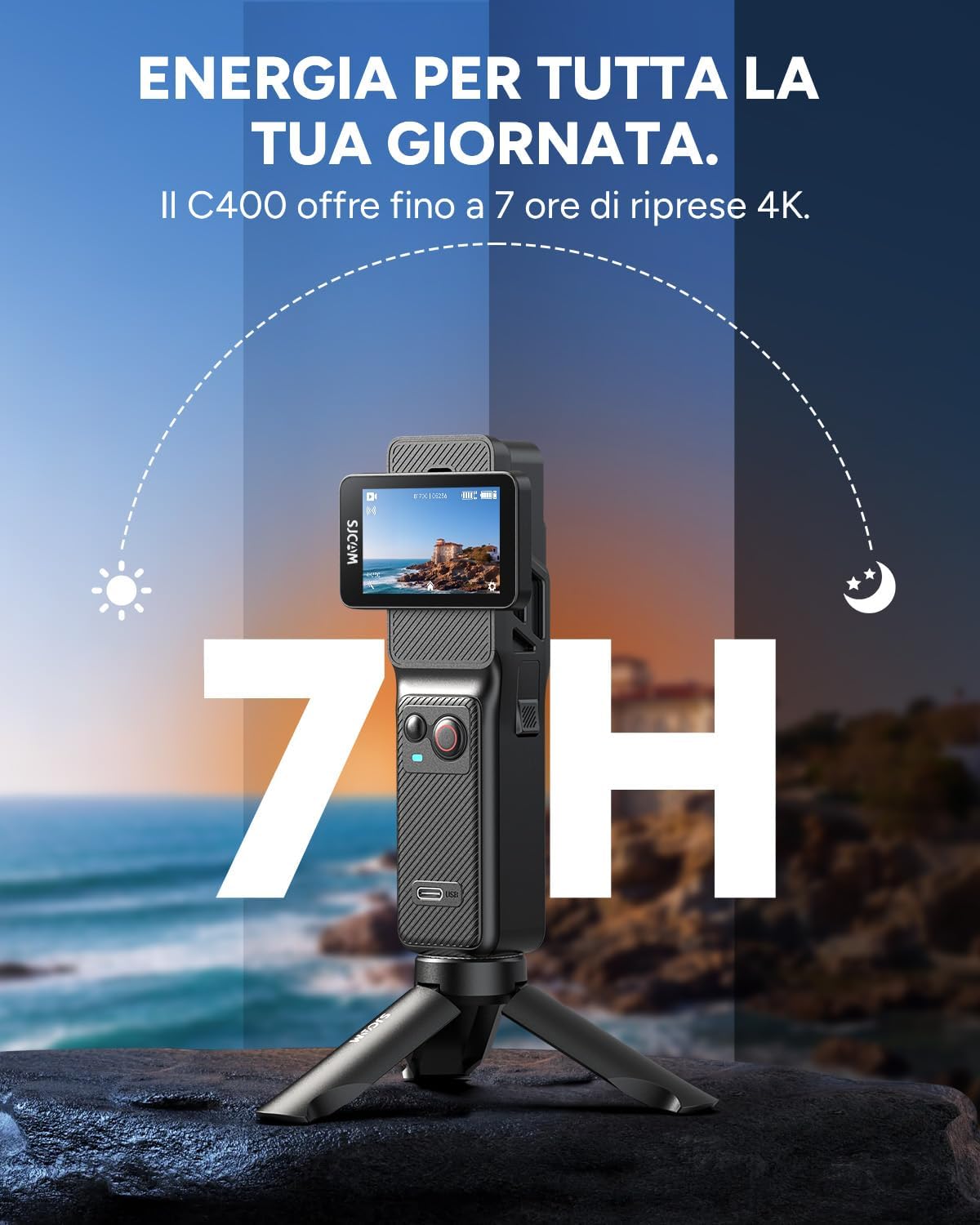
Image: The SJCAM C400 camera and controller setup, highlighting its impressive 7-hour battery life for extended recording.
6. பராமரிப்பு
6.1 சுத்தம் செய்தல்
- Use the provided cleaning cloth to gently wipe the lens and screens.
- For stubborn smudges, use a lens cleaning solution specifically designed for camera optics.
- Ensure the camera and accessories are dry before storage.
6.2 சேமிப்பு
Store the camera and its accessories in a cool, dry place, away from direct sunlight and extreme temperatures. Use the provided semi-rigid pouch for protection during transport and storage.

Image: The SJCAM C400's protective carrying case, designed for safe and convenient transport of the camera and its accessories.
6.3 நிலைபொருள் புதுப்பிப்புகள்
அதிகாரப்பூர்வ SJCAM-ஐ அவ்வப்போது சரிபார்க்கவும். website or app for available firmware updates. Keeping your camera's firmware up-to-date ensures optimal performance and access to new features.
7. சரிசெய்தல்
- கேமரா இயக்கப்படவில்லை: Ensure the battery is charged. Check if the screen is rotated correctly to activate.
- வீடியோ footage நடுங்குகிறது: Verify that 6-axis stabilization (EIS) is enabled in the camera settings.
- மைக்ரோ எஸ்டி கார்டு பிழை: Ensure the card is inserted correctly. Try formatting the card in the camera (this will erase all data). Use a high-speed, reputable brand microSD card.
- இணைப்புச் சிக்கல்கள் (வைஃபை/புளூடூத்): Ensure the camera and your smartphone are within range. Restart both devices. Check app permissions on your smartphone.
- திரை பதிலளிக்கவில்லை: Try restarting the camera. If the issue persists, contact customer support.
8. விவரக்குறிப்புகள்
| அம்சம் | விவரம் |
|---|---|
| பிராண்ட் | SJCAM |
| மாதிரி எண் | C400 |
| சென்சார் தொழில்நுட்பம் | CMOS (1/2.8") |
| லென்ஸ் | 154° Wide-angle glass lens |
| வீடியோ பிடிப்பு தீர்மானம் | 4K (30fps), 2K (60fps/30fps), 1080P (120fps/60fps/30fps), 720P (120fps/60fps/30fps) |
| புகைப்படத் தீர்மானம் | 16MP, 12MP, 8MP, 5MP, 2MP |
| நிலைப்படுத்துதல் | 6-Axis EIS (Electronic Image Stabilization) |
| தொடுதிரை அளவு | 2.29 inches (Rotatable) |
| நீர்ப்புகா ஆழம் | Up to 30 meters (with included housing) |
| இணைப்பு | Dual-Band Wi-Fi (2.4G/5G), Bluetooth, USB-C |
| Battery Life (4K/30fps) | Camera only: ~172 minutes; Camera + Grip: ~437 minutes |
| பரிமாணங்கள் | 18 x 17.3 x 7.4 செ.மீ (தொகுக்கப்பட்ட) |
| எடை | 430 grams (packaged) |
9. உத்தரவாதம் மற்றும் ஆதரவு
உத்தரவாதத் தகவல், தொழில்நுட்ப ஆதரவு அல்லது சேவை விசாரணைகளுக்கு, அதிகாரப்பூர்வ SJCAM ஐப் பார்க்கவும். webதளத்தில் அல்லது அவர்களின் வாடிக்கையாளர் சேவையை நேரடியாகத் தொடர்பு கொள்ளவும். உத்தரவாதக் கோரிக்கைகளுக்கு உங்கள் வாங்கியதற்கான ஆதாரத்தை வைத்திருங்கள்.


