1. அறிமுகம்
Welcome to your new Xiaomi 32-inch G QLED Smart TV. This manual provides essential information for setting up, operating, and maintaining your television. Please read it thoroughly before use and retain it for future reference.
பாதுகாப்பு தகவல்
- டிவியைச் சுற்றி சரியான காற்றோட்டத்தை உறுதி செய்யவும்.
- மழை அல்லது ஈரப்பதத்திற்கு டிவியை வெளிப்படுத்த வேண்டாம்.
- வெப்ப மூலங்களுக்கு அருகில் அல்லது நேரடி சூரிய ஒளியில் டிவியை வைப்பதைத் தவிர்க்கவும்.
- டிவியுடன் வழங்கப்பட்ட மின் கம்பியை மட்டும் பயன்படுத்தவும்.
- அனைத்து சேவைகளையும் தகுதிவாய்ந்த சேவை பணியாளர்களிடம் பார்க்கவும்.

படம் 1.1: முன் view of the Xiaomi 32-inch G QLED Smart TV.
2. பெட்டியில் என்ன இருக்கிறது
பேக்கேஜிங்கில் அனைத்து கூறுகளும் இருப்பதை உறுதிப்படுத்திக் கொள்ளுங்கள்:
- 1 x Xiaomi 32-inch G QLED Smart TV
- 1 x ரிமோட் கண்ட்ரோல்
- 1 x பயனர் கையேடு (இந்த ஆவணம்)
- 2 x டிவி ஸ்டாண்டுகள்
- டிவி ஸ்டாண்டுகளுக்கான 4 x திருகுகள்
- 2 x AAA பேட்டரிகள் (ரிமோட் கண்ட்ரோலுக்கு)
- 1 x பவர் கார்டு

Figure 2.1: Illustration of included items in the product packaging.
3 அமைவு
3.1 டிவி ஸ்டாண்டுகளை இணைத்தல்
- திரை சேதமடைவதைத் தடுக்க, டிவியை மென்மையான, தட்டையான மேற்பரப்பில் கவனமாக முகம் குப்புற வைக்கவும்.
- ஒவ்வொரு ஸ்டாண்டையும் டிவியின் அடிப்பகுதியில் உள்ள தொடர்புடைய திருகு துளைகளுடன் சீரமைக்கவும்.
- Secure each stand using the provided screws.
- டிவியை நிமிர்ந்து தூக்கி, நிலையான, சமமான மேற்பரப்பில் வைக்கவும்.
3.2 சுவர் பொருத்துதல் (விரும்பினால்)
If you choose to wall mount your TV, ensure you use a compatible VESA mount (not included) and follow the instructions provided with the wall mount kit. Professional installation is recommended.
3.3 பெரிஃபெரல்களை இணைக்கிறது
Refer to the port diagram below for connecting external devices.
படம் 3.1: பின்புறம் view of the TV showing various input/output ports.
- HDMI போர்ட்கள் (x2): Connect Blu-ray players, gaming consoles, set-top boxes.
- USB போர்ட்கள் (x2): மீடியா பிளேபேக்கிற்கு USB சேமிப்பக சாதனங்களை இணைக்கவும்.
- நெட்வொர்க் (ஈதர்நெட்): கம்பி இணைப்பு வழியாக உங்கள் வீட்டு நெட்வொர்க்குடன் இணைக்கவும்.
- ஆண்டெனா உள்ளீடு: காற்றில் ஒளிபரப்புகளுக்கு ஆண்டெனாவை இணைக்கவும்.
- AV உள்ளீடு: கூட்டு வீடியோ மற்றும் ஸ்டீரியோ ஆடியோ கேபிள்களைப் பயன்படுத்தி பழைய சாதனங்களை இணைக்கவும்.
- 3.5மிமீ ஆடியோ ஜாக்: வெளிப்புற ஹெட்ஃபோன்கள் அல்லது ஸ்பீக்கர்களை இணைக்கவும்.
3.4 மின் இணைப்பு
Connect the power cord to the TV's power input and then to a wall outlet. The TV will enter standby mode.
4. உங்கள் டிவியை இயக்குதல்
4.1 தொலை கட்டுப்பாடு
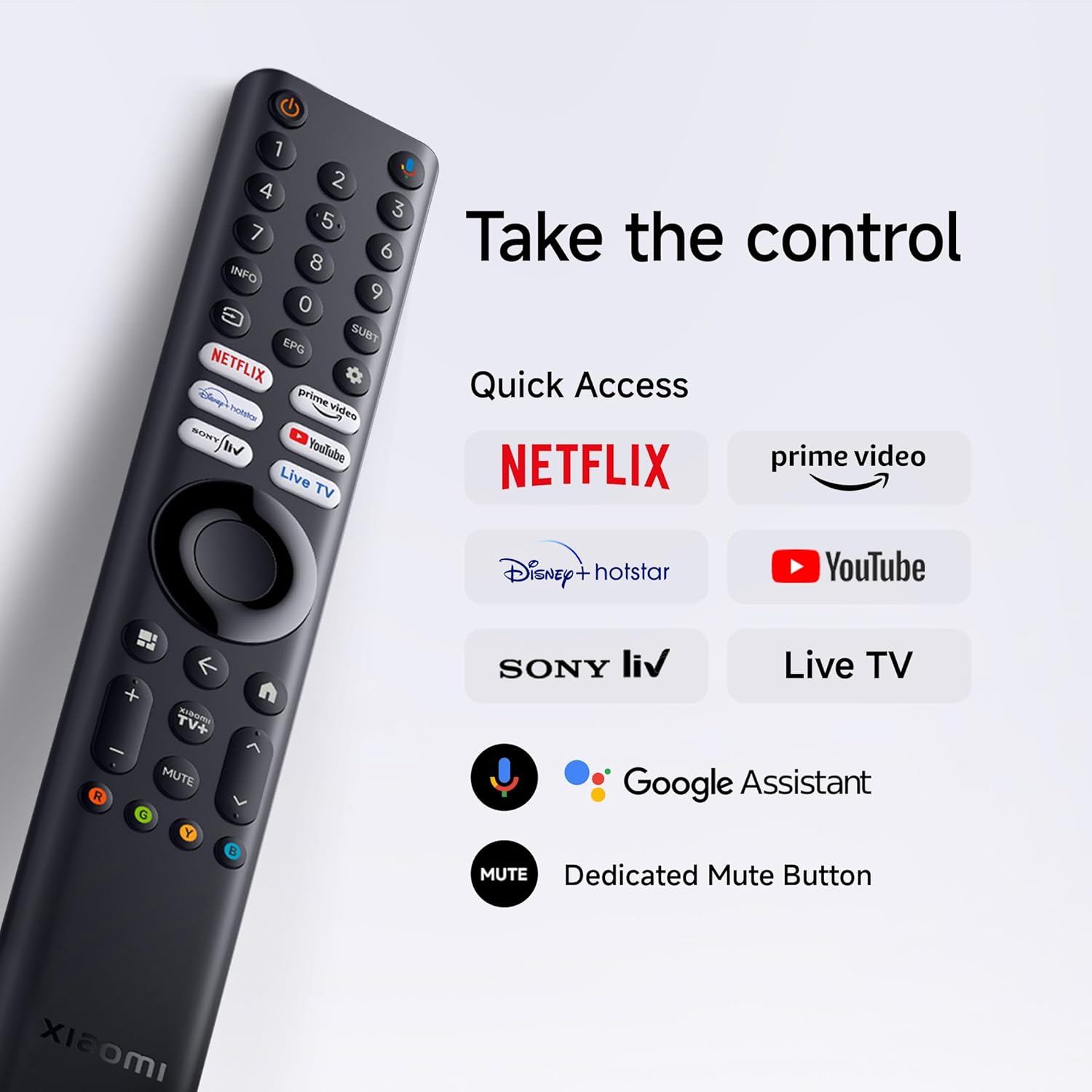
Insert the two AAA batteries into the remote control, observing polarity. The remote allows navigation, volume control, channel selection, and quick access to streaming services and Google Assistant.
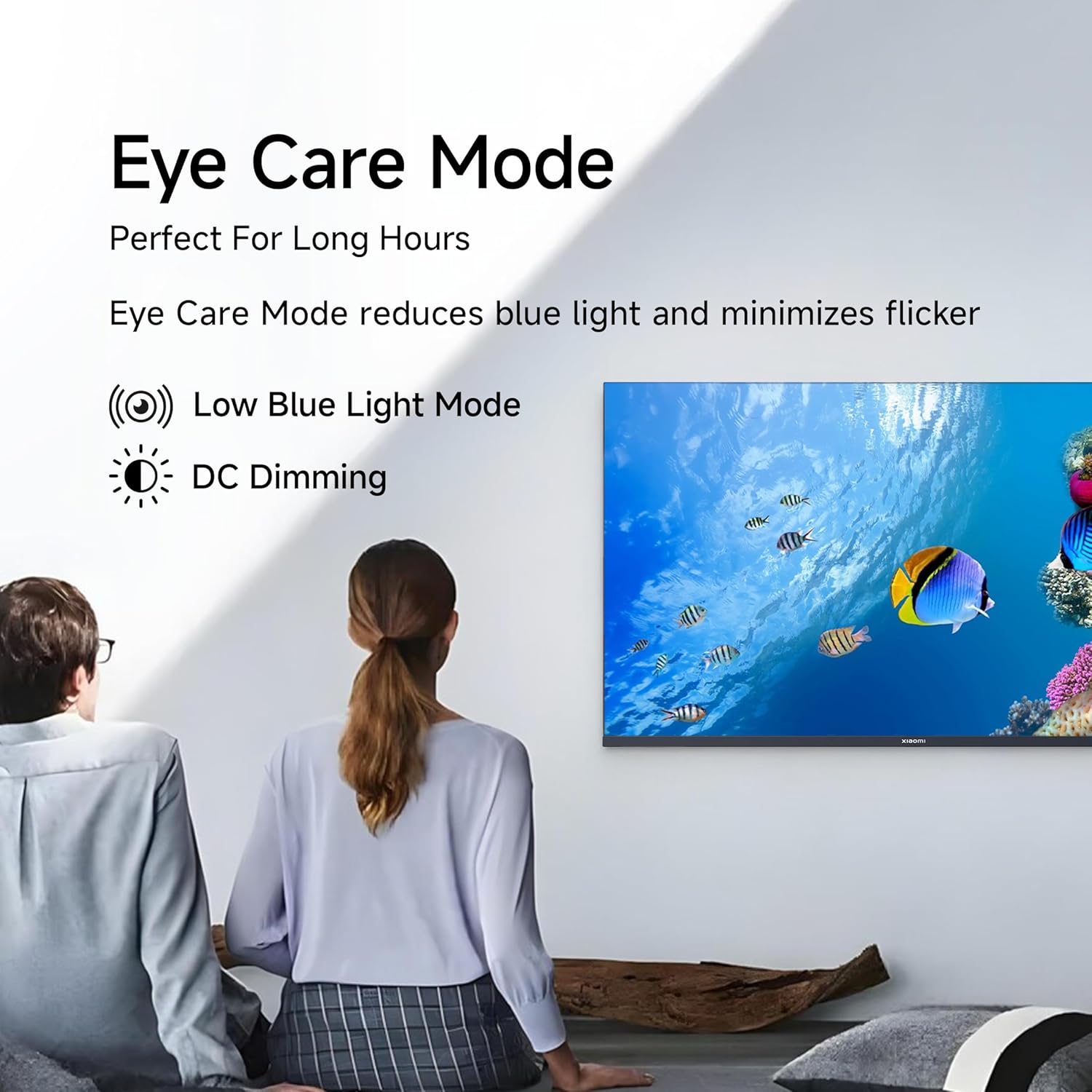
Figure 4.1: Xiaomi Smart TV remote control layout.
- பவர் பட்டன்: டிவியை ஆன்/ஆஃப் அல்லது காத்திருப்பு பயன்முறைக்கு மாற்றுகிறது.
- வழிசெலுத்தல் திண்டு: மெனு வழிசெலுத்தலுக்கு.
- சரி பொத்தான்: தேர்வுகளை உறுதிப்படுத்துகிறது.
- பின் பொத்தான்: முந்தைய திரைக்குத் திரும்புகிறது.
- முகப்பு பொத்தான்: கூகிள் டிவி முகப்புத் திரையை அணுகும்.
- தொகுதி +/-: அளவை சரிசெய்கிறது.
- முடக்கு பொத்தான்: ஆடியோவை முடக்குகிறது/அன்மியூட் செய்கிறது.
- கூகிள் உதவியாளர் பட்டன்: குரல் கட்டுப்பாட்டை செயல்படுத்துகிறது.
- விரைவு அணுகல் பொத்தான்கள்: Dedicated buttons for Netflix, Prime Video, YouTube, and other streaming services.
4.2 ஸ்மார்ட் டிவி அம்சங்கள் (கூகிள் டிவி)
Your TV runs on Android 14 OS with Google TV, offering a personalized entertainment experience.

படம் 4.2: மேல்view of Google TV features.
- உள்ளடக்க முதல் UI: Prioritizes content discovery.
- தனிப்பட்ட ப்ரோfiles: தனிப்பட்ட சார்பு உருவாக்கவும்fileவடிவமைக்கப்பட்ட பரிந்துரைகளுக்கு.
- Google உதவியாளர்: தேடல், கட்டுப்பாடு மற்றும் தகவலுக்கு குரல் கட்டளைகளைப் பயன்படுத்தவும்.
- Chromecast உள்ளமைவு: Cast content from compatible mobile devices.
- கண்காணிப்பு பட்டியல்: Keep track of movies and shows you want to watch.
- சுற்றுப்புற பயன்முறை: Display photos or useful information when the TV is idle.
- கிட்ஸ் ப்ரோfile: Curated content and parental controls for children.
- பரிந்துரைகள்: Personalized suggestions based on your viewபழக்க வழக்கங்கள்.
4.3 ஆதரிக்கப்படும் பயன்பாடுகள்
The TV comes with pre-installed applications and supports downloads from the Google Play Store. Popular supported apps include Netflix, Prime Video, YouTube, JioCinema, JioHotstar, SonyLiv, and Zee5.

படம் 4.3: எ.காamples of supported streaming applications.
5. காட்சி அம்சங்கள்
Experience enhanced visuals with the following display technologies:
- QLED காட்சி: Quantum Dot technology delivers vivid, vibrant, and sharp picture quality.
- HD Ready (1366 x 768) Resolution: தெளிவான மற்றும் விரிவான படங்களை வழங்குகிறது.
- HDR 10 & HLG Support: Enhances contrast and color accuracy for compatible content.
- விவிட் பிக்சர் எஞ்சின் 2: Proprietary technology that fine-tunes every frame for improved clarity and realism.
- Wide Colour Gamut: Offers a broad spectrum of colors (up to 16.7 million) for rich and vivid visuals.
- கண் ஆறுதல் பயன்முறை: Reduces blue light and minimizes flicker for comfortable long-term viewing.
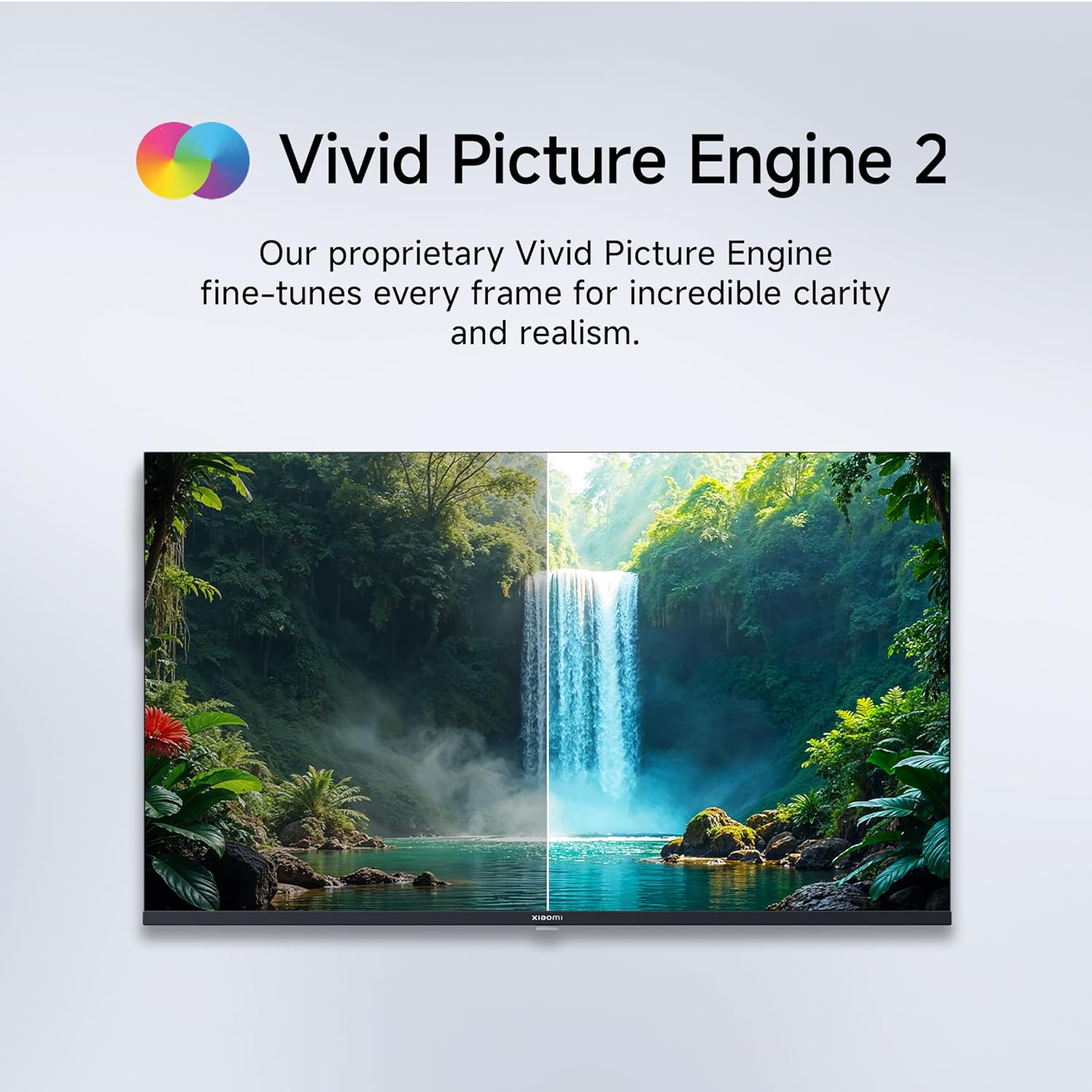
Figure 5.1: Quantum Clarity for exceptional contrast and color.
Figure 5.2: Vivid Picture Engine 2 for enhanced realism.
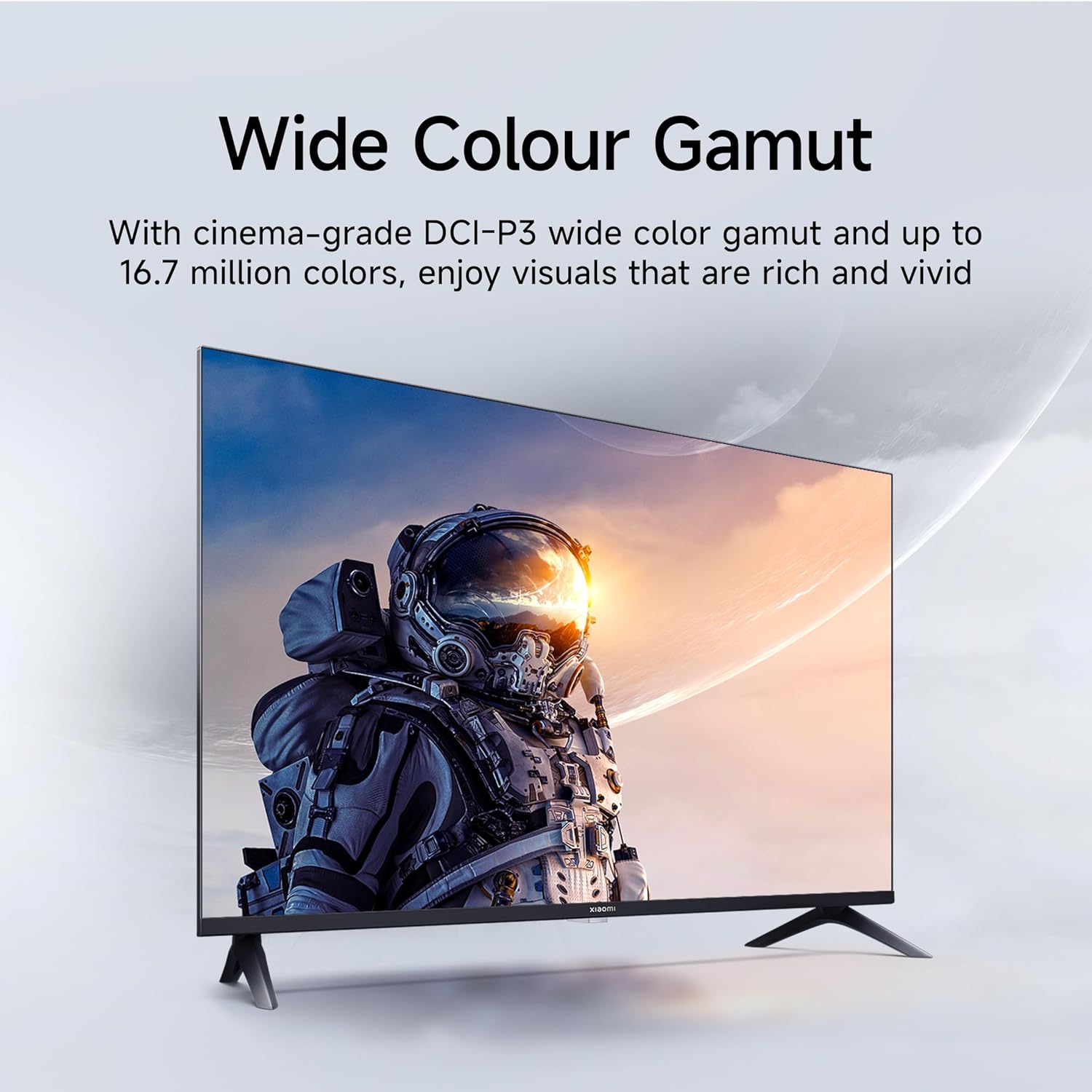
Figure 5.3: Eye Care Mode for reduced eye strain.
6. ஆடியோ அம்சங்கள்
Your TV is equipped with advanced audio technologies for an immersive sound experience:
- 20 வாட்ஸ் வெளியீடு: சக்திவாய்ந்த ஸ்டீரியோ ஸ்பீக்கர்கள் தெளிவான மற்றும் ஆற்றல்மிக்க ஒலியை வழங்குகின்றன.
- டால்பி ஆடியோ: Provides rich, clear, and powerful sound for movies, shows, and games.
- DTS-X & DTS மெய்நிகர்:X: Creates a multi-dimensional audio experience, simulating surround sound without additional speakers.
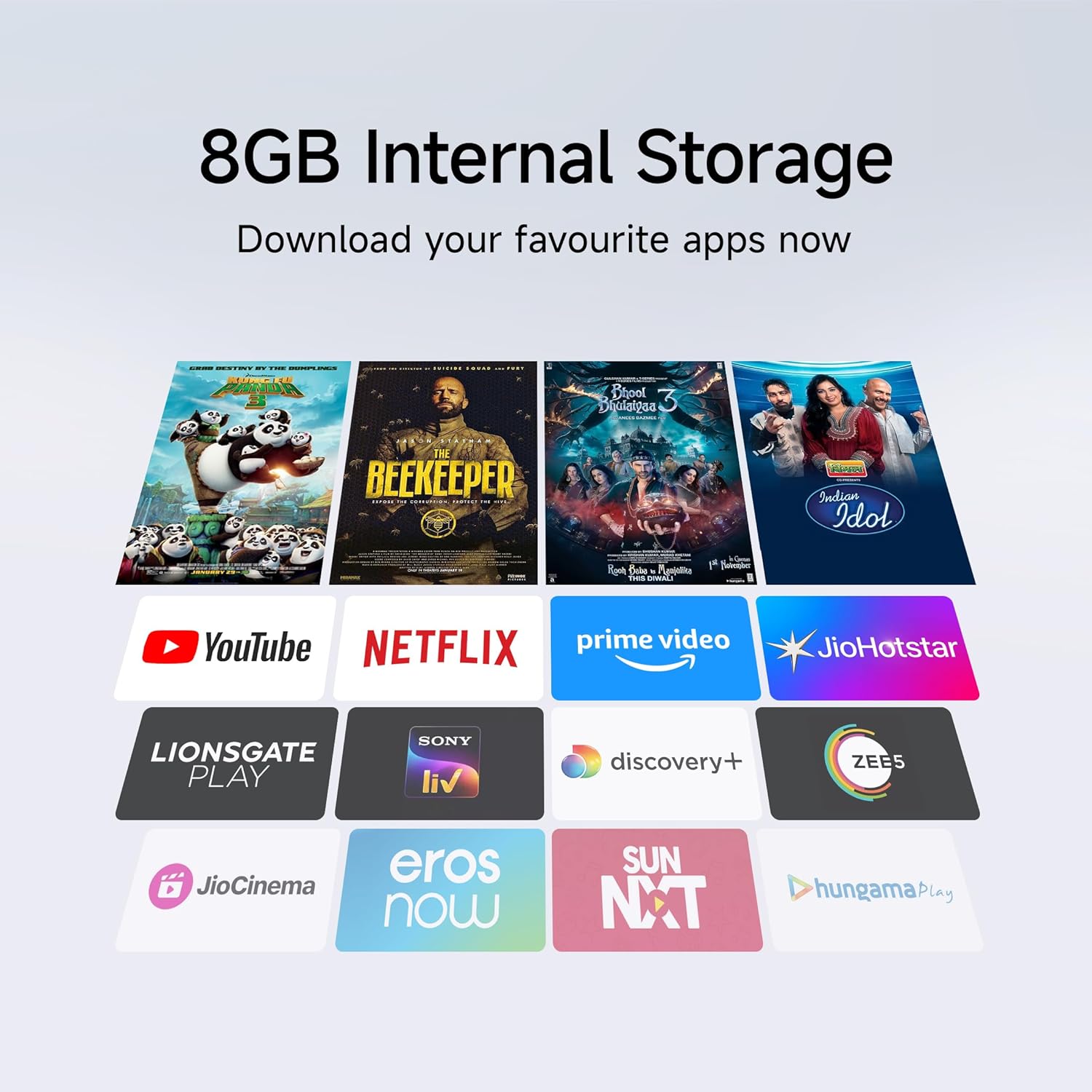
Figure 6.1: Enhanced audio experience with 20W speakers and Dolby/DTS technologies.
7. இணைப்பு
The TV offers various options for connecting to networks and other devices:
- இரட்டை அலைவரிசை வைஃபை: Connect wirelessly to your home network (2.4GHz and 5GHz).
- ஈதர்நெட்: நிலையான கம்பி இணைய இணைப்புக்கு.
- புளூடூத்: Connect wireless headphones, speakers, or other Bluetooth-enabled accessories.
- HDMI (x2) with ARC: Audio Return Channel (ARC) allows audio to be sent from the TV to a compatible sound system via a single HDMI cable.
- USB (x2): For connecting external storage.
8. பராமரிப்பு
8.1 டிவியை சுத்தம் செய்தல்
- சுத்தம் செய்வதற்கு முன்பு எப்போதும் டிவியை அவிழ்த்து விடுங்கள்.
- திரை மற்றும் அலமாரியைத் துடைக்க மென்மையான, உலர்ந்த, பஞ்சு இல்லாத துணியைப் பயன்படுத்தவும்.
- பிடிவாதமான குறிகளுக்கு, லேசான dampen தண்ணீர் அல்லது ஒரு சிறப்பு திரை துப்புரவாளர் கொண்ட துணி (கடுமையான இரசாயனங்களைத் தவிர்க்கவும்).
- Do not spray liquid directly onto the TV.
8.2 பொது பராமரிப்பு
- டிவியில் கனமான பொருட்களை வைப்பதை தவிர்க்கவும்.
- Protect the TV from extreme temperatures and humidity.
- டிவியை நகர்த்தினால், சேதத்தைத் தடுக்க அது சரியாக ஆதரிக்கப்பட்டு கையாளப்படுவதை உறுதிசெய்யவும்.
9. சரிசெய்தல்
Before contacting customer support, try these common solutions:
| பிரச்சனை | சாத்தியமான காரணம் | தீர்வு |
|---|---|---|
| சக்தி இல்லை | மின் கம்பி துண்டிக்கப்பட்டது; மின் இணைப்புப் பிரச்சினை | பவர் கார்டு இணைப்பைச் சரிபார்க்கவும்; மற்றொரு சாதனத்துடன் அவுட்லெட்டைச் சோதிக்கவும். |
| படம் இல்லை, ஆனால் ஒலி உள்ளது. | தவறான உள்ளீட்டு மூலம்; தளர்வான HDMI/AV கேபிள் | Press the "Input" button on the remote to select the correct source; Reconnect cables securely. |
| ஒலி இல்லை, ஆனால் படம் உள்ளது. | ஒலியளவு குறைக்கப்பட்டுள்ளது அல்லது மிகவும் குறைவாக உள்ளது; வெளிப்புற ஆடியோ சாதனத்தில் சிக்கல் | ஒலியை இயக்கவும் அல்லது ஒலியளவை அதிகரிக்கவும்; வெளிப்புற ஆடியோ அமைப்புகளுக்கான இணைப்புகளைச் சரிபார்க்கவும். |
| ரிமோட் கண்ட்ரோல் வேலை செய்யவில்லை | செயலிழந்த பேட்டரிகள்; ரிமோட் மற்றும் டிவிக்கு இடையே அடைப்பு. | பேட்டரிகளை மாற்றவும்; ஏதேனும் தடைகளை அகற்றவும். |
| Wi-Fi உடன் இணைக்க முடியவில்லை | தவறான கடவுச்சொல்; ரூட்டர் பிரச்சனை; டிவி ரூட்டரிலிருந்து வெகு தொலைவில் உள்ளது. | Verify Wi-Fi password; Restart router; Move TV closer or use Ethernet. |
10. விவரக்குறிப்புகள்
| அம்சம் | விவரம் |
|---|---|
| பிராண்ட் | XIAOMI |
| மாதிரி | L32MB-APIN |
| திரை அளவு | 32 அங்குலம் (80 செமீ) |
| காட்சி தொழில்நுட்பம் | QLED |
| தீர்மானம் | HD ரெடி (1366 x 768 பிக்சல்கள்) |
| புதுப்பிப்பு விகிதம் | 60 ஹெர்ட்ஸ் |
| இயக்க முறைமை | Android 14 OS, Google TV |
| ரேம் நினைவகம் | 1 ஜிபி |
| உள் சேமிப்பு | 8 ஜிபி |
| செயலி | A53 Quad Core Processor |
| ஆடியோ வெளியீடு | 20 வாட்ஸ் |
| ஆடியோ டெக்னாலஜிஸ் | டால்பி ஆடியோ, டிடிஎஸ்-எக்ஸ், டிடிஎஸ் விர்ச்சுவல்:எக்ஸ் |
| இணைப்பு | Dual Band Wi-Fi, Bluetooth, 2 x HDMI (ARC), 2 x USB, Ethernet, 3.5mm Audio, AV Input |
| Viewing கோணம் | 178 டிகிரி |
| தயாரிப்பு பரிமாணங்கள் (LxWxH) | 19.8 x 71.6 x 46.9 செ.மீ (ஸ்டாண்ட் உடன்) |
| பொருளின் எடை | 3.2 கிலோ |
| மாதிரி ஆண்டு | 2025 |

படம் 10.1: தயாரிப்பு பரிமாணங்கள் மற்றும் எடை.

Figure 10.2: A53 Quad Core Processor for optimal performance.

Figure 10.3: Energy efficiency label.
11. உத்தரவாதம் மற்றும் ஆதரவு
11.1 உத்தரவாதத் தகவல்
உங்கள் Xiaomi TV உடன் வருகிறது 1 வருட விரிவான உத்தரவாதம் on the product and an பேனலுக்கு கூடுதலாக 1 வருட உத்தரவாதம், provided by the brand from the date of purchase. Please retain your purchase receipt for warranty claims.
11.2 வாடிக்கையாளர் ஆதரவு
For technical assistance, service requests, or warranty claims, please contact Xiaomi customer support. Refer to the official Xiaomi webமிகவும் தற்போதைய தொடர்புத் தகவலுக்கு வலைத்தளம் அல்லது உங்கள் கொள்முதல் ஆவணங்கள்.


