1. அறிமுகம்
The TOZO VIZO V1 AR Glasses provide an immersive visual and audio experience, featuring an ultra-bright display, integrated stereo speakers, and adjustable myopia correction. These glasses are designed for a wide range of applications, including entertainment, gaming, and productivity, offering a large virtual screen compatible with various devices.
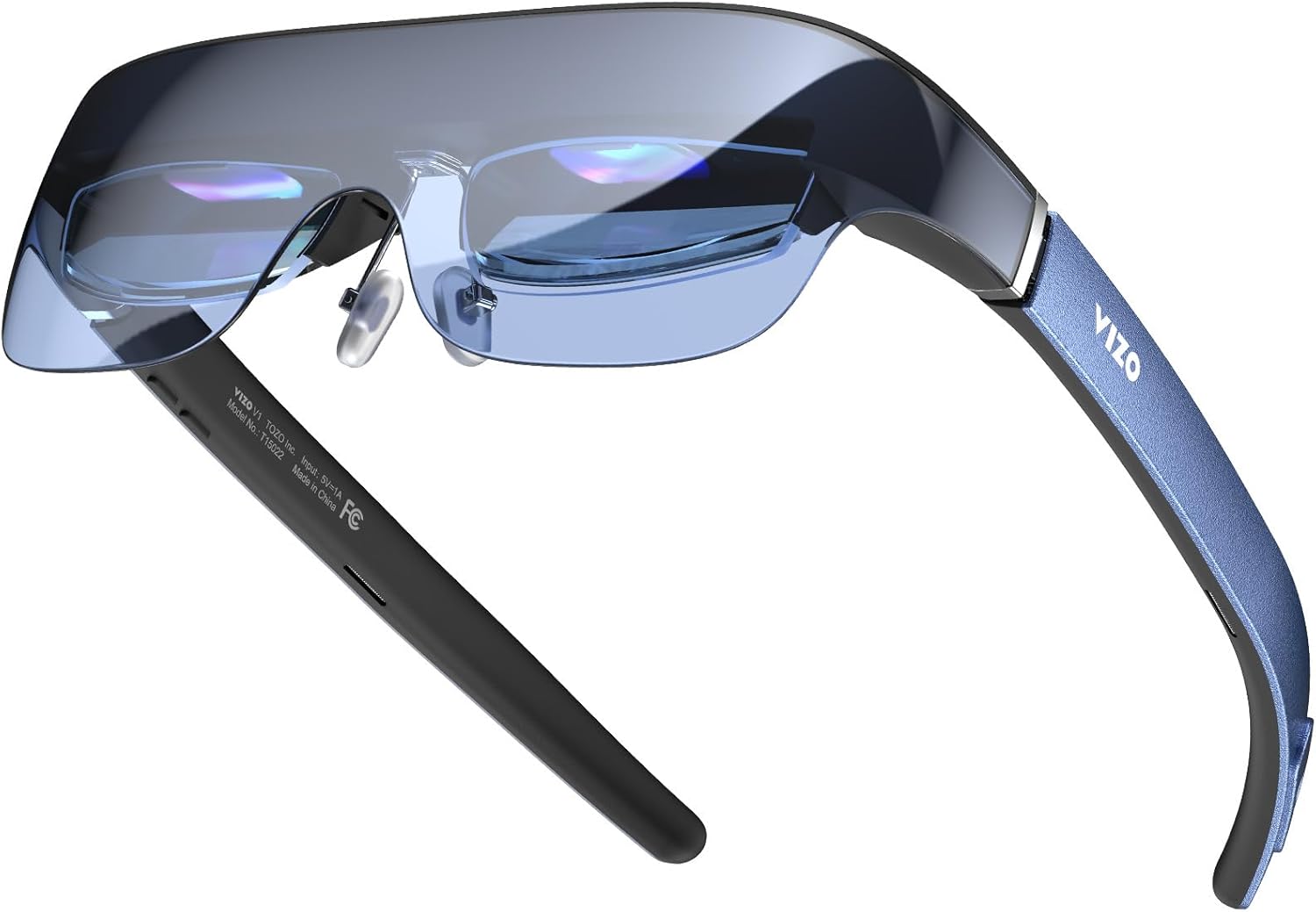
Figure 1: TOZO VIZO V1 AR Glasses, showcasing அவர்களின் நேர்த்தியான வடிவமைப்பு.
2. தொகுப்பு உள்ளடக்கங்கள்
தொகுப்பில் அனைத்து பொருட்களும் உள்ளதா என்பதை சரிபார்க்கவும்:
- TOZO VIZO V1 AR Glasses
- USB-C to USB-C Cable (for connection to compatible devices)
- துப்புரவு துணி
- பாதுகாப்பு கேரிங் கேஸ்
- பயனர் கையேடு (இந்த ஆவணம்)
3. அமைப்பு மற்றும் ஆரம்ப பயன்பாடு
3.1 ஒரு சாதனத்துடன் இணைக்கிறது
The TOZO VIZO V1 AR Glasses connect directly to compatible devices via a USB-C port. No internal battery is present in the glasses; power is supplied by the connected device.
- Ensure your device (iPhone, Mac, PC, Android phone, Steam Deck, etc.) has a functional USB-C port that supports video output (DisplayPort Alternate Mode).
- Connect one end of the provided USB-C to USB-C cable to the port on the TOZO VIZO V1 AR Glasses.
- Connect the other end of the cable to the USB-C port on your compatible device.
- The glasses should automatically power on and display your device's screen.
3.2 Adjusting Myopia Correction
The VIZO V1 glasses feature adjustable myopia correction from 0 to 500 degrees, eliminating the need for prescription glasses or additional lenses.
- Put on the glasses.
- Locate the small adjustment dials on the top of each lens frame.
- Individually turn each dial until the displayed image appears clear and sharp for each eye. This allows for precise focus adjustment for users with varying degrees of nearsightedness.

Figure 2: Myopia adjustment dials for individual eye focus.
3.3 Ensuring Comfortable Fit
The glasses are designed for comfort across various head shapes. Adjust the nose pads and temple arms as needed to achieve a secure yet comfortable fit for extended use.

படம் 3: வசதியான உடைகளுக்கான பணிச்சூழலியல் வடிவமைப்பு.
4. இயக்க வழிமுறைகள்
4.1 காட்சி அம்சங்கள்
The VIZO V1 glasses feature an 1800-nit ultra-bright display, ensuring clear visibility even in bright environments, and project a 118-inch virtual mega screen.

Figure 4: Illustration of the 1800-nit ultra-bright display capability.

Figure 5: Visual representation of the 118-inch virtual mega screen.
4.2 2D/3D Mode Switching
The glasses support seamless switching between 2D and 3D modes for various content types.
- Locate the mode switching button on the temple arm (refer to Figure 7 for control layout).
- Press the button to toggle between 2D and 3D display modes.

Figure 6: Switching between 2D and 3D viewing முறைகள்.
4.3 ஆடியோ வெளியீடு
Built-in stereo speakers provide immersive audio for movies, games, and other content. Volume can be adjusted directly on the glasses.
- Locate the volume control buttons on the temple arm (refer to Figure 7 for control layout).
- ஒலியளவை அதிகரிக்க '+' பொத்தானையும், ஒலியளவைக் குறைக்க '-' பொத்தானையும் அழுத்தவும்.

Figure 7: On-device controls for brightness, 2D/3D mode, and volume.
4.4 காணொளி செயல்விளக்கம்
காணொளி 1: ஒரு ஓவர்view of the TOZO VIZO V1 AR Glasses features, including built-in stereo speakers, adjustable myopia correction, and the 118-inch virtual mega screen.
5. பராமரிப்பு மற்றும் பராமரிப்பு
Proper maintenance ensures the longevity and optimal performance of your TOZO VIZO V1 AR Glasses.
- லென்ஸ்களை சுத்தம் செய்தல்: Use the provided cleaning cloth or a soft, lint-free microfiber cloth to gently wipe the lenses. Avoid using abrasive materials, alcohol, or chemical cleaners, as these can damage the lens coatings.
- சேமிப்பு: When not in use, store the glasses in the protective carrying case to prevent scratches and dust accumulation.
- அதிக வெப்பநிலையைத் தவிர்க்கவும்: Do not expose the glasses to extreme heat or cold, as this can affect electronic components and materials.
- திரவ வெளிப்பாடு: Avoid contact with liquids. The glasses are not waterproof.
- கேபிள் பராமரிப்பு: Handle the USB-C cable carefully. Avoid sharp bends or excessive pulling to prevent damage.
6. சரிசெய்தல்
If you encounter issues with your TOZO VIZO V1 AR Glasses, refer to the following common solutions:
| பிரச்சனை | சாத்தியமான காரணம் | தீர்வு |
|---|---|---|
| No display in glasses. |
|
|
| படம் மங்கலாகவோ அல்லது குவியத்தில் இல்லை. |
|
|
| ஸ்பீக்கர்களில் இருந்து ஒலி இல்லை. |
|
|
| 2D/3D mode not switching. |
|
|
7. விவரக்குறிப்புகள்
| அம்சம் | விவரம் |
|---|---|
| மாதிரி எண் | VIZO V1 |
| காட்சி பிரகாசம் | 1800 Nits (Ultra-Bright) |
| Virtual Screen Size | 118 அங்குலம் |
| Myopia Correction | Adjustable 0-500 degrees |
| ஆடியோ | உள்ளமைக்கப்பட்ட ஸ்டீரியோ ஸ்பீக்கர்கள் |
| காட்சி முறைகள் | 2D / 3D Switching |
| இணைப்பு | USB-C (DisplayPort Alternate Mode compatible) |
| தொகுப்பு பரிமாணங்கள் | 7.48 x 3.74 x 3.35 அங்குலம் |
| பொருளின் எடை | 13.12 அவுன்ஸ் |
| உற்பத்தியாளர் | டோசோ |
8. உத்தரவாதம் மற்றும் ஆதரவு
For warranty information, technical support, or customer service inquiries, please refer to the official TOZO website or contact their customer support directly. Specific warranty terms and conditions may vary by region and purchase date.
நீங்கள் பார்வையிடலாம் அமேசானில் TOZO ஸ்டோர் மேலும் தயாரிப்பு தகவல் மற்றும் ஆதரவு வளங்களுக்கு.


